28_www.kocom.com Security Home Auto System_29
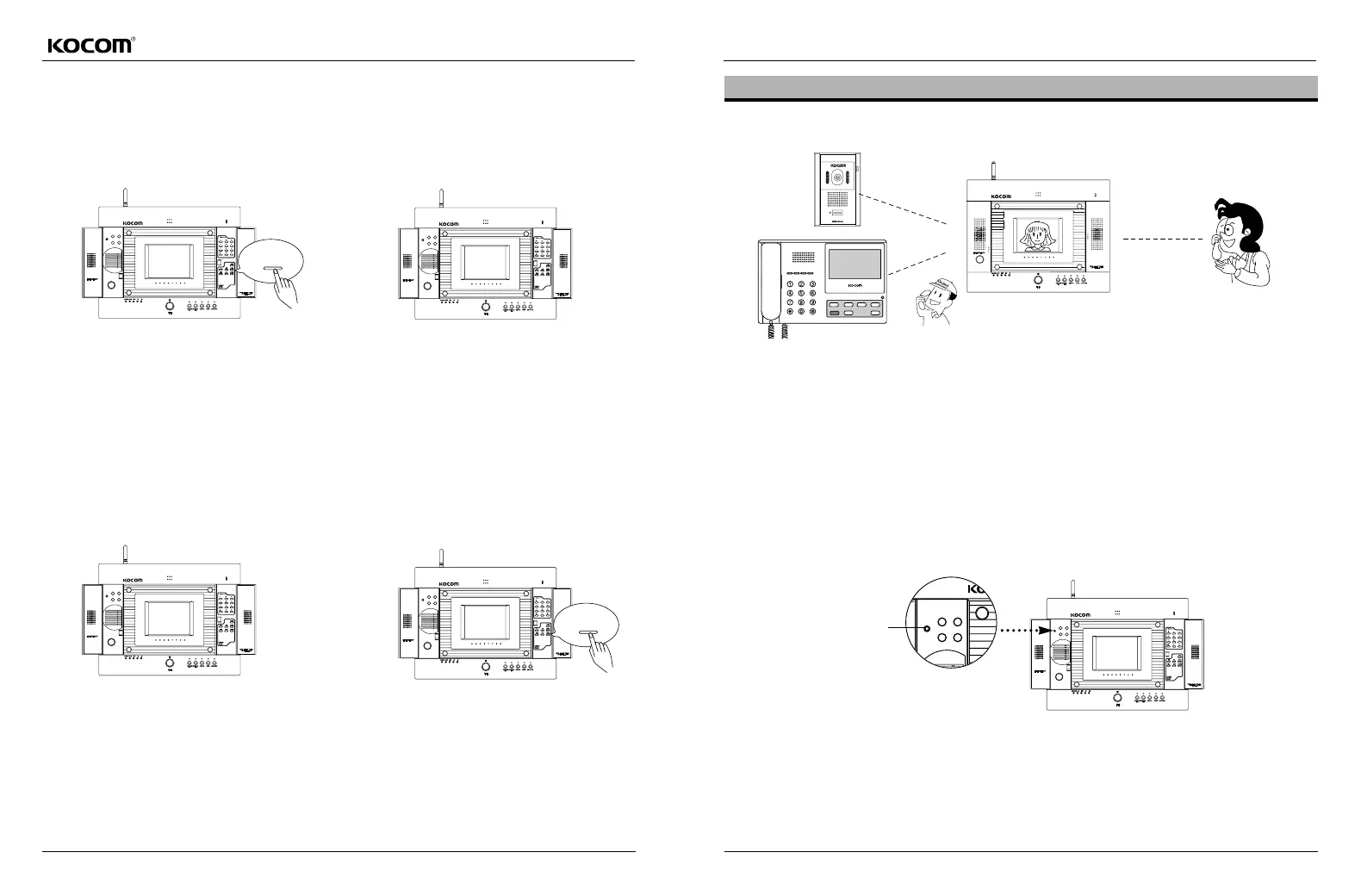
In the event that an emergency occurs when alarming sound is stopped
While alarming sound is heard, the concerned LED
flickers.
Pressing the "stop alarm" button, alarming sound is
turned off.
In the event that other emergency occurs while alarming sound is
stopped, stop alarmmode is released and both the previous and new
alarming sounds occur in order.
Returning to Alarming Mode
When alarming sound is being heard
or stopped
Pressing the resetbutton, alarming sound is turned off,
with alarming state returning to normal state and alarming LED
being turned off (Reset).
Only if a situation that caused alarming state is removed, reset to
alarm mode works.
(Concerned alarming sound)
(Concerned alarming sound)
stop
Reset
Interlocked Communication with 900MHz Wireless Telephone (KHV-446ST/KHV-456ST Products)
Interlocked Communication Method
A Call from Gate (or Guard) While Communication Using Wireless Telephone
Setting the Wireless Telephone
In case of calls from Gate camera or guard, or incoming telephone call, user can communicate with other party using
main body as well as 900MHz wireless telephone.
For outgoing general telephone call, call with Gate and guard, and direct dialing call, user can use wireless telephone
for communication.
After hanging up the wireless telephone, press the talkbutton to communicate with Gate
(guard or common gate).
Press the Wireless Setting button on the main body of Home Auto. Then, press the function,redial,and 1buttons on
wireless handset in order. After 2 ~ 3 seconds, user can hear beep sound from the handset, which indicating that setting is
completed.
Wireless Handset Setting Button



 To Next Page