Doingmorewithyourcamera
2 Press._i_ to highlightOn, then pressthe OKbutton.
Theslideshowrepeatsuntilyoupressthe OKbuttonor untilbatterypoweris
exhausted.TheLoopfeatureremainsuntilyou changeit.
Displaying pictures and videos on a television
Youcandisplaypictures/videoson a television,computermonitor,or anydevice
equippedwith avideo input.(Imagequalityon atelevisionscreenmaynot beasgood
asona computermonitoror whenprinted.)
NOTE:EnsurethattheVideoOutsetting(NTSCorPAL)iscorrect(seeVideoOutonpage25).Theslide
showstopsifyouconnectacablewhiletheslideshowisrunning.
1 Connectanaudio/videocablefrom the cameraUSB,A/V Outportto the television
video-inport (yellow)andaudio-inport (white).Seeyourtelevisionuser'sguidefor
details.
2 Reviewpictures/videoson the television.
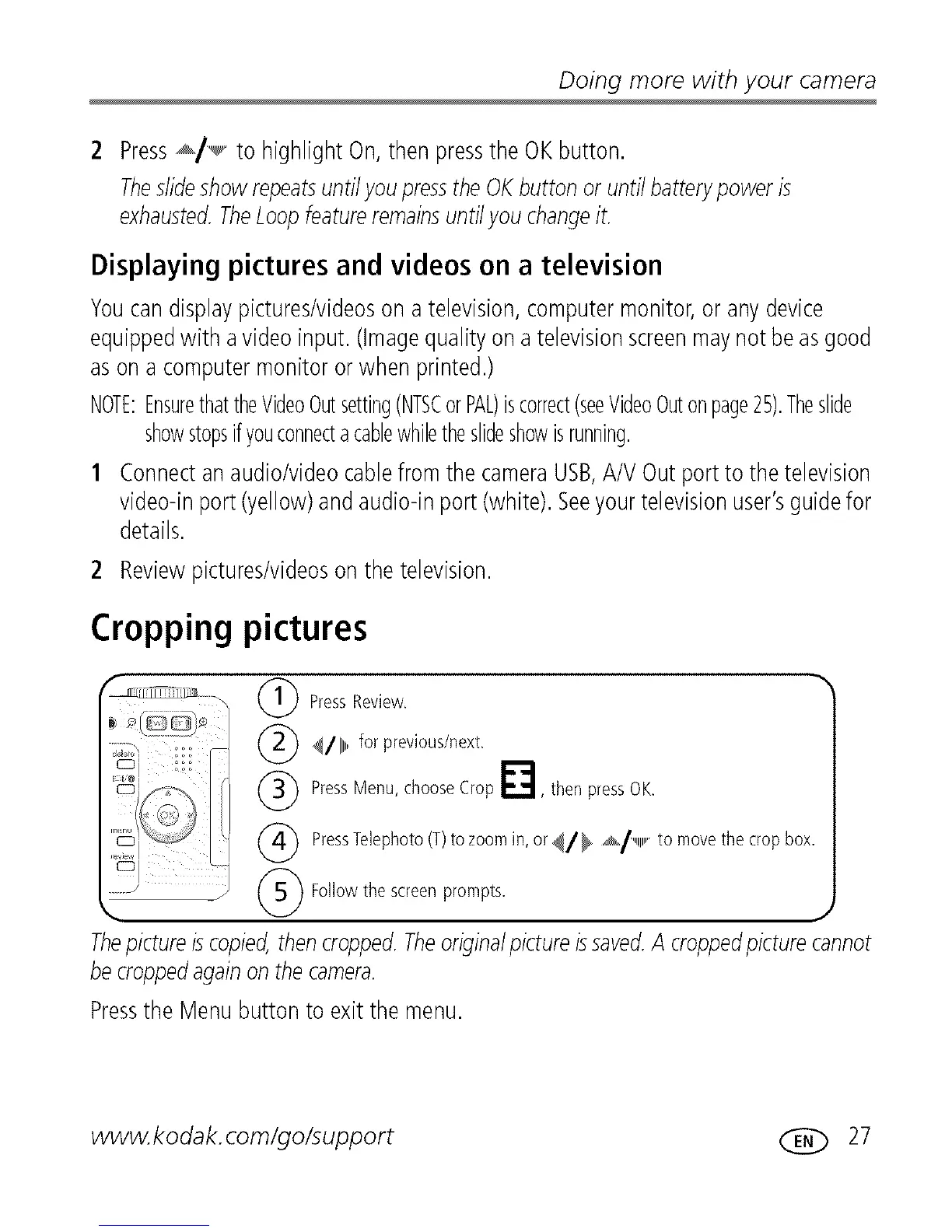
Cropping pictures
Press Review,
(_ _/111_,,,for previous/next,
(_ Press Menu, choose Crop _"_, then press OK,
(_ PressTelephoto (T)to zoom in, or _//_ ,_/,,,,,,,,,,,to move the crop box,
(_ Followthe screenprompts,
J
Thepictureiscopied,thencropped.Theoriginalpictureissaved.A croppedpicturecannot
becroppedagainonthe camera.
Pressthe Menubuttonto exit the menu.
www.kodak.com/go/support (_ 27












 To Next Page