4 www.kodak.com/go/support
Getting started
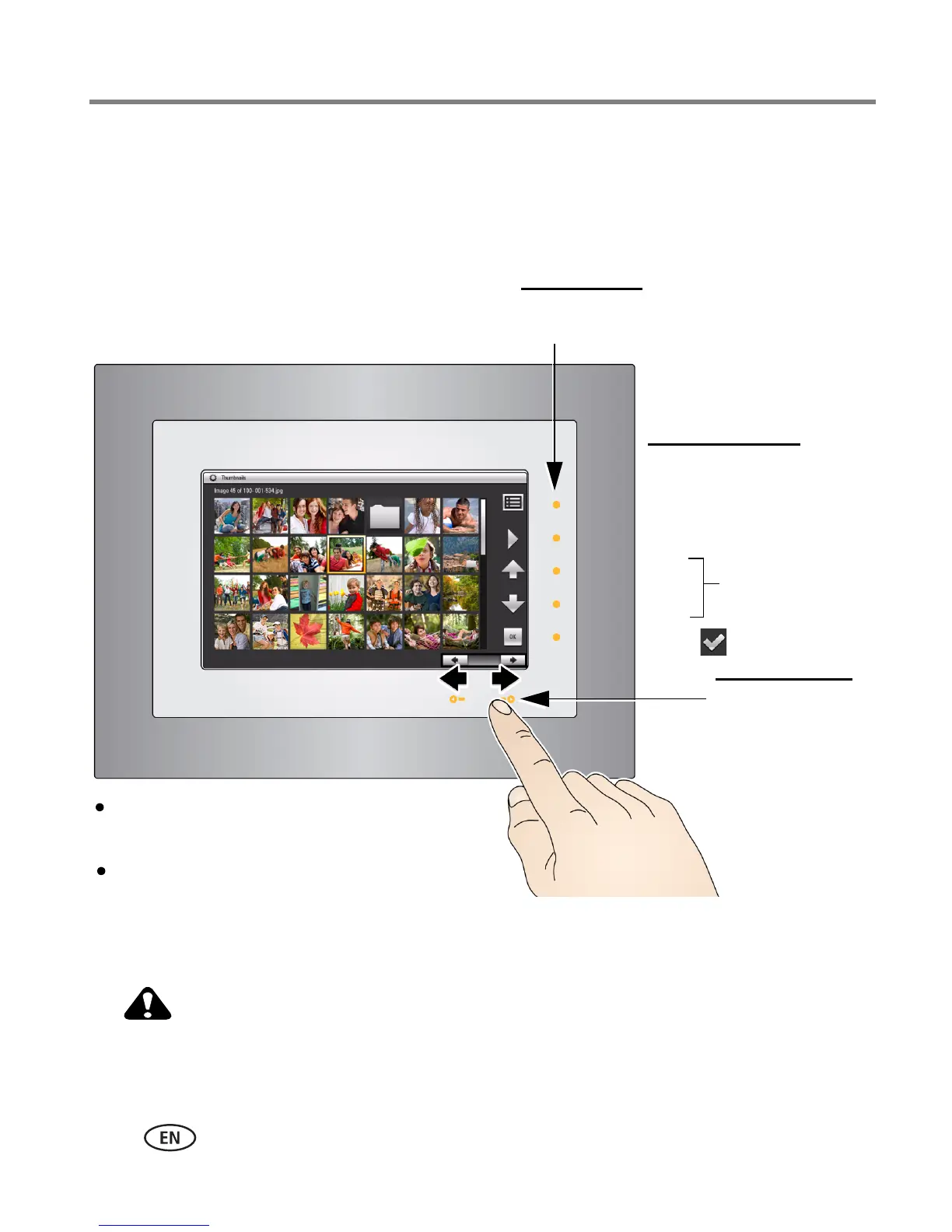
Navigating using the Quick Touch Border
IMPORTANT:
The display screen is not touch-sensitive. Do not touch it. Instead, tap the
lights on the right and bottom borders.
Only use your finger on the borders. Borders do not react to sharp
or metal objects—and they may damage the border or screen.
Right border
Tap
lights
Tap, or press and
hold arrow lights,
or slide between
them to go forward
or backwards
Menu
Play
Up
Down
OK or
Move through the
menus and
thumbnail rows
Bottom
Right border icons
Tap a light on the right border to see the icons.
Tap OK to hide them.
Hover within
1 - 3 inches (2.5 - 7.6 cm)
of any
border to turn on the lights.













 To Next Page