www.kodak.com/go/support 1
1 Getting started
Welcome to your KODAK EASYSHARE Digital Frame. Viewing and sharing your
pictures couldn’t be simpler!
Setting up your frame
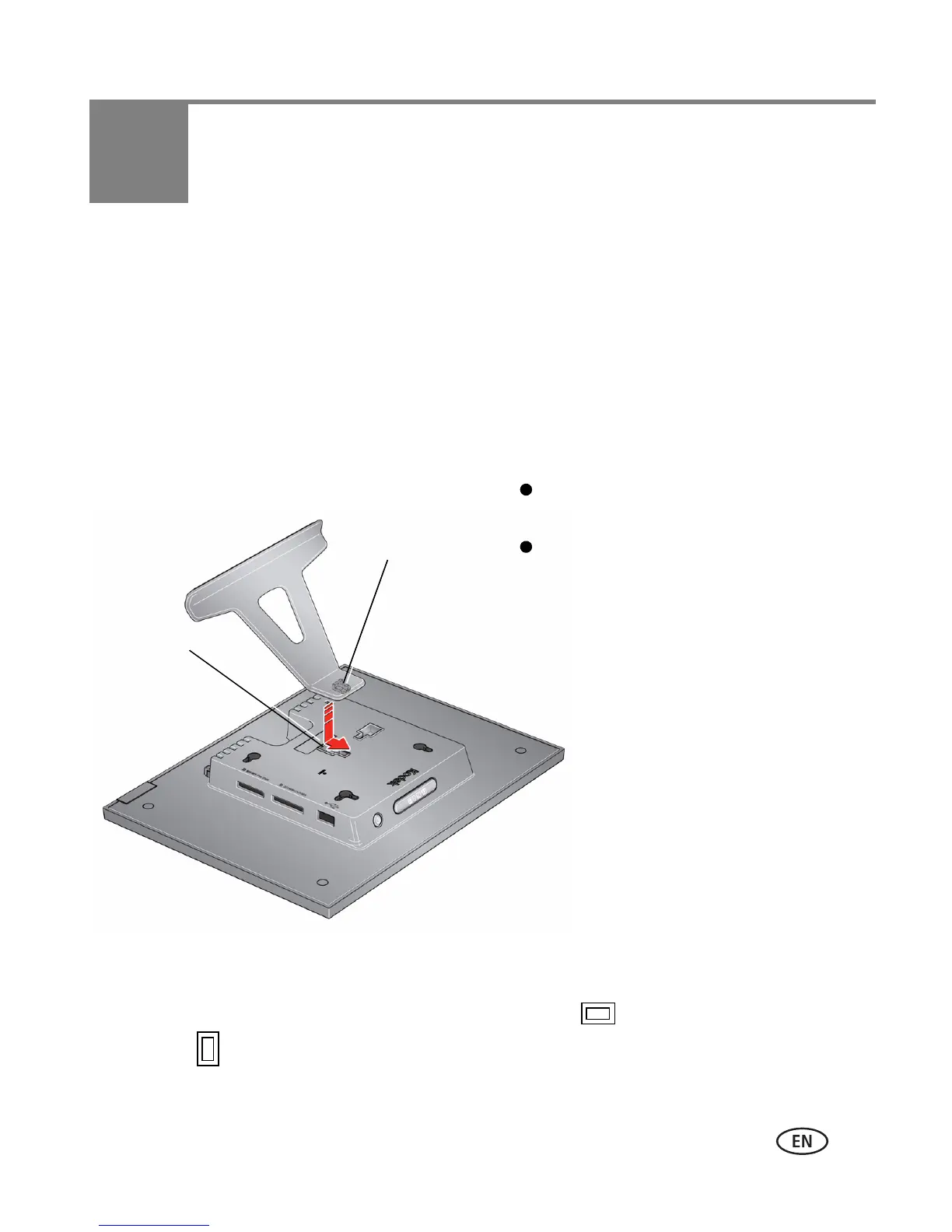
Attaching the stand
Your frame displays pictures in landscape orientation . To change to portrait
orientation , see page 29.
Snap the stand into the slot in the back
of the frame.
Make sure the tab is secure in the slot.
Slot
Tab













 To Next Page