Viewing pictures
www.kodak.com/go/support
13
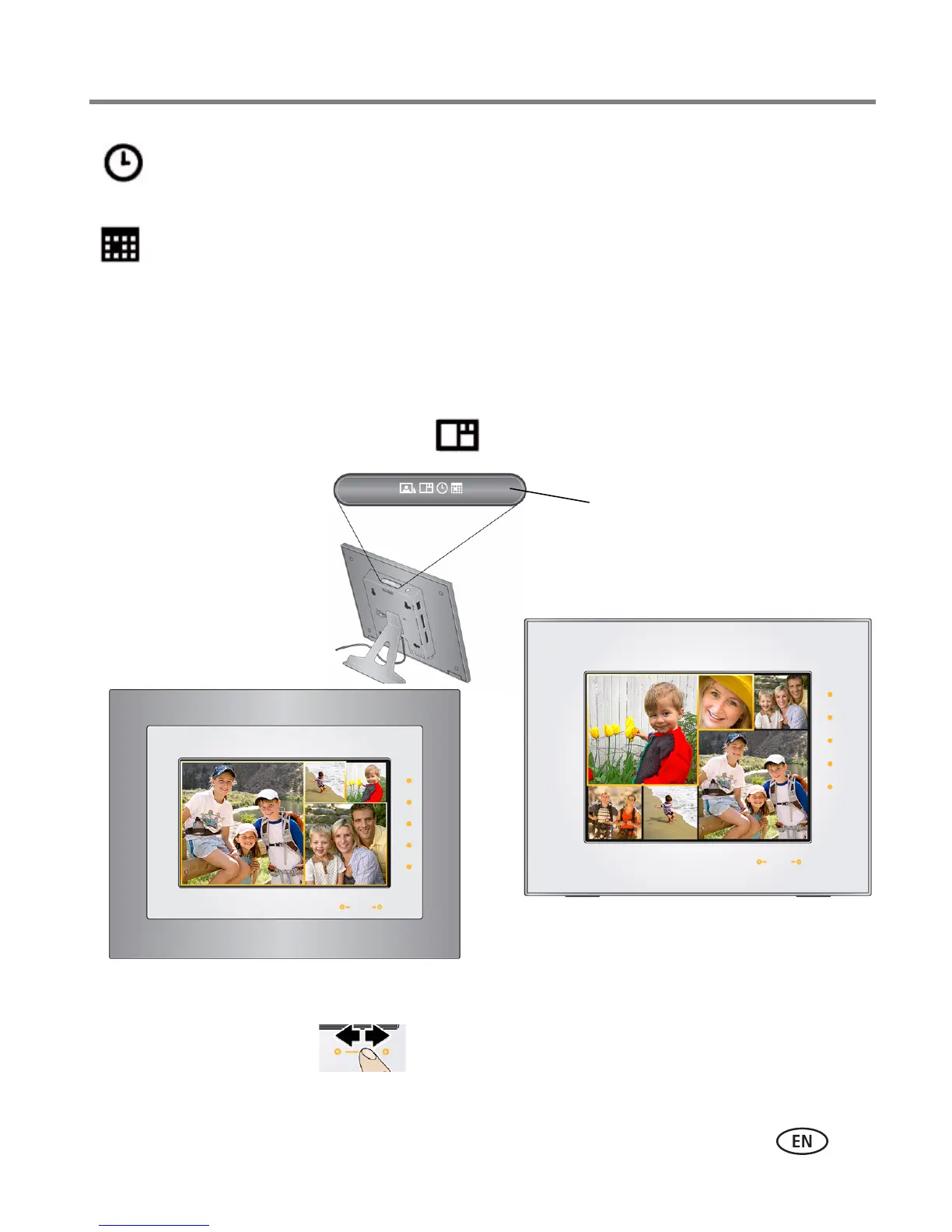
Viewing pictures in collage mode
View a revolving four-picture (or six-picture, P736) slide show. Press the Mode button
to play your pictures in collage mode .
■ Tap a right/left arrow to highlight a different picture in the collage.
■ Tap the right or bottom border to pause play and highlight the current picture.
Clock—a clock with the current time is displayed on one side of the screen, while the
pictures in your current picture source play on the other. See Setting the clock, date,
and timer, page 6.
Calendar—a calendar with today’s date highlighted is displayed on one side of the
screen, while the pictures in your current picture source play on the other. See Setting
the clock, date, and timer, page 6.
Mode button
Four-picture collage
Six-picture collage (P736 only)














 To Next Page