Viewing pictures
www.kodak.com/go/support
11
Viewing your pictures
View your pictures from the frame’s internal memory or any connected picture source.
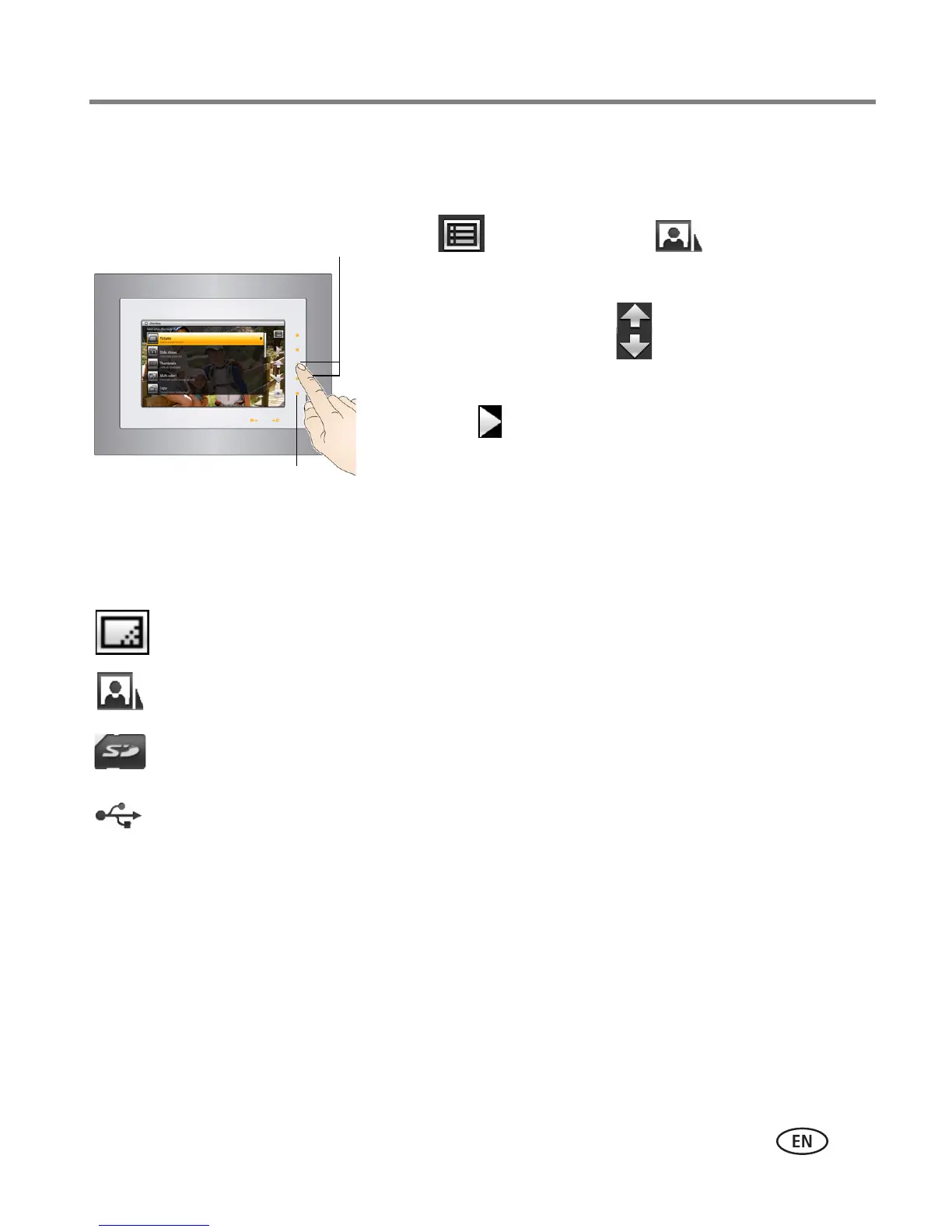
1 Tap (Menu), then tap (Pictures).
All connected sources and internal memory are listed.
2 Tap an up/down arrow to highlight a picture
source, then:
■ Tap (Play) to start a slide show of the
pictures in the highlighted source.
■ Or, tap OK to view thumbnails of the pictures in
the highlighted source.
Playback information
■ Picture display order:
- When Shuffle is On (the default setting, see page 26), pictures play in random
order.
- When Shuffle is Off, pictures play according to your Display Picture Order By
setting (see page 27).
Picture sources:
Default play location—appears when you save a picture source as your automatic
go-to location (see page 16).
Internal memory—the frame’s 512 MB internal memory. Copy your pictures into
internal memory from a memory card or other device.
Memory card—appears when you insert a card (page 8). The label and icon indicate
the type of card.
USB drive—appears when you insert a USB flash or other type drive (page 9).














 To Next Page