8 www.kodak.com/go/support
Getting started
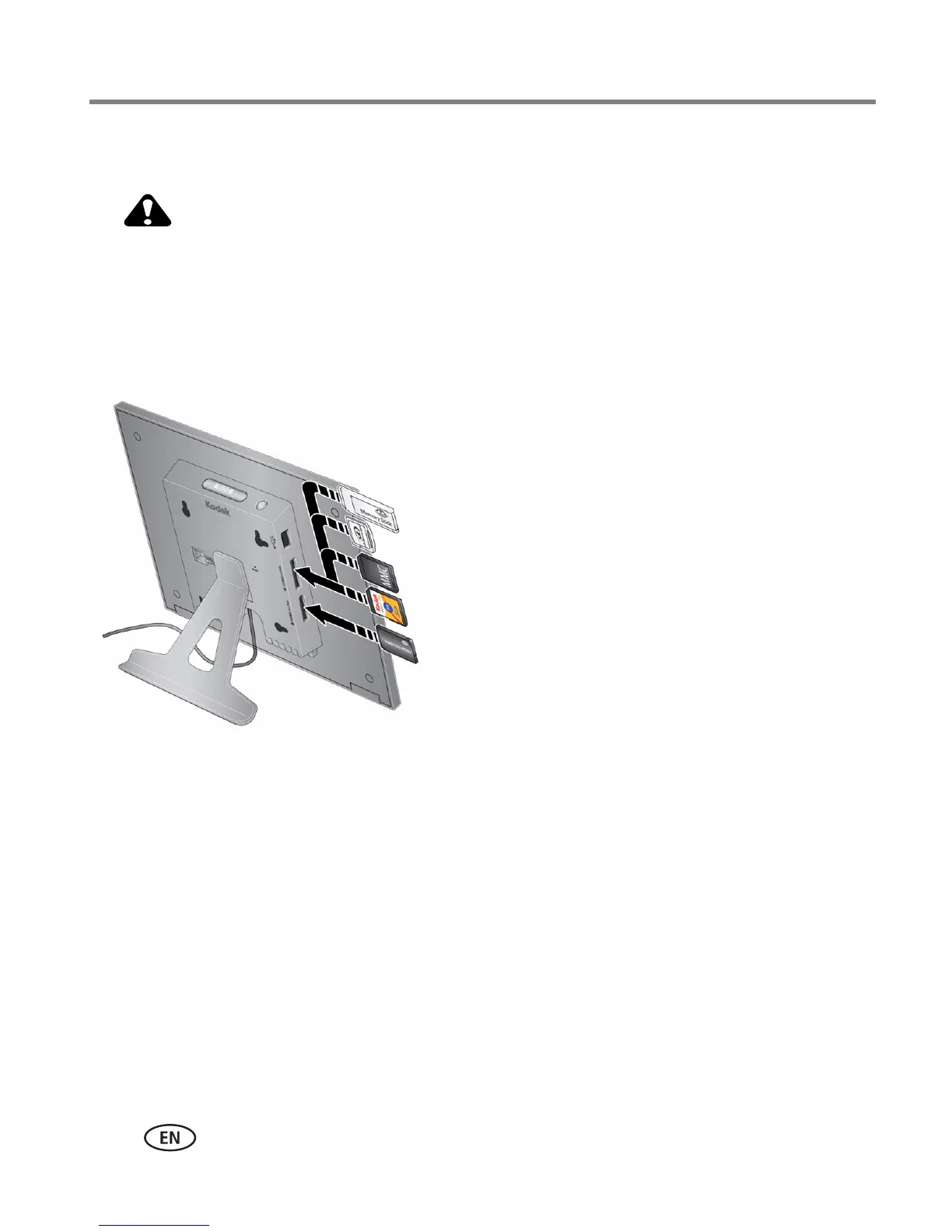
Inserting a memory card
Do not insert an MS Pro Duo card in the top slot. It could get
stuck and damage the card or your frame.
■ To insert a card, push it firmly into the slot until it clicks and stops
■ To remove a card, pull it out of the slot.
MMC (MULTIMEDIA Card)
xD
SD (SECURE DIGITAL)
MS/MS Pro Duo (MEMORY STICK)
MS (MEMORY STICK)
Top card slot:
Bottom card slot:













 To Next Page