30 www.kodak.com/go/support
Changing settings and more
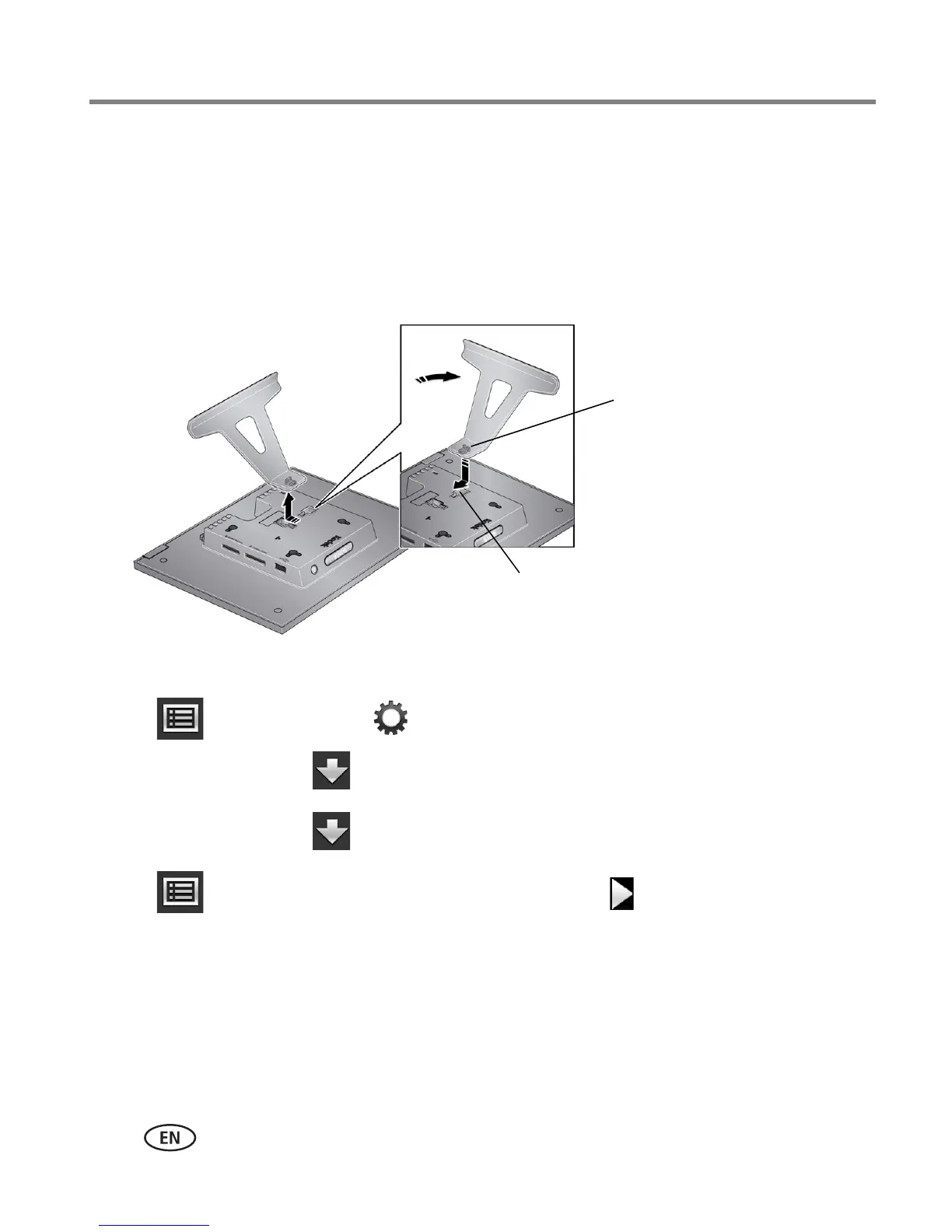
Change the stand position
Change the frame orientation setting
1 Tap (Menu), then tap (Settings).
2 Tap the down arrow to highlight Frame orientation, then tap OK.
3 Tap the down arrow to highlight Portrait, then tap OK.
4 Tap (Menu) to return to the main menu, or tap (Play) to play your
pictures.
Remove the stand, turn it 90° , and
replace as shown.
Make sure the tab is secure in the slot.
Slot
Tab













 To Next Page