Kodak ESP 9 Printer User Guide 39
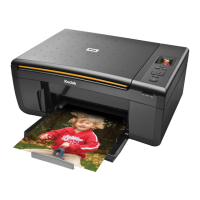
Your Kodak All-in-One printer accepts print stock of various types and sizes, including
letter-and legal-size plain paper, photo paper, transparencies, T-shirt transfers, envelopes,
cards, and labels. It automatically detects the size and whether or not photo paper is loaded
into the paper tray. Kodak photo paper contains barcodes that allow your All-in-One printer
to detect the paper type that optimize your photo prints.
The bottom paper tray accepts media from 6 to 9 inches wide, and from 7–14 inches long
(see the Note
on page 41); its capacity is 100 sheets of 20 lb. plain paper. The top tray
capacity is 40 sheets of 4X6, 4X7, or 5X7 inch paper.
The automatic document feeder (ADF) on the ESP 9 All-in-One printer accepts up to 35
sheets of plain paper.
Handling paper
Follow the precautions below when handling paper:
• Hold the paper by the edges; avoid placing your fingerprints on it.
• Do not touch the glossy side of photo paper.
• Store paper flat, away from direct sunlight and heat (such as in a car parked in the sun).
4
Handling Paper
Warning: The printer cannot sense photo paper loaded in the automatic
document feeder (ADF), and will not feed photo paper into the printer for either
copy (document) or fax operations.



 To Next Page
 Loading...