www.kodak.com/go/aiosupport 61
KODAK ESP C315 All-in-One Printer
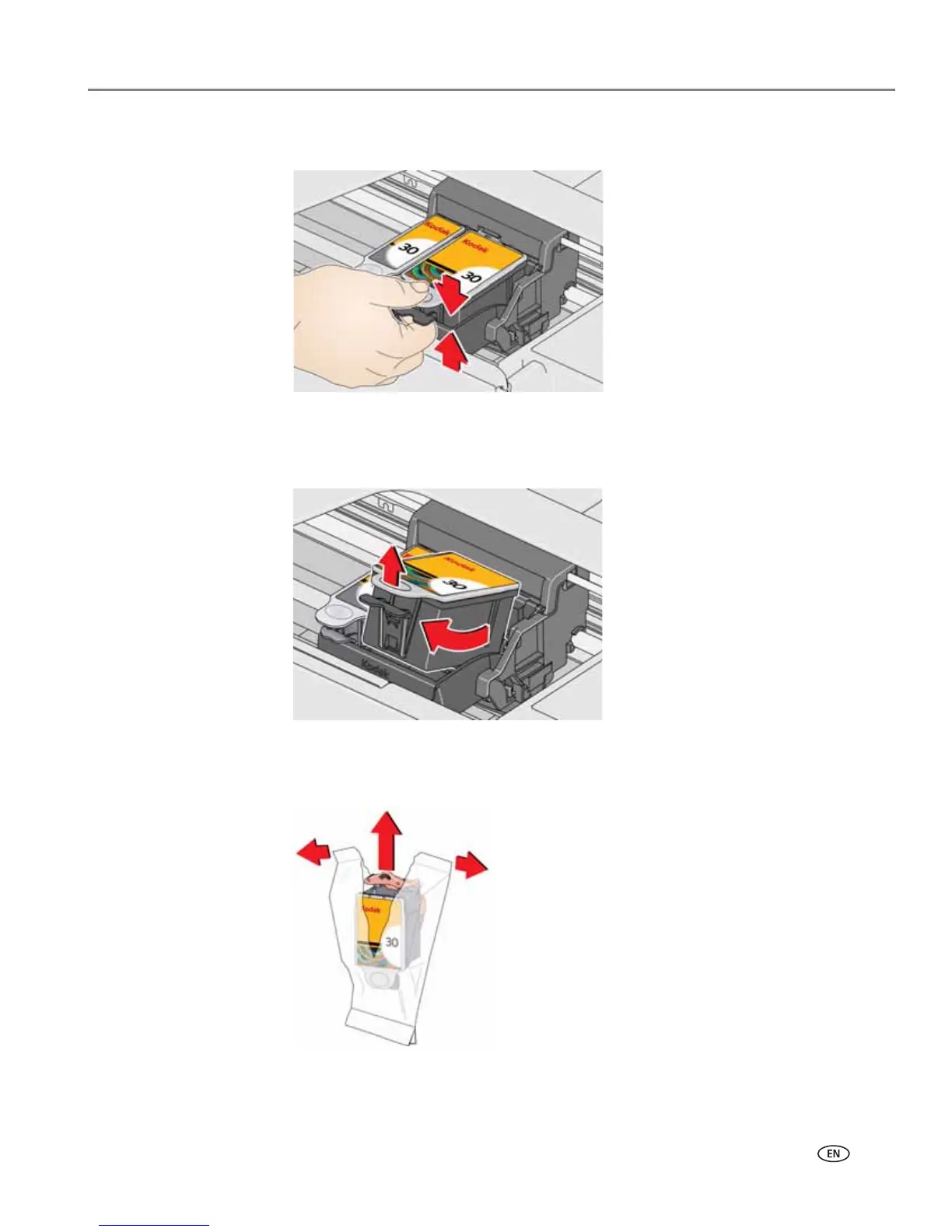
3. Pinch the tab on the ink cartridge.
4. Lift the ink cartridge out of the printhead.
5. Remove the new ink cartridge from its bag.
IMPORTANT: To prevent the printhead from drying out, insert the ink cartridge into the
printhead immediately.














 To Next Page