EasyManua.ls Logo

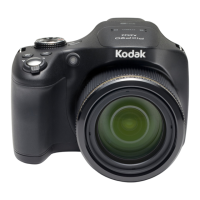
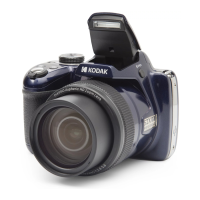
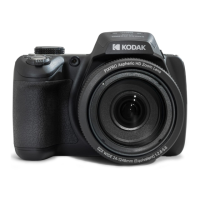
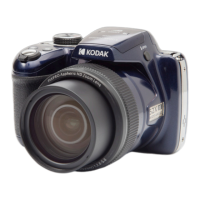
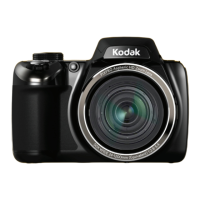
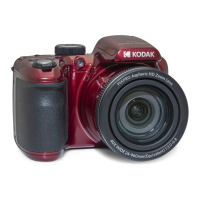
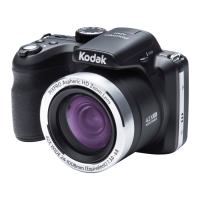
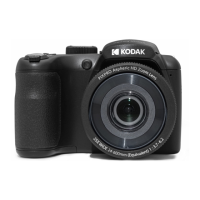
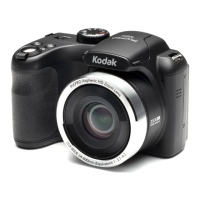
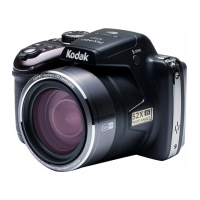
Kodak PIXPRO AZ527 - User Manual

Kodak PIXPRO AZ527
124 pages
Print Icon
To Next Page IconTo Next Page
Loading...
User Manual
KODAK
DIGITAL CAMERA
PIXPRO AZ527

Table of Contents

Questions and Answers

  • S
    Spencer TaylorAug 15, 2025
    What to do if my Kodak PIXPRO AZ527 Digital Camera does not turn on?
    • J
      Jennifer DavidsonAug 15, 2025
      If your Kodak Digital Camera isn't turning on, it might be because the battery has been depleted. Recharge the battery. Another possibility is that the battery is not inserted correctly. Make sure to correctly reinstall the battery.
  • C
    Cheryl MejiaAug 18, 2025
    What to do if Kodak Digital Camera cannot write to the memory card?
    • A
      Adam HolderAug 18, 2025
      If your Kodak Digital Camera cannot write to the memory card, the memory card may have been locked. Release the write lock of the memory card or replace it with another card.
  • L
    lopezjeffreyAug 21, 2025
    Why does my Kodak PIXPRO AZ527 turn off suddenly?
    • W
      William WatersAug 21, 2025
      Your Kodak Digital Camera might be turning off suddenly because the batteries have been depleted. Recharge the battery to resolve this issue.
  • J
    Jeremy MontesAug 25, 2025
    How to fix blurred pictures on Kodak Digital Camera?
    • Q
      qfordAug 26, 2025
      If your Kodak Digital Camera pictures are blurred, it could be due to camera shake while taking the picture. To fix this, turn on the OIS feature. If using high magnification (above 15X) optical zoom, use a tripod.
  • M
    Mark WilliamsAug 28, 2025
    What to do if Kodak PIXPRO AZ527 images and video files cannot be saved?
    • M
      mark23Aug 28, 2025
      If your Kodak Digital Camera isn't saving images or videos, it could be due to a full memory card. Try using another memory card or deleting unnecessary files. Alternatively, the memory card might be locked; in that case, unlock it.
  • C
    coleericaAug 31, 2025
    Why Kodak PIXPRO AZ527 saving data to memory card is slow?
    • R
      Ronald ChapmanAug 31, 2025
      If your Kodak Digital Camera is saving data to the memory card slowly, it could be because you are using a memory card below Class 4. Use a memory card with write Class higher than 4 to improve performance.
  • M
    Mitchell LindseySep 4, 2025
    Why Kodak PIXPRO AZ527 Digital Camera images will not print from the connected printer?
    • P
      philip00Sep 4, 2025
      If your Kodak Digital Camera images are not printing, check the connection between the camera and the printer. Ensure you are using a PictBridge compatible printer. Also, make sure the printer has paper and ink. Finally, check for and remove any jammed paper.
  • C
    Colin OwensSep 7, 2025
    Why does the flash icon appear on the LCD of my Kodak PIXPRO AZ527?
    • C
      crystal31Sep 7, 2025
      The flash icon appears on the LCD of your Kodak Digital Camera because the current shooting environment requires flash. Turn on the flash.
  • I
    Ivan WardSep 10, 2025
    What to do if Kodak PIXPRO AZ527 Digital Camera shows too many movies to process?
    • B
      Brittany RobinsonSep 12, 2025
      If your Kodak Digital Camera displays 'Too many movies to process', it means that the number of pictures or folders in the memory card exceed the specifications, so the playback of data folder cannot be displayed. Delete unwanted files to resolve this.

Kodak PIXPRO AZ527 Specifications

General IconGeneral
Camera typeBridge
Sensor TypeCCD
Effective Pixels16 MP
Optical Zoom52x
Digital Zoom4x
ISO Sensitivity100 - 3200
Image StabilizationOptical
LCD Resolution460, 000 dots
Shutter Speed1/2000 - 8 sec
Video Frame Rate30 fps
Storage MediaSD/SDHC/SDXC
ConnectivityUSB 2.0, HDMI
Battery LifeApprox. 300 shots
Sensor resolution16 MP
Lens Focal Length4.3 mm (Wide) — 223.6 mm (Tele)
Maximum Aperturef/2.8 - f/5.6
LCD Screen Size3.0 inch
Video Resolution1080p
Battery TypeLi-ion

Related product manuals