EasyManua.ls Logo

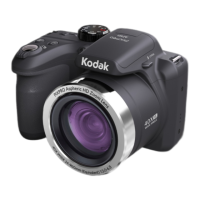
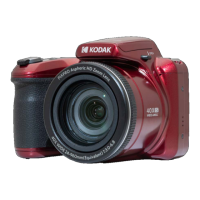
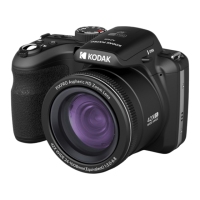
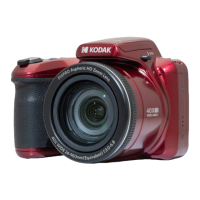
Kodak PIXPRO Astro Zoom AZ528 - User Manual

Kodak PIXPRO Astro Zoom AZ528
123 pages
Print Icon
To Next Page IconTo Next Page
Loading...
KODAK
DIGITAL CAMERA
PIXPRO
AZ528
User Manual
Questo manuale d’istruzione è fornito da trovaprezzi.it. Scopri tutte le offerte per Kodak PIXPRO
Astro Zoom AZ528 Nero o cerca il tuo prodotto tra le migliori offerte di Fotocamere

Table of Contents

Questions and Answers

  • R
    randy77Aug 12, 2025
    How to fix Kodak PIXPRO Astro Zoom AZ528 Digital Camera that does not turn on?
    • A
      Alexis RoyAug 13, 2025
      If your Kodak Digital Camera isn't turning on, it might be due to a depleted battery. Try recharging it. Alternatively, the battery may not be correctly installed. Make sure to reinstall the battery correctly.
  • C
    Carly WhiteAug 16, 2025
    Why does my Kodak Digital Camera turn off suddenly?
    • S
      Sarah PhillipsAug 16, 2025
      If your Kodak Digital Camera turns off suddenly during operation, the batteries may be depleted, so recharge the battery. Also, ensure the camera is actually shutting off and not entering Power Save Mode, where the LCD will turn off after the camera has been idle for a period of time.
  • K
    Katherine LopezAug 20, 2025
    What to do if Kodak PIXPRO Astro Zoom AZ528 images and video files cannot be saved?
    • W
      williamfowlerAug 20, 2025
      If your Kodak Digital Camera is unable to save images and video files, it could be because the SD memory card is full. Try using another memory card or deleting unnecessary files. Also, the memory card might be locked; ensure you unlock it.
  • W
    William BrownAug 25, 2025
    How to fix blurry picture on Kodak Digital Camera?
    • D
      David HannaAug 25, 2025
      If the picture taken with your Kodak Digital Camera is blurry, it may be due to camera shake. Turn on the OIS (Optical Image Stabilization) feature. When using high magnification (above 15X) optical zoom, use a tripod. If you are holding the camera, be sure to use both hands.
  • C
    Christopher ArmstrongAug 28, 2025
    What to do if Kodak PIXPRO Astro Zoom AZ528 cannot write to the memory card?
    • C
      Christopher RomeroAug 28, 2025
      If your Kodak Digital Camera cannot write to the memory card, the SD memory card may have been locked. Release the write lock of the memory card or replace it with another card.
  • J
    James GarzaAug 31, 2025
    Why Kodak PIXPRO Astro Zoom AZ528 images will not print?
    • D
      denise60Aug 31, 2025
      If images from your Kodak Digital Camera won't print, check the connection between the camera and the printer. Also, ensure you are using a PictBridge compatible printer. The printer might be out of paper or ink, so load paper or replace the ink cartridge. Finally, check for and remove any jammed paper.
  • K
    Kelly BarrSep 4, 2025
    Why is my Kodak PIXPRO Astro Zoom AZ528 saving data to memory card so slow?
    • E
      Eric GuerreroSep 4, 2025
      If saving data to the memory card on your Kodak Digital Camera is slow, it could be because you are using a memory card below Class 4. Use a memory card with write Class 4 or higher to improve performance.
  • S
    Susan SmithSep 8, 2025
    What does the flash icon mean on Kodak PIXPRO Astro Zoom AZ528 Digital Camera?
    • K
      Kevin WardSep 8, 2025
      If the flash icon is displayed on your Kodak Digital Camera, it means the current shooting environment requires flash. Turn on the flash.

Summary

BEFORE YOU START

Declaration and Compliance Information

Manufacturer and regulatory compliance information.

SAFETY NOTES

Camera and Component Safety

Essential safety guidelines for the camera, battery, and memory card.

Other Safety Notes

Miscellaneous safety advice, including LCD screen care.

GETTING READY

Initial Setup and Settings

Guides on battery/memory installation, charging, powering, language, and date/time.

MODE OVERVIEW

How to Take Pictures

Step-by-step instructions for capturing photographs.

Using the Mode Dial

Details how to select and use various shooting modes.

BASIC OPERATION

APPENDICES

Troubleshooting Guide

Provides solutions for common camera problems and issues.

Kodak PIXPRO Astro Zoom AZ528 Specifications

General IconGeneral
Optical Zoom52x
Resolution16.15 Megapixels
Image StabilizationOptical
ConnectivityWi-Fi
Sensor Resolution16.15 Megapixels
ISO SensitivityISO 100-3200
Digital Zoom4x
LCD Resolution460, 000 dots
Display Size3.0-inch LCD
Video Resolution1920 x 1080 (Full HD)
TypeDigital Camera
Image Sensor1/2.3 inch CMOS
Focal Length4.3 - 223.6 mm
Aperturef/2.8-f/5.6
Shutter Speed1/2000 - 30 sec
Battery TypeAA batteries (2) (Ni-MH rechargeable recommended)

Related product manuals