EasyManua.ls Logo

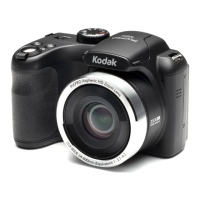
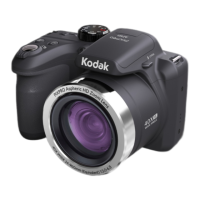
Kodak Astro Zoom PIXPRO AZ652 - User Manual

Kodak Astro Zoom PIXPRO AZ652
136 pages
Print Icon
To Next Page IconTo Next Page
Loading...
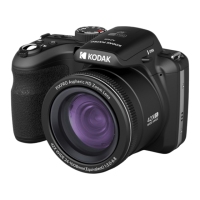
KODAK PIXPRO AZ652
DIGITAL CAMERA
User Manual

Table of Contents

Questions and Answers

  • V
    Vincent TorresJul 28, 2025
    Why my Kodak Astro Zoom PIXPRO AZ652 does not turn on?
    • D
      Diana HenryJul 28, 2025
      If your Kodak Digital Camera does not turn on, it could be due to a depleted battery. Replace the battery. It may also be that the battery is not correctly installed. Correctly reinstall the batteries.
  • J
    Jacqueline OlsonJul 31, 2025
    What to do if cannot write to memory card Kodak Astro Zoom PIXPRO AZ652?
    • J
      Jessica ByrdAug 1, 2025
      If you cannot write to the memory card with your Kodak Digital Camera, the memory card may be locked. Release the write lock or replace it with another card.
  • D
    Douglas BryantAug 5, 2025
    Why does my Kodak Astro Zoom PIXPRO AZ652 Digital Camera turn off suddenly?
    • K
      Karen EnglishAug 5, 2025
      If your Kodak Digital Camera turns off suddenly during operation, it's likely because the batteries have run out of power. Replace the battery to resolve this issue.
  • J
    justinmurphyAug 10, 2025
    How to fix blurred picture on Kodak Digital Camera?
    • M
      melanie73Aug 10, 2025
      If your Kodak Digital Camera pictures are blurred, it may be due to camera shake while taking the picture. Turn on the OIS (Optical Image Stabilization) feature. When using high magnification (above 15X) optical zoom, use a tripod.
  • A
    aliciawardAug 14, 2025
    What to do if Kodak Astro Zoom PIXPRO AZ652 images and video files cannot be saved?
    • H
      Holly WolfeAug 14, 2025
      If your Kodak Digital Camera images and video files cannot be saved, it could be due to a full memory card. Try using another memory card or delete any files you don't need. Alternatively, the memory card might be locked; in this case, unlock it.
  • W
    William CarrollAug 18, 2025
    Why images will not print from connected printer Kodak Astro Zoom PIXPRO AZ652?
    • R
      Raymond BrownAug 18, 2025
      If images will not print from the connected printer when using your Kodak Digital Camera, check the connection between the camera and the printer. Ensure you are using a PICTBRIDGE™ compatible printer. Also, make sure the printer has paper and ink, and that the paper is not jammed. Load paper into the printer or replace the ink cartridge in the printer. Remove the jammed paper.
  • B
    Bryce GutierrezAug 23, 2025
    What to do if Kodak Digital Camera shows too many movies to process?
    • S
      Sherri RichardsonAug 23, 2025
      If your Kodak Digital Camera shows 'Too many movies to process', it means the number of pictures or folders on the memory card exceeds specifications, preventing the data folder from displaying correctly. Delete unwanted files from the memory card.

Summary

SAFETY NOTES

Safety Notes for this Camera

Essential precautions for camera handling and operation.

Safety Notes for Battery

Guidelines for safe battery usage, charging, and disposal.

Safety Notes for Memory Card

Best practices for using and handling memory cards.

GETTING READY

Installing Lens Cap and Neck Strap

Step-by-step guide to attach the lens cap and neck strap.

Installing Battery and Memory Card

Step-by-step guide for inserting battery and memory card.

Charging the Battery

Instructions on how to connect and charge the camera battery.

Initial Language and Date;Time Setup

Guide for setting language and date/time upon first power-on.

MODE OVERVIEW

LCD Display and Shooting Icons

Explanation of icons and display elements in shooting mode.

How to Take Pictures

Basic steps and techniques for capturing photos.

Using the Mode Dial

Guide to navigating and selecting different shooting modes.

Wi-Fi Mode Operation

Instructions for connecting and using Wi-Fi for image transmission.

Scene Mode Selection

Guide to selecting and using various pre-set scene modes.

Custom Settings (CS) Mode

How to save and recall custom shooting modes and parameters.

BASIC OPERATION

Using EVF (Electronic View Finder)

Guide on how to use the electronic viewfinder for composition.

Using the Zoom Function

Explanation of optical and digital zoom features.

PLAYBACK

USING THE MENUS

CONNECTION SETTINGS

APPENDICES

Troubleshooting

Solutions for common camera problems and issues.

Kodak Astro Zoom PIXPRO AZ652 Specifications

General IconGeneral
Camera TypeBridge Camera
Optical Zoom65x
ISO Sensitivity100-3200
Screen Size3.0 inches
Screen TypeTFT LCD
Digital Zoom4x
LCD Screen Resolution460, 000 dots
Storage MediaSD/SDHC/SDXC
Image Sensor1/2.3 inch BSI CMOS
Video Resolution1920 x 1080 (Full HD)
Battery TypeLi-ion
Focal Length4.3-279.5mm
Shutter Speed1/2000 - 30 Seconds

Related product manuals