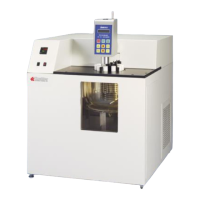
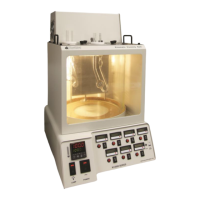
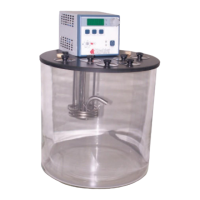
KV1000 Constant Temperature Kinematic Viscosity Bath
Operation and Instruction Manual
- 11 –
Setting the Software High Limit
This feature provides additional safety and protection by allowing a selectable upper temperature limit set point. To avoid an
unwanted shutdown during regular operation, the high limit value should be set at least 5°C higher than the selected control
temperature
1. To set the Software High Limit temperature set point, press the P2 and P3 keys simultaneously and repeat until (Hxxx) appears
on the display. This is the current Software High Limit value. It is factory set at 152°C.
2. To change the displayed value, press and turn the Select/Set Knob until the desired Software High Limit set point value is
displayed. A clockwise rotation increases the value; a counterclockwise rotation decreases the value. Press the Select/Set Knob
a second time to accept the new value and return to normal operation.
If the Software High Limit value meets or exceeds the control temperature set point, (EH1) will flash on the display. If this occurs,
enter a higher value for the Software High Limit or reduce the control temperature set point.
If the actual bath temperature reaches the Software High Limit Set Point, (FLt1) will flash on the display. Should this occur, the
Controller will automatically remove power from the heater. The pump will continue to operate.
Once the problem is corrected (bath temperature is reduced or Software High Limit value is increased), press the Power button to
clear the message.
Controller Display Messages:
Normal - Indicates that the Circuit Breaker/Power Switch is ON and the
Controller Power Switch is OFF
Normal- Appears momentarily at startup
Normal- Current calibration offset value; refer to section 6.1
Software High Limit Value
Normal- Current Software High Limit value; refer to section 5.6
Auto refrigeration set point
value
Normal- Current Auto-Refrigeration set point; refer to section 5.10
(Appears only on Refrigerating/Heating Circulators)
Software High limit set point
too low
Error- The value entered is below the control temperature set point.
Refer to Setting Software High Limit, section 5.6
Software High limit value
exceeded
Error- Set a Software High Limit value higher, then turn main power to
the unit OFF and back ON; refer to section 5.6
Error- Turn Circuit Breaker/Power Switch OFF, hold P3 Button, and then
turn the Circuit Breaker/Power Switch back ON
Safety Set Temperature
exceeded
Error - Check fluid level. Check fluid temperature and set point. Ensure
that OTP set point is higher than fluid set point, otherwise increase to
maximum. Turn Circuit Breaker/Power Switch OFF, press Safety Set
Reset Button, and then turn the Circuit Breaker/Power Switch back ON
i2c errorcommunication failure
to modulation board
Error- Service required (Appears only on Refrigerating/Heating
Circulators)
Setting the Set Point Temperature
1. Press and release the Select/Set Knob. The decimal point flashes to indicate that the set point temperature can be changed.
2. Turn the Select/Set Knob until the desired temperature set point is displayed. A clockwise rotation increases the setting; a
counterclockwise rotation decreases the setting.
3. Press the Select/Set Knob a second time to accept the displayed value. The decimal point stops flashing and the display will
indicate the actual bath temperature. Allow sufficient time for the bath to stabilize at the desired temperature before making any
adjustments to set point temperature.
NOTE: The unit will automatically accept the displayed set point after approximately 10 seconds of inactivity, even if the Select/Set
Knob was not pressed.


 To Next Page