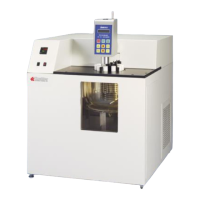
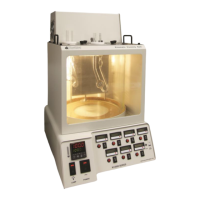
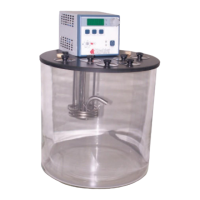
KV1000 Constant Temperature Kinematic Viscosity Bath
Operation and Instruction Manual
- 10 –
After filling the reservoir with fluid, you must set the Safety Set and the Software High Limit as well as your desired control set
point.
5.3. Circulator Pump
The HIGH or LOW speed selection switch on the rear panel of the Controller is used to select pump speed. LOW is adequate for
most applications and provides quieter pumping. HIGH is recommended where temperature varies frequently and there is a need
for fast recovery or when pumping to multiple external units.
Line Frequency = 50/60Hz
The data in the table above are based on the following criteria:
1. Maximum pump outlet flow rate is measured in liters per minute (LPM) with no restriction on the pump outlet
2. Maximum pump outlet pressure is measured in pounds per square inch (PSI) at no flow.
3. Water was used as the circulation fluid. Water has a viscosity of one centistoke. High viscosity or low-density fluids will change
these figures.
5.4. Temperature Controller Operation
Setting the Safety Set Point
The Safety Set feature automatically disconnects Controller power to the heater and pump in the event that the reservoir liquid
level drops too low or the Controller fails. The Safety Set is user adjustable between approximately 40° and 210°C. It should be
set at least 5°C higher than the Software High Limit temperature.
1. Use a flat blade screwdriver to rotate the Safety Set Indicator Knob to the desired temperature. Do NOT force the knob beyond
the stops at either end of the temperature value range.
2. Once the Safety Set temperature has been set, turn power to the Controller ON by pressing the Power Switch on the front of
the controller. The pump will begin operating, the display will flash the current temperature set point (tx.xx), the °C LED will light,
and the current bath temperature will appear on this display. Pump speed selection is made using the Pump Speed Selection
Switch on the rear of the Controller.
If power is disrupted because the Safety Set temperature was exceeded, place the Circuit Breaker/Power Switch in the OFF
position, press the Safety Set Reset Button, correct the problem (low liquid level, incorrect Safety Set temperature, etc.), and then
restore power.
Activation of the Safety Set during normal operation will display a fault (FLt 3) on the readout.
Selecting Temperature Units
The control set point and actual bath temperatures may be displayed in either °C or °F. The factory-default is °C.
To change from °C to °F, place the Circuit Breaker/Power Switch on the rear of the Controller in the OFF position and then press
and hold the P2 Button while turning the power back ON.
To change from °F to °C, place the Circuit Breaker/Power Switch in the OFF position and then press and hold the P3 Button while
turning the power back ON.
NOTE: When the temperature display units are changed, the Software High Limit value and all temperature presets revert to the
factory-default values. If a calibration value has been entered, the value will be retained.


 To Next Page