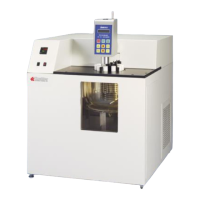
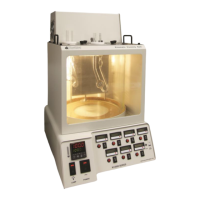
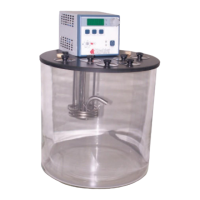
KV1000 Constant Temperature Kinematic Viscosity Bath
Operation and Instruction Manual
- 12 –
The set point temperature may be checked at any time by pressing the Select/Set Knob. If the set point temperature cannot be
raised, it is possible that the Software High Limit value is set lower than the desired control temperature set point. Reset the
Software High Limit value to 5°C or more above the desired set point temperature.
User Defined Preset Temperatures
1. With the unit on, press the desired Preset Button — P1, P2, or P3. The LED associated with the selected Preset Button will
begin to flash.
2. Rotate the Select/Set Knob to the desired temperature set point.
3. Press the selected Preset Button a second time to enter the new set point. The new set point temperature will not be saved
unless the Preset Button is pressed.
4. The LED associated with Preset Button lights continuously whenever that preset value is controlling bath temperature. If more
than one Preset Button is set at a given temperature set point, the LED associated with all Preset Buttons with that set point will
light.
Local Lockout Feature
This feature enables the user to lock all controls on the controller. While the feature is activated, the unit will remain running at the
current settings.
To activate the local lockout feature:
1. Press and hold the Select/Set Knob for 10 seconds. Once locked, the screen will read LLo. When locked, the set point decimal
point will not flash as usual.
2. Press and hold the Select/Set Knob again for 10 seconds to unlock the controls. Once unlocked, the screen will read Can.
Calibration
Calibration allows the user to match the Controller’s bath temperature display to an external reference thermometer. Calibration
is performed as follows:
1. Set the desired operating fluid temperature set point and allow temperature to stabilize.
2. Press the P2 and P3 simultaneously and release and repeat until the display reads (oCx.x). Press P1 and hold until (Cal) is
displayed. This will take about 2 seconds.
3. At one second intervals, the displayed value will alternate between the actual bath fluid temperature and the current offset value,
which is the difference between the factory calibration setting and the user’s reference temperature sensor. The maximum offset
is 0.9C from factory calibration.
4. To change the calibration offset value, rotate the Select/Set Knob until the display matches the reading on the reference
temperature sensor. The display will continue to alternate between the offset value and the calibrated display temperature.
5. Press the Select/Set Knob or the P1 Button to accept the entered value. When the new calibration is stored and the mode is
exited, (DONE) will appear on the display.
NOTE: The displayed offset value will also be accepted if there no activity for 20 seconds.
5.5. Starting a Test
Before running a test, make sure the unit is level. Otherwise, the results will be affected.
1. Install the appropriate ASTM thermometer in the cover plate of the bath.
2. Set the desired operation temperature using the temperature control (See Section 4.3).
IMPORTANT: Allow the bath AND the sample enough time to reach the temperature before starting measurements. Allow 10-15
minutes for the bath to equilibrate. Refer to appropriate methods (Section 1.2).


 To Next Page