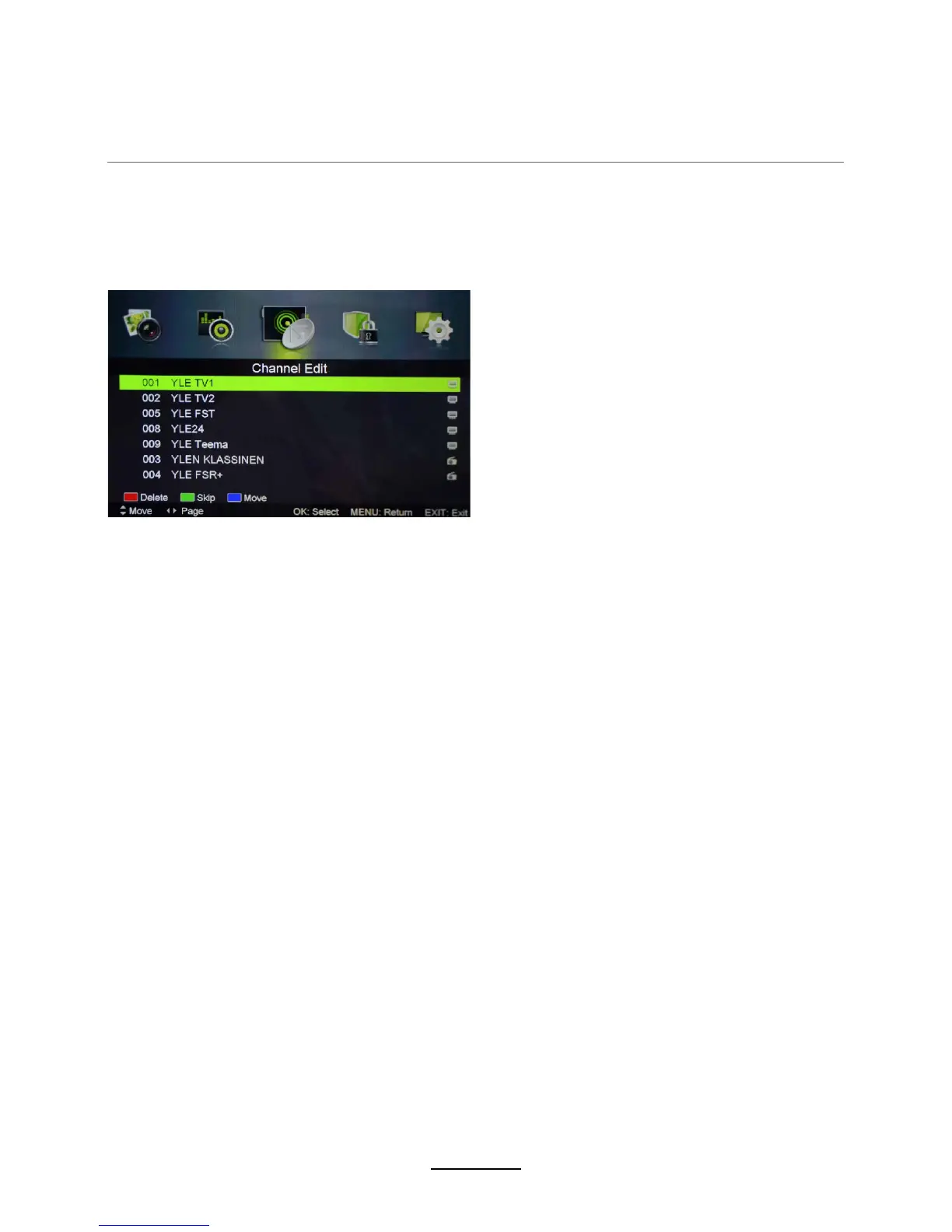
Channel Edit: Press OK button to enter the Channel Edit menu as the following
Move: Press BLUE button to sign the channel, press / button to move, and press OK to confirm.
Signal Information: Displays the signal information in DTV mode.
picture.
Skip: Press GREEN button to skip the channel or cancel the setting, and the program will not be
programed by CH+/- button.
Delete: Press RED button to sign the channels you want to delete, it will hint you when you exit.
OSD Menu
11













 To Next Page