Description
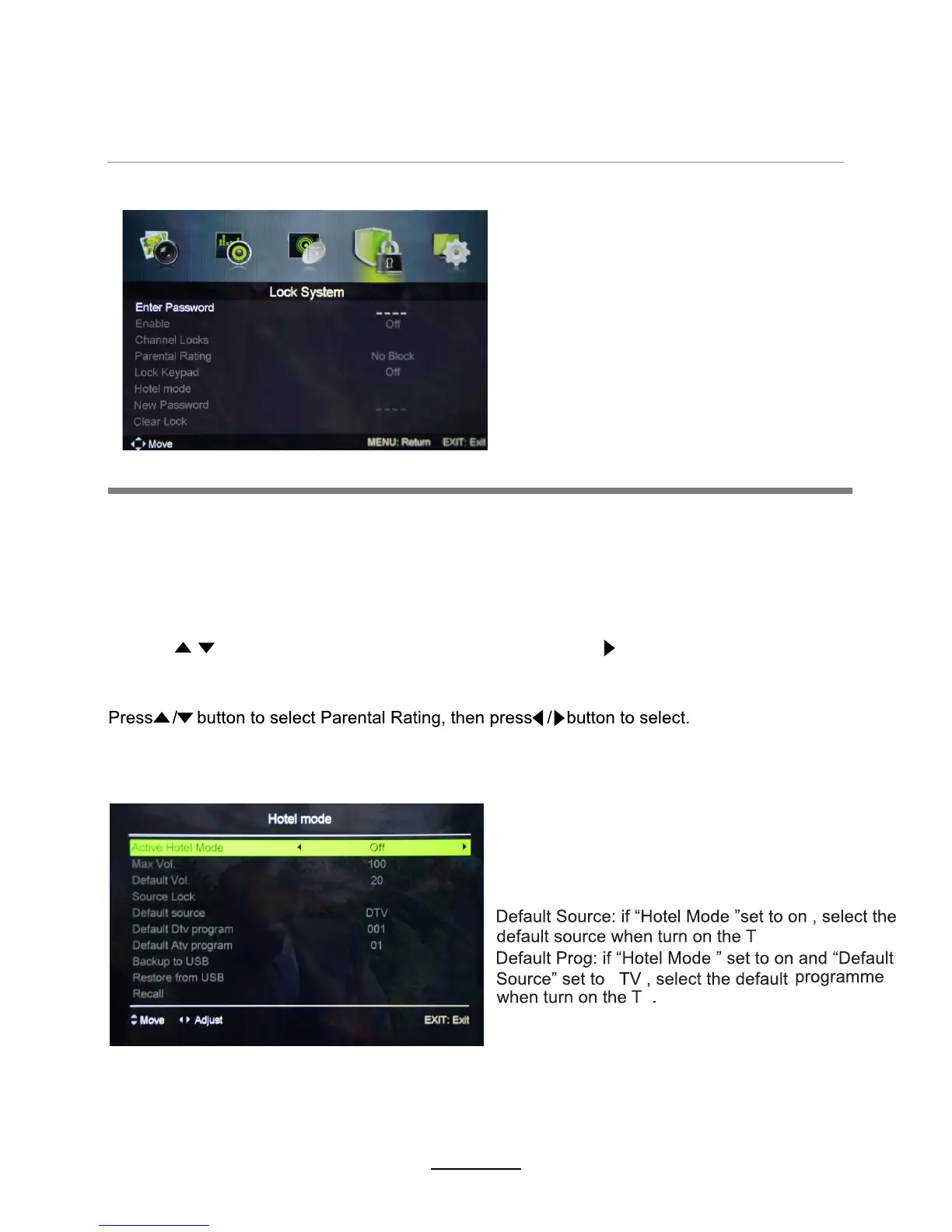
4. Lock menu
This option allows parents to block channels and programs using a password.
NOTE: The default password is 0000. If you have forgotten your current password, the
master password is 8899. Please take note of this.
Enable: Turn on/off the Lock Channel function.
Note: You are required to enter a password to access this menu. (Default password is 0000).
Lock Keypad
Set to prevent it from being used by young children,or other unexpected usage.
Max Volume: Set the Max volume for the TV.
Default Volume: Set the default volume when the
program is on.
Source Lock: Disable the input source you desired.
Hotel Mode - Enter the Hotel Setting menu.
Parental Rating
Channel Locks: When a channel is locked, you must enter your password to view the channel.
Use the buttons to select the channel, and press the OK/ button on the remote control
to lock the channel. Press the button a second time to unlock the channel.
OSD Menu
12
V
A
V















 To Next Page