EasyManua.ls Logo

Kogan Smarterhome - User Manual

Kogan Smarterhome
20 pages
Print Icon
To Next Page IconTo Next Page
Loading...
QUICK START GUIDE
KOGAN SMARTERHOME™
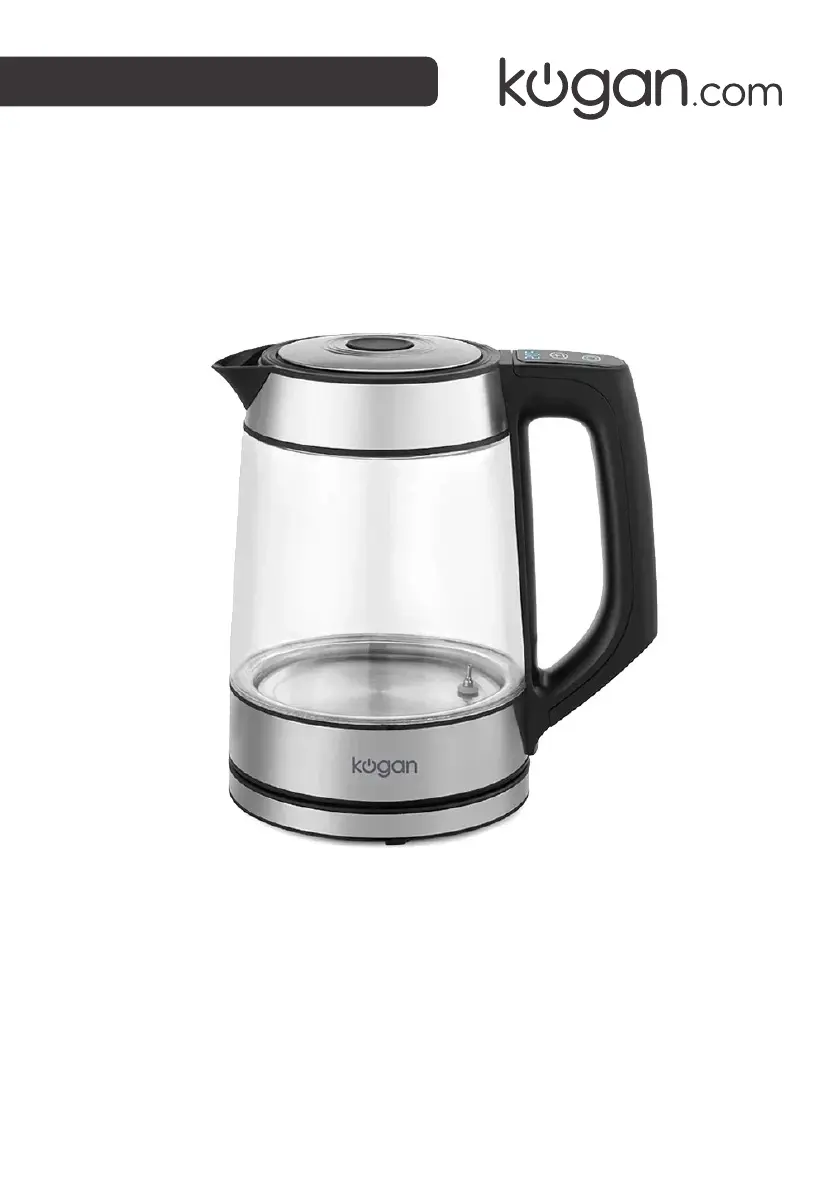
1.7L SMART GLASS KETTLE
(KASMCDSKTLA)

Other manuals for Kogan Smarterhome

Questions and Answers

  • T
    Teresa MooreJul 28, 2025
    Can I control my Kogan Projector with a 2G, 3G, or 4G connection?
    • J
      James CrawfordJul 28, 2025
      Yes, after the device has been successfully registered on a 2.4Ghz Wi-Fi network, it can then be controlled by your smartphone using 2G, 3G, or 4G networks.
  • D
    Derrick ShermanAug 3, 2025
    Can laser light from the Kogan Projector damage my eyes?
    • M
      Megan TurnerAug 4, 2025
      Yes, looking directly into the laser light can damage your eyes. Avoid direct eye exposure to the laser light.
  • A
    allenshannonAug 9, 2025
    What to do if I can't access my Kogan Projector via the app?
    • A
      Amanda PetersonAug 10, 2025
      If you cannot access the device via the app: * Ensure the projector is within range of your router and smartphone. * Make sure both the projector and your smartphone are connected to the 2.4Ghz network, as 5Ghz networks are not compatible with SmarterHome™ connection. * If Wi-Fi isn't connected, reset the device by long-pressing the switch for 6 seconds and reconnect it with the app.
  • S
    Shannon LynchAug 15, 2025
    Will my Kogan Projector cause a fire if I leave it on all night?
    • R
      Richard ThompsonAug 16, 2025
      No, the device is safe to be left on all night. If needed, you can adjust the light brightness using the app.
  • T
    Thomas BurtonAug 20, 2025
    How to share my Kogan Projector device with family members?
    • C
      cassandrasanchezAug 20, 2025
      To share the device with family members, enable the Device Sharing option in the app settings.

Summary

Safety & Warnings

General Safety Precautions

Essential safety guidelines and precautions for using the appliance to prevent hazards.

Kettle Operation

Standby and Boiling Modes

Instructions for placing the kettle in standby and initiating the boiling process.

Kettle Operation Details

SmarterHome Connection Setup

Account Creation and Registration Process

Steps to create a Kogan SmarterHome™ account and register for app access.

SmarterHome Device Addition

SmarterHome Pairing Mode

Setting Up Device Pairing Mode

Instructions for putting the kettle into pairing mode for app connectivity.

SmarterHome Wi-Fi Configuration

Wi-Fi Setup and Connection Steps

Steps for connecting the device to your Wi-Fi network via the app.

SmarterHome App Control

App Control Interface Overview

Overview of the functions available within the Kogan SmarterHome™ app control screen.

SmarterHome Scheduling & Notifications

Google Home Integration

Amazon Alexa Integration

Kogan Smarterhome Specifications

General IconGeneral
BrandKogan
ModelSmarterhome
CategoryCamcorder
LanguageEnglish

Related product manuals