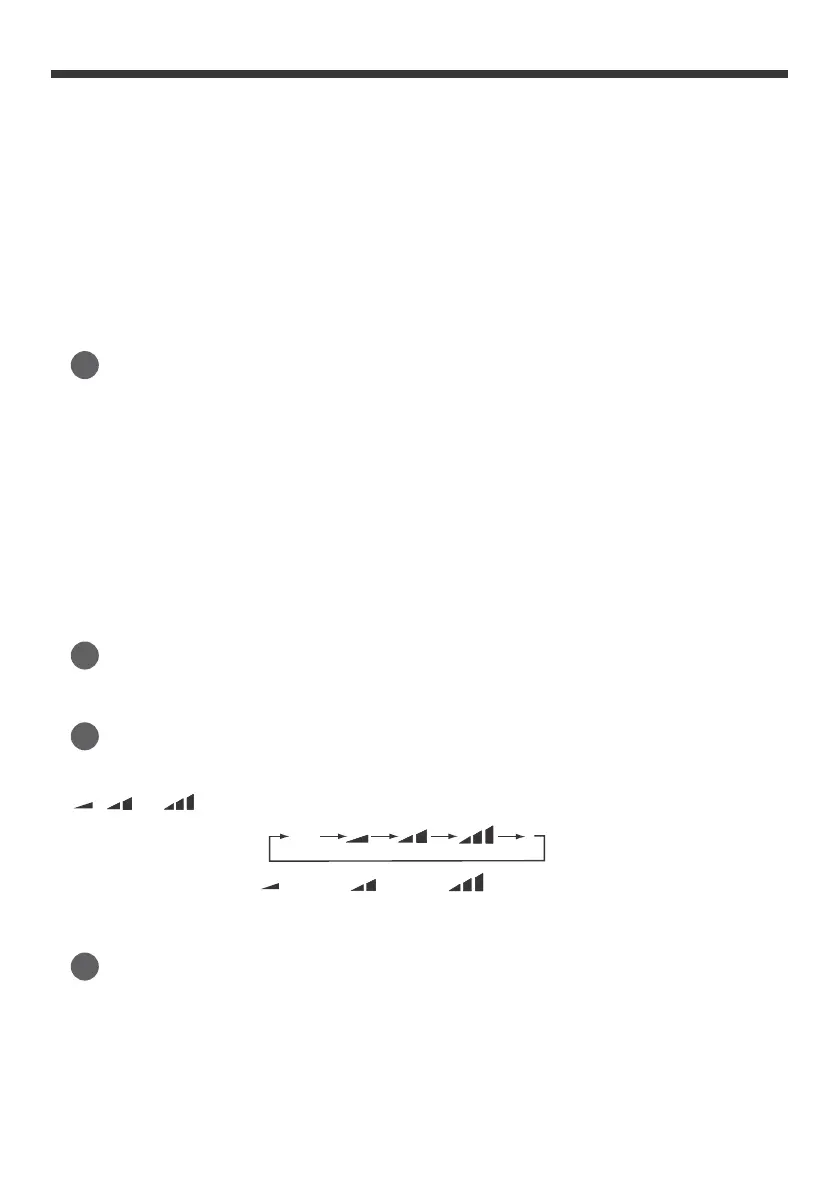
, , to then back to Auto.
Auto
Speed 2Speed 1
Speed 3
reached..
on dual-8 nixie tube will change quickly. Release the button once the set time is
●
Under timer setting status, after each press of “+” or “-” button, time will
Release the button after your required
set temperature is reached.
quickly.
Hold “+” or “-” button for 2s, set temperature on remote controller will change
- 14 -
heating function) mode to maintain the most comfortable temperature for you.
this function. This function is available in COOL, HEAT (Only for models with
Press this button to go into the Sleep operation mode. Press it again to cancel
6
Sleep button
NOTE: There are 3 speed levels of fan mode for this model.
This button is used for setting Fan Speed in the sequence that goes from AUTO,
5
Fan button
Press this button to turn “ON” & “OFF” swing.
4
Swing button
increase or decrease
by
0.5h (30 minutes) . Hold the “
+
” or “-” button, 2s then later, the time displayed
by 1°F(°C).
●
Pressing “+” or “-” button once will increase or decrease set temperature
3
+ / - button
Note:
This mode is applicable in some units only.
remote controller or manually press the ON/OFF button to start the unit again.
mode, the unit will not start. Under ON status, change the mode setting on the
speed can
be
adjusted under this mode. If the unit was turned off while under heat
●
Heat:
Under this mode, the air conditioner will operate under heating mode. Fan
settings.
run to
circulate
the
air. Fan indicator will be on. Press “Fan” button to
adjust the fan
●
Fan Only:
Under this mode, air conditioner will not cool or heat, only the fan will
corresponding indicator is on; under dry mode, the fan speed cannot be adjusted.
●
Dry:
Under this mode, the unit will run in low fan speed for dehumidification and the



 To Next Page