Vers. 120723 5
On the other hand, if you wish to see an error signal during the preset torque in the ramp phase, you can
change the minimum time by setting value which is equal or superior to the ramp value (see point 8).
4) Torque: you can select the desired torque as a percentage of the torque range of the selected screwdriver.
For example, for a Pluto10, a 50% setting will result in a torque in the area of 4.5 Nm. The torque range is
always referred to the MAX speed. In case you’re not working at maximum speed, the torque range will
progressively lower in order to avoid motor stalling. If the torque level is reached correctly, it will be showed
on the display and you will hear a beep sound, too.
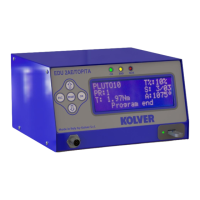
Such torque level is indicated as “ T: ..% ” on the main screen.
5) Compens – Compensation: This function allows an increase or decrease of the displayed torque after
calibration. The available range is from 0 to ±55 Nm. For example: after calibration (see Torque calibration)
you make a screwing on your assembly and compare the value you see on the main screen display with the
value you see on a torque tester (for example a mini-K or a K model). Let's say you notice that the torque
displayed in the unit EDU 2AE is +0.2 Nm higher than the value indicated on the tester (which is the right
one). In this case you change this value by setting -0.2 Nm so that the value on the screen will be the same as
the value on the tester. If it’s lower than 0.3 Nm, you need to set +0.3 Nm and so on.
6) TM Fast Spd (Time Fast Speed): It indicates how long the screwdriver should turn at the FAST SPEED
speed (see point 8) before switching to “pre-set speed” (lower speed). The “pre-set speed” is the speed set at
point 9. This FAST SPEED time can be set from 0.3 to 10.0 sec.
To disable the function press until you get to OFF. In this case the screwdriver will automatically start at
pre-set speed.
Once the timed fast phase has been set, it will not be possible to set an angled fast phase.
CAUTION: The aim of the FAST SPEED is only to speed up the approach time in case of long screws.
Reaching the torque at higher speed will result in inaccurate torque output. To avoid inaccurate torque values
we suggest first to set a shorter time, and then increase it.
Torque reached during the FAST SPEED won’t activate the torque signal and the message “Error FAST
SPEED” will be displayed on the main screen and 2 beep sounds. The red led will turn on, too.
7) Angle Fast Speed: it indicates the angle the screwdriver should reach at the FAST SPEED speed (see
point 8) before switching to “pre-set speed” (see point 9).
8) Fast spd (Fast Speed): You can select the speed of the screwdriver during the FAST SPEED. It can be
set between max speed and the Final Speed (see point 9).
This function is available only if the Time Fast Speed and/or the Angle Fast Speed is ON.


 To Next Page
 Loading...