V3F25/18 drive
Installation Instruction
© 2004 KONE Corporation AM-11.65.020
All rights reserved. 14 (42) (E) 2004-01-08
4.2 Setting parameters
4.2.1 Entering the drive menu
4.2.2 Setting the drive parameters
All the 14 steps in the following table must always be carried out.
Step Action Note
1 Ensure that the power is OFF.
2 Turn the elevator to RDF (machine room inspection drive in North America).
3 Turn the power ON. Refer to the elevator level installation
manual.
4 Select menu 6. Come out from drive menu when you
want to drive the elevator.
Step Action Note
1 Check that document identification (6_0) parameter matches the ID on
parameter list 779980 (APPENDIX).
Set the elevator dependent parameters:
2 Motor type (6_1) parameter Setting Motor type (6_1) parameter
turns other values to default settings for
that type of motor.
3 Nominal speed (6_2) parameter
4 Elevator load (6_3) parameter
5 Roping (6_4) parameter
6 Current sensor scaling (6_5) parameter
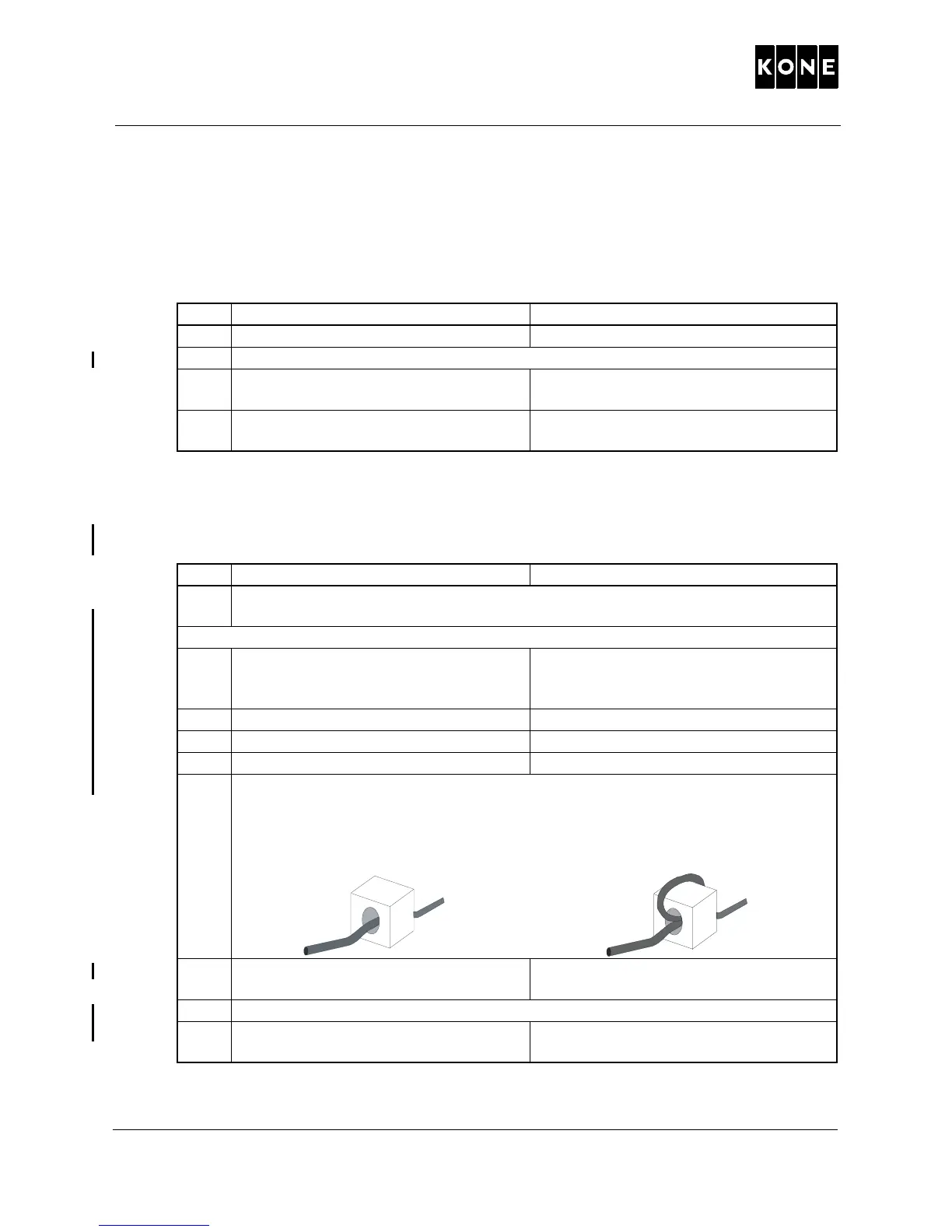
Set value of Current sensor scaling (5) parameter to 1 or 2 depending on the
wiring on the CMB board in the drive module.
Value 1: wire passes through coil once
(module type = 55 A, 80 A or 100 A)
Value 2: wire is looped to pass through
coil twice (module type = 38 A or 40 A)
7 KTC factor (6_6) parameter Refer to the motor label. For motor type
MX18/Q1 see the following table.
8 Traction sheave diameter (6_7) parameter
9 Tacho pulley diameter (6_8)
parameter
Check from the motor.
P10000252.wm



 To Next Page