6
NAVIGATION AND SELECTION IN MENUS
Press .
Select the option you want from the menu using the arrow buttons.
Conrm by pressing OK to select the marked option.
Cancel the setting or go back one level in the menu by pressing .
Quit the menu by pressing again.
Note that after you have made changes to a setting, you must press OK to activate the
setting.
It is possible to open a menu option directly by pressing the number button that corre-
sponds to the position of the option in the menu (e.g. 2 to open PHONE BOOK and then
3 to select EDIT CONTACT).
Writing style in instructions
In the instructions, > SETTINGS means you should:
Press .
Mark the SETTINGS option using the arrow buttons and conrm by pressing OK to open
the menu (or press button number 6).
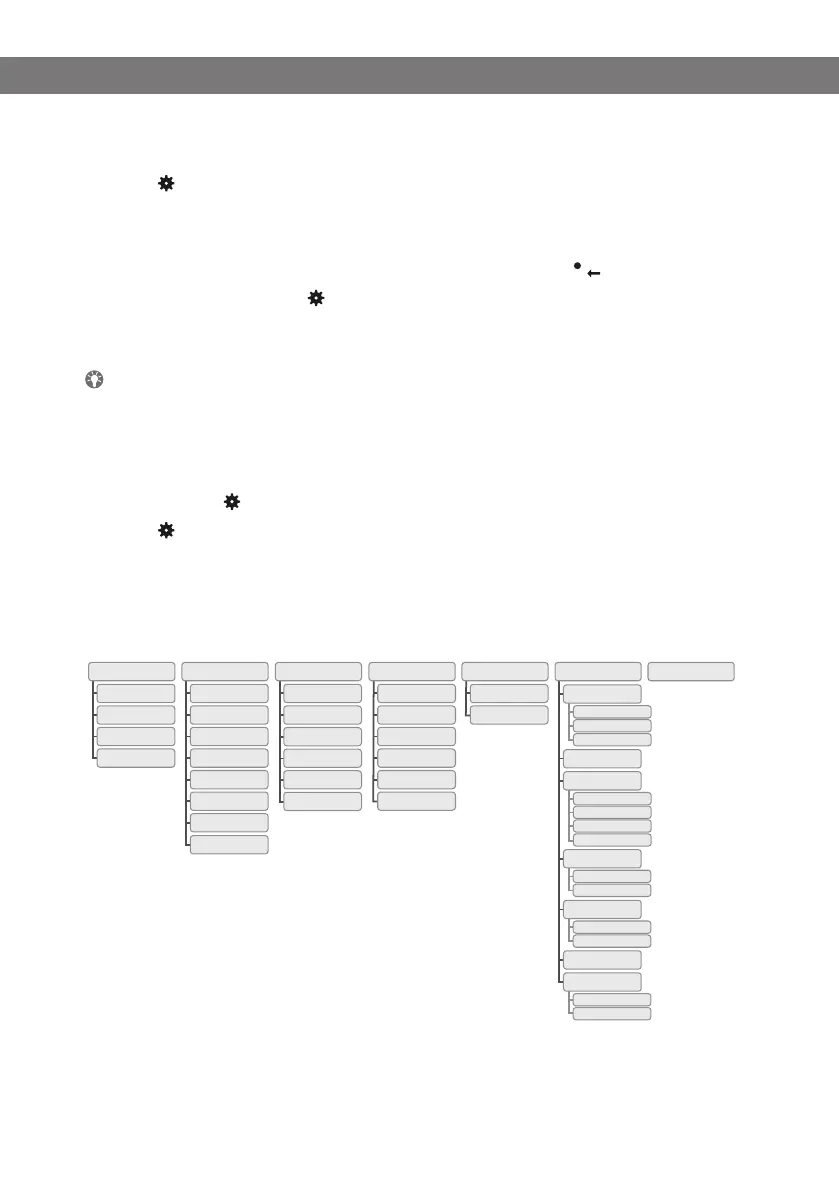
Menu tree
DESCRIPTION
STATUS
IMPORT FROM SIM
EXPORT TO SIM
OUTGOING
CALL LIST
INCOMING
MISSED
ERASE LISTS
SOUND
NETWORK
SECURITY
APPERANCE
LCD CONTRAST
CHANGE PIN CODE
REQUIRE PIN CODE
NETWORK MODE
OPERATOR SEL.
SOFTWARE
MESSAGES
INBOX
NEW
SEARCH CONTACT
PHONE BOOK SETTINGS
CONF GUIDE
RECORDING
ADD CONTACT
EDIT CONTACT
ERASE CONTACT
ERASE ALL
STATUS
LANGUAGE
KEY TONE
MICROPHONE LEVEL
TIME DATE
RING LEVEL
EQUALIZER
SCREEN TEXT
SLEEP MODE
UPGRADE
FACTORY RESET
SEARCH GROUP
ADD GROUP
EDIT GROUP
ERASE GROUP
ERASE ALL
STATUS
PLAYBACK FILE
RENAME FILE
DELETE FILE
DELETE ALL
SETTINGS
STATUS



 To Next Page