Page 7
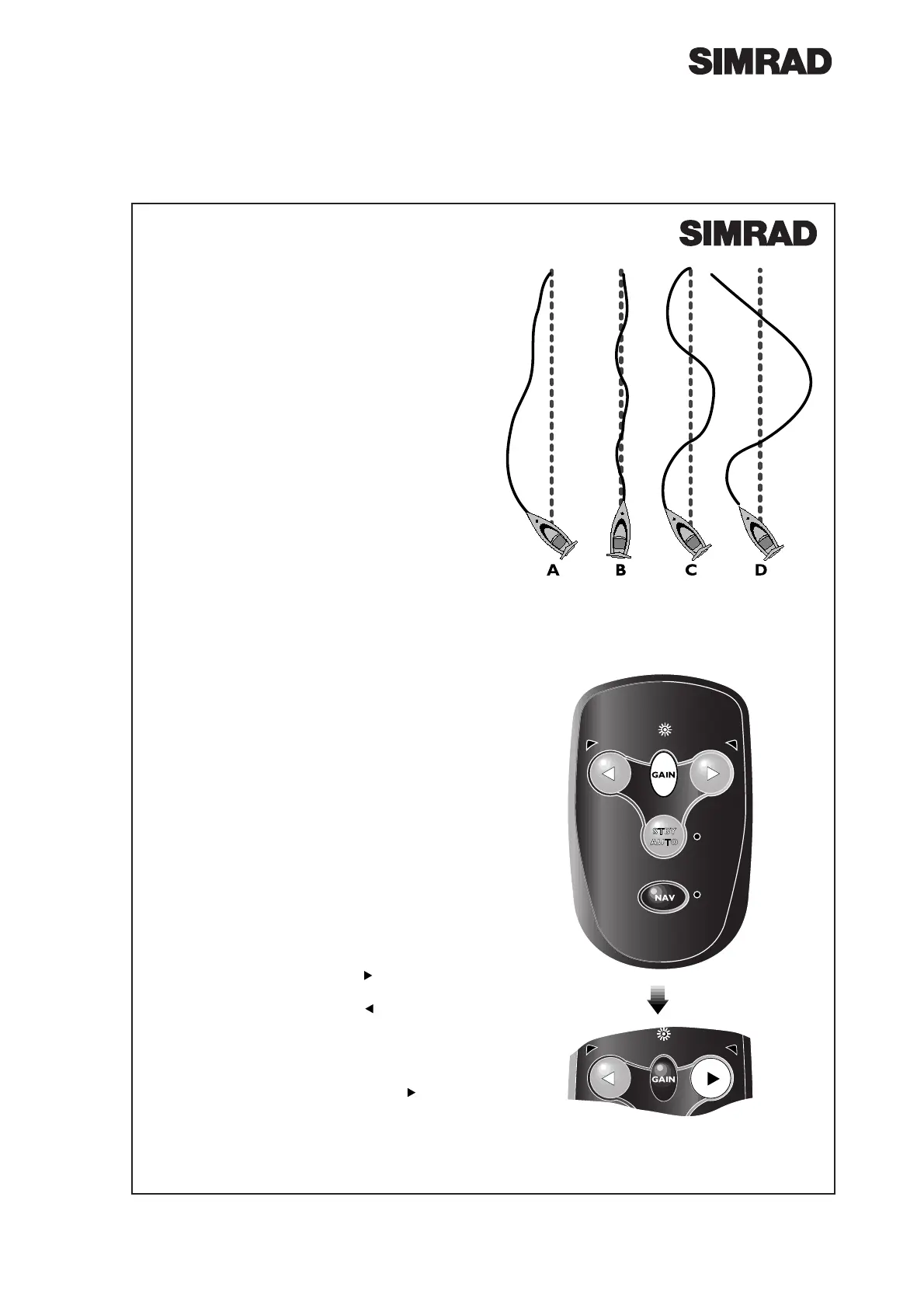
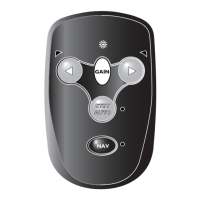
Fig 3.2 - Increasing Gain level
3 Parameter Adjustment
The AP12 uses highly advanced steering software,
which constantly assesses how the boat is being
affected by the sea conditions. By adjusting its own
performance, the pilot is able to maintain the most
accurate course for these conditions, just as a human
pilot would. So in a rough sea, the pilot is not over-
worked and battery drain is kept to a minimum.
While the Gain is adjusted manually to suit the boat,
all other performance functions are totally automatic.
3.1 Rudder Movement (Gain)
The AP12 will make corrections if it detects that the
boat is off course. How much rudder it applies to
correct this is set by the Gain (sometimes referred to
as the rudder ratio).
¥ The Gain setting can be compared to driving a
motor vehicle - at high speeds, very little helm
movement is necessary to steer the vehicle (LOW
Gain). When driving at slow speeds, more helm
movement is necessary (HIGH Gain).
¥ Fig 3.1A shows when the Gain is too low: the boat
takes a long time to correct the heading.
¥ Fig 3.1B is ideal - errors are quickly corrected.
¥ Fig 3.1C the Gain is too high - the boat starts to
ÒSÓ, or oscillate around the correct heading.
¥ Excessive Gain (Fig 3.1D) makes the boat oscillate
increasingly off course.
The Gain can be adjusted in all modes, without inter-
rupting the operation of the pilot.
Press the Gain key - the Gain LED will flash and beep
a repeated sequence. The number of flashes / beeps
in the sequence indicates the Gain setting (1-9). The
default setting is 5, which should give good course
keeping in most situations.
To increase the Gain press the key the required
number of times, to a maximum level of 9 (Fig 3.2).
To decrease the Gain press the key the required
number of times, to a minimum level of 1.
¥ For example: If the Gain was set at 4 (four flashes
of the Gain LED and four beeps) and the Gain need-
ed to be increased to 7, pressing the key three
times would adjust the Gain accordingly. The Gain
LED would then flash seven times and seven beeps
would be heard.
Fig 3.1 - Effects of Gain setting




 To Next Page