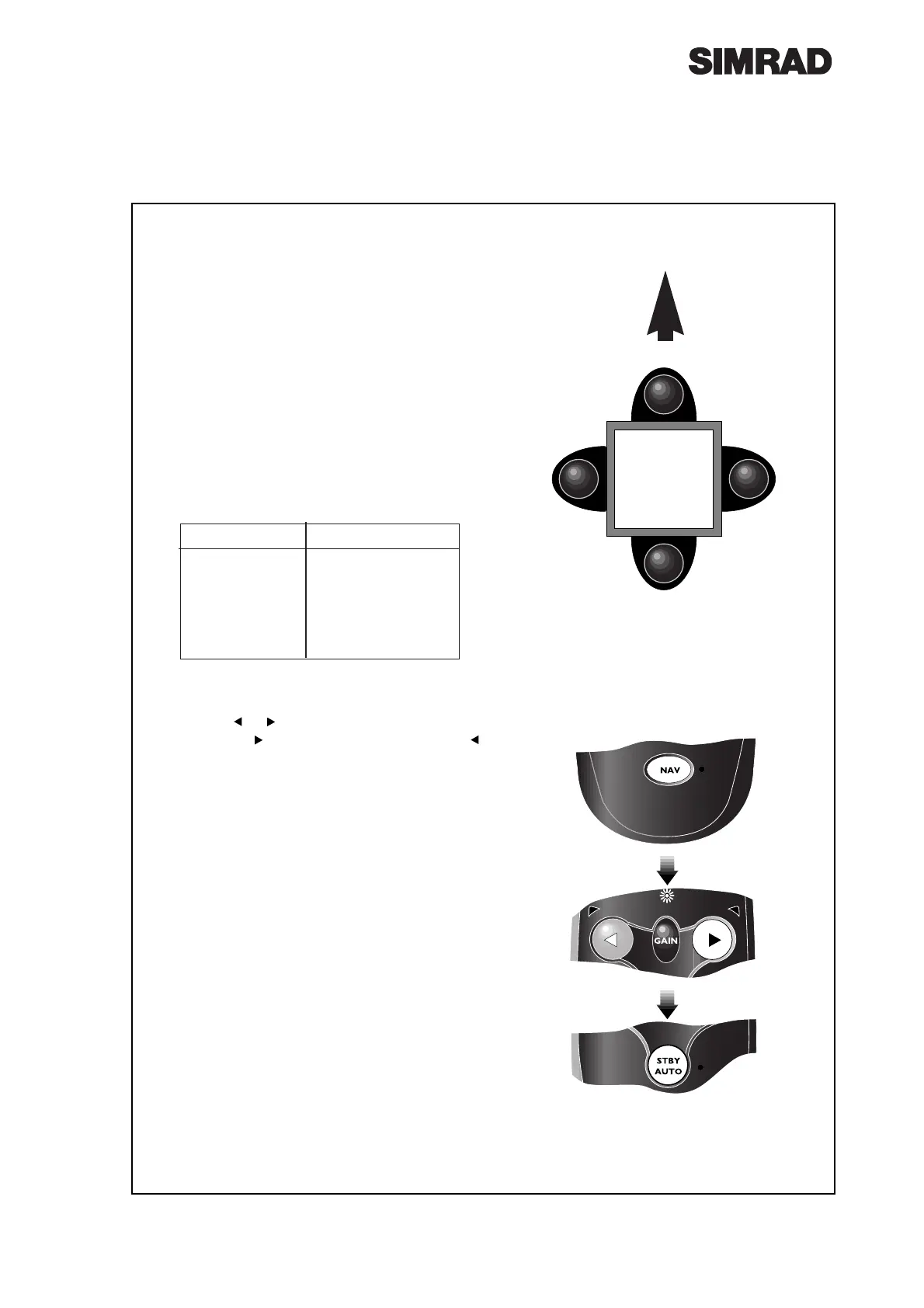
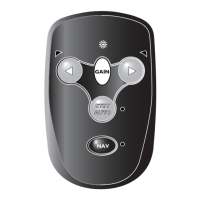
Fig 6.2 - Setting compass orientation
Page 30
6.2 Compass Orientation
The SHS12 compass can be mounted pointing
four different ways - 0¼, 90¼, 180¼ or 270¼ to the
bow (Fig 6.1).
¥ The factory preset is 0¼ (pointing forward). If
the compass is mounted pointing any other
way, this must be programmed in before using
the pilot.
With the power switched off, press and hold
Nav while turning the power on. Both the
Stby/Auto and Nav LEDs will light and the
Gain LED will flash and beep, indicating the
current compass orientation setting -
Beeps/Flashes Compass Pointing
0 0º (To Bow)
1 270º (To Port)
2 180º (To Stern)
3 90º (To Starboard)
¥ Note bow mounting (0¼) will give no flash or
beep
¥ Use the or keys to set the correct compass
orientation ( to rotate setting clockwise,
anticlockwise - Fig 6.2).
Press Stby Auto to accept the entered setting
and return to Standby mode.
Fig 6.1 - Compass orientation
0º (No flashes)
180º (2 flashes)
90º (3 flashes)
270º (1 flash)
BOW
BULKHEAD
Rotate
Setting
Clockwise




 To Next Page