12
Using PageScope Web Connection
12-44 C350
12.6.3 Print Tab
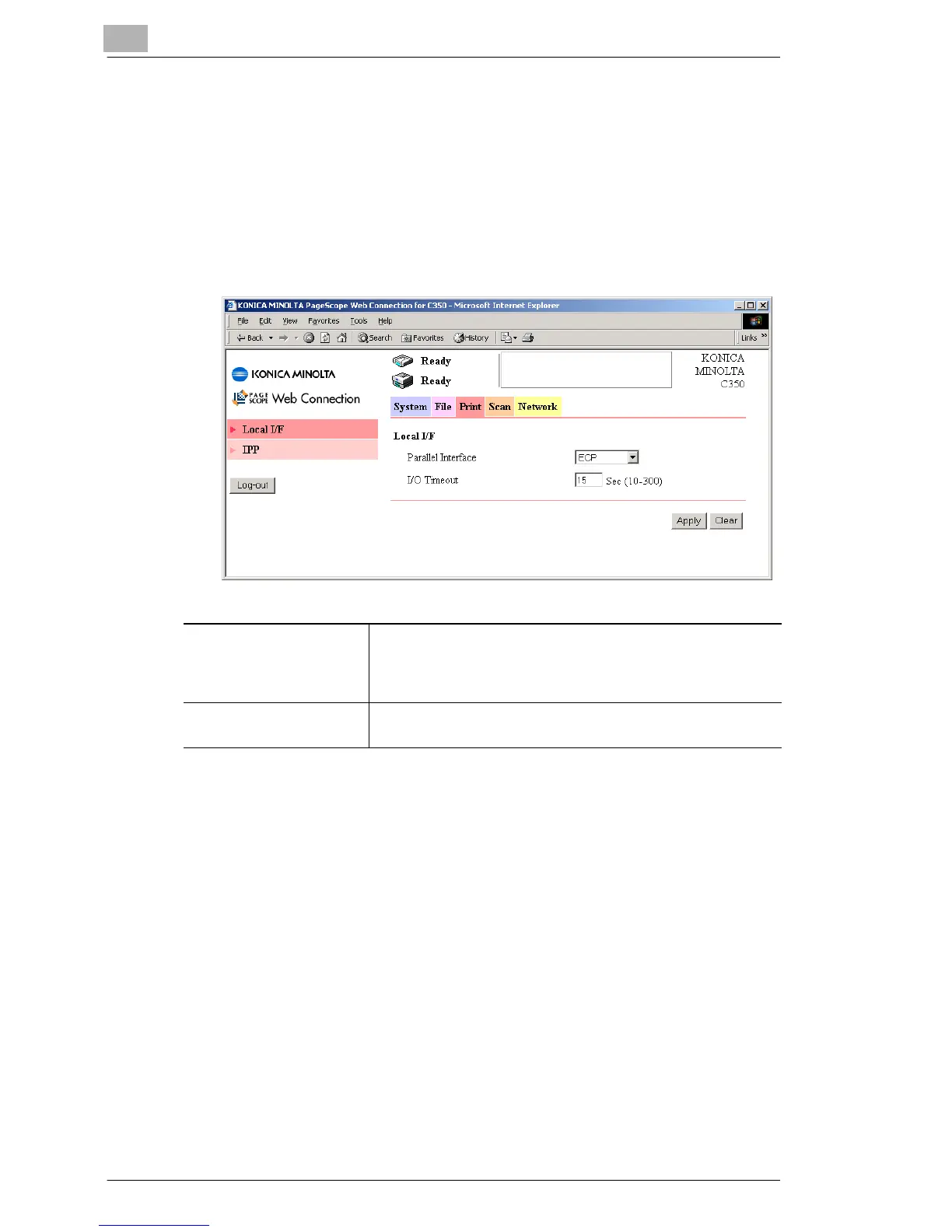
Local I/F
You can specify local interface settings.
Procedure
➜ Click the “Print” tab, and then click Local I/F in the menu.
Parallel Interface Set the communication mode.
This only appears when the optional local interface kit is
installed in this machine.
Settings: “Compatible”, “Nibble”, or “ECP”
I/O Timeout Set the connection timeout.
Settings: 10 to 300 (seconds)








 To Next Page