Specifying Printer Settings From the Control Panel
7
C350 7-3
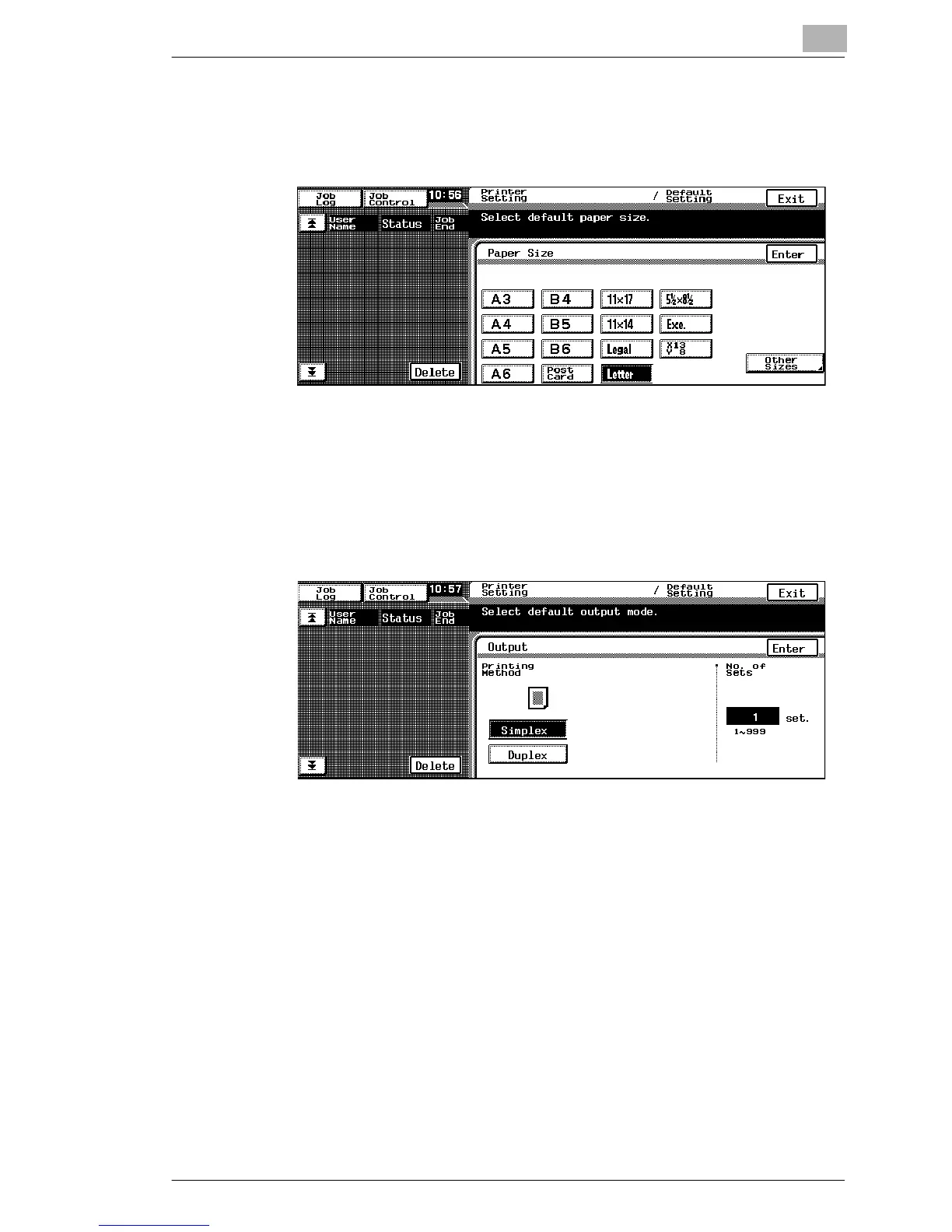
Paper Size
If this machine receives a print job where the paper size is not specified,
the paper size specified here will be used.
➜ Select the desired paper size, and then touch [Enter].
Output
If this machine receives a print job where double-sided printing or the
number of copies are not specified, the settings specified here will be
used.
1 Touch [Simplex] or [Duplex].
If “Duplex” is selected, specify the binding method.
2 To change the number of copies, press the [C] (clear) key, and then
use the keypad to specify the number of copies.
3 Touch [Enter].







 To Next Page