E-3
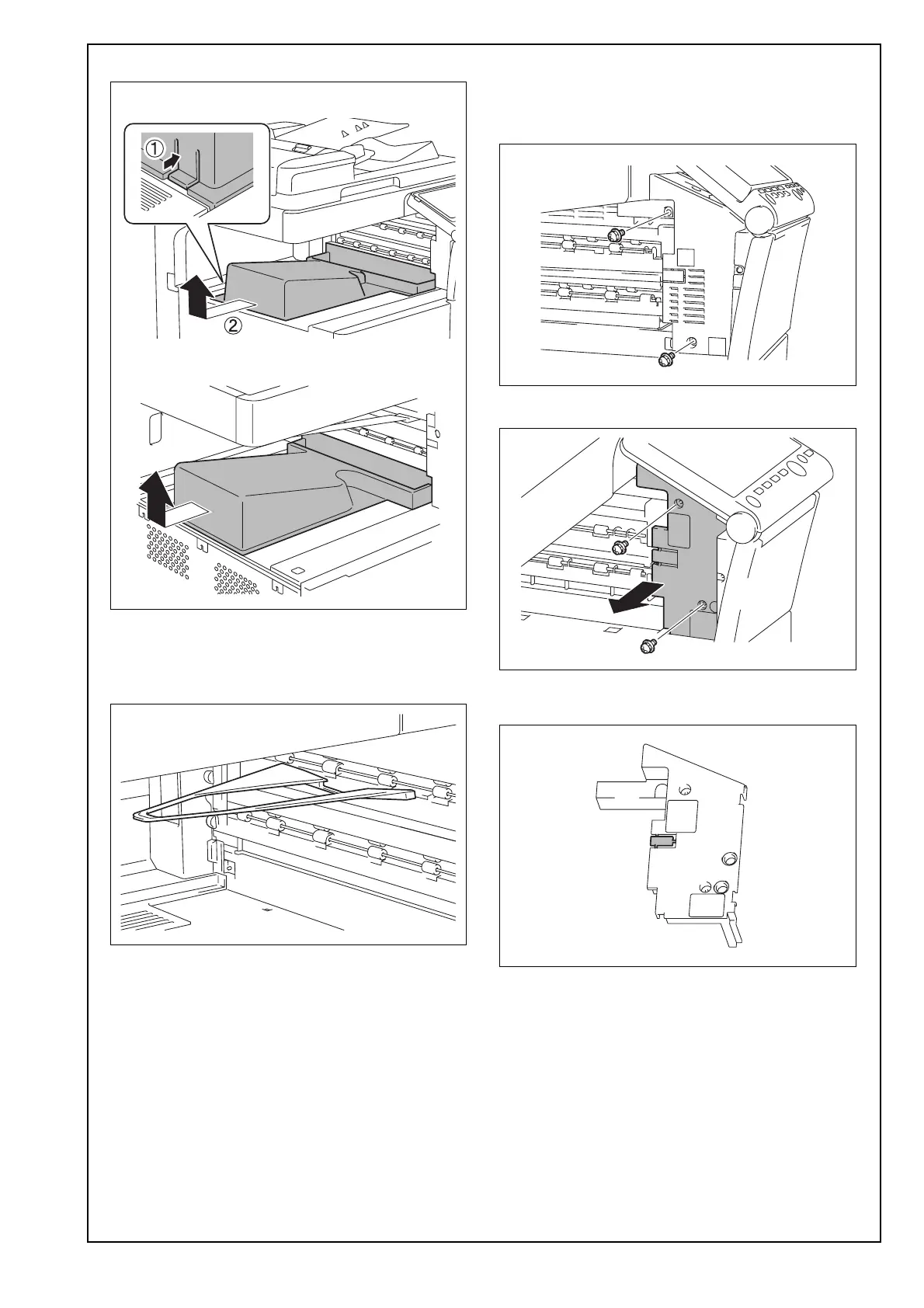
(6) Remove the output tray from the main unit.
(7) Reattach the upper left cover removed in step (5)
to the main unit. (Three screws)
(8) Close the front door of the main unit.
(9) Remove the guide from the main unit.
(10) Remove the cover from the main unit as shown
in the illustration. (Two screws)
<C554e/C454e/C364e/C284e/C224e/C554/C454/
C364/C284/C224/554e/454e/364e/284e/224e>
<C368/C308>
(11) Remove the knockout from the cover removed
in step (10) with nippers.
< With the snap-fit hook >
< Without the snap-fit hook >


 To Next Page
 Loading...







