EasyManua.ls Logo

Konica Minolta PC-410 - User Manual

Konica Minolta PC-410
8 pages
Print Icon
To Next Page IconTo Next Page
Loading...
E-1
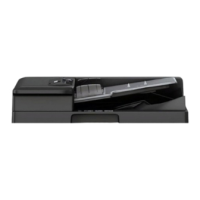
PC-410 Paper Feed Cabinet
INSTALLATION MANUAL
A2XM-9557-00
Applied Machines: C554e/C454e/C364e/C284e/C224e/C554/C454/C364/C284/C224/C368/C308/554e/454e/364e/
284e/224e
COLOR MFP: 55 ppm/45 ppm/36 ppm/30 ppm/28 ppm/22 ppm
MFP: 55 ppm/45 ppm/36 ppm/28 ppm/22 ppm
Product Code: A5AY/A5C0/A5C1/A5C2/A5C4/A2XK/A4FJ/A161/A4FK/A4FM/A7PU/A7PY/A61D/A61E/A61F/A61G/
A61H
Caution:
Lifting the machine in an awkward position or
transporting it in a poorly balanced position could
result in personal injury. When transporting the
machine, assign an adequate number of persons
to the job and ensure that each person can take a
good position of not being excessively loaded
(mass: approx. 23 kg (50-11/16 lb)).
1. Accessory parts
Note:
This manual provides the illustrations of the acces-
sory parts and machine that may be slightly differ-
ent in shape from yours. In that case, instead of
the illustrations, use the appearance of your
machine to follow the installation procedure. This
does not cause any significant change or problem
with the procedure.
Caution:
When removing the paper feed cabinet from its
shipping carton, do not hold the reinforcement
bracket (as a personal injury or a deformed frame
could result).
No. Name Shape Q’ty
1. Leg assy
4
2. Fixing
bracket A
3
3. Fixing
bracket B
1
4. Screw
5
5. Installation
manual
1
set
Keep this bag away from babies and
children. Do not use in cribs, beds,
carriages, or playpens.
The thin film may cling to nose and
mouth and prevent breathing. This bag is
not a toy.
Reinforcement bracket
Question and Answer IconNeed help?

Do you have a question about the Konica Minolta PC-410 and is the answer not in the manual?

Summary

Accessory Parts

Installation Procedures

Configuration Procedures

Making settings for paper size

Configure paper size settings for the installed paper feed cabinet.

Adjustment Procedures

Checking the paper reference position

Check and adjust the paper reference position for accurate printing.

Centering

Perform centering adjustments on the paper feed unit.

If you install Finisher FS-535;FS-534 SD;FS-534 after this installation

Specific adjustments needed when a finisher is installed subsequently.

Centering (Duplex 2 nd side)

Centering adjustments for the second side of duplex prints.

Summary

Accessory Parts

Installation Procedures

Configuration Procedures

Making settings for paper size

Configure paper size settings for the installed paper feed cabinet.

Adjustment Procedures

Checking the paper reference position

Check and adjust the paper reference position for accurate printing.

Centering

Perform centering adjustments on the paper feed unit.

If you install Finisher FS-535;FS-534 SD;FS-534 after this installation

Specific adjustments needed when a finisher is installed subsequently.

Centering (Duplex 2 nd side)

Centering adjustments for the second side of duplex prints.

Overview

This document describes the installation and adjustment procedures for the PC-410 Paper Feed Cabinet, an accessory designed for various Konica Minolta COLOR MFP and MFP models.

Function Description

The PC-410 Paper Feed Cabinet serves as an additional paper tray for compatible Konica Minolta multifunction printers (MFPs). Its primary function is to expand the paper capacity of the main device, allowing for longer print runs without frequent paper reloading. The installation process involves physically attaching the cabinet to the main printer unit, connecting internal harnesses, and securing it with brackets and screws. Once installed, the cabinet integrates with the printer's paper handling system, providing an additional source for various paper sizes. The manual also details procedures for adjusting the paper reference position, which is crucial for ensuring accurate and consistent print output, especially for duplex printing.

Important Technical Specifications

The PC-410 Paper Feed Cabinet is compatible with a wide range of Konica Minolta MFP models, including:

  • COLOR MFP: C554e, C454e, C364e, C284e, C224e, C554, C454, C364, C284, C224, C368, C308, 554e, 454e, 364e, 284e, 224e. These models support print speeds ranging from 22 ppm to 55 ppm.
  • MFP: 55 ppm, 45 ppm, 36 ppm, 28 ppm, 22 ppm.
  • Product Codes: A5AY, A5C0, A5C1, A5C2, A5C4, A2XK, A4FJ, A161, A4FK, A4FM, A7PU, A7PY, A61D, A61E, A61F, A61G, A61H.

The weight of the main machine, which needs to be lifted onto the paper feed cabinet, is approximately 23 kg (50-11/16 lb). This highlights the importance of proper lifting techniques and adequate personnel during installation.

The paper reference position adjustment specifies a target width A of 3.0 mm ± 1.0 mm for the test pattern, ensuring print accuracy.

Usage Features

The PC-410 Paper Feed Cabinet enhances the usability of the main MFP by:

  • Increased Paper Capacity: Provides an additional drawer for paper, reducing the frequency of paper refills and supporting larger print jobs.
  • Easy Paper Loading: The drawers slide out for convenient loading of paper stacks. Instructions emphasize aligning paper edges and ensuring the stack height does not exceed the MAX indicator.
  • Stabilization: Includes four stabilizers (leg assies) to ensure the stability of the combined unit. Specific instructions are provided for when these stabilizers should or should not be attached, particularly if other large capacity units or finishers (like LU-302/LU-301/LU-204 or FS-535/FS-534SD/FS-534) are to be installed.
  • Adjustable Paper Reference Position: Allows for fine-tuning of the paper feed to ensure accurate image centering on the page, critical for professional print quality and duplex printing. This adjustment can be performed through the Service Mode screen of the MFP.

Maintenance Features

While the manual primarily focuses on installation and initial setup, it implicitly covers aspects related to maintaining optimal performance:

  • Secure Installation: The use of fixing brackets and screws ensures the cabinet is securely attached to the main machine, preventing instability and potential damage. This is crucial for the longevity and reliable operation of the combined unit.
  • Protective Measures: Instructions to remove protective tape and shipping materials are essential to prevent interference with the paper path and internal mechanisms, ensuring smooth operation from the start.
  • Calibration for Print Quality: The detailed adjustment procedures for the paper reference position are a form of calibration. Regularly checking and adjusting this setting, especially after any movement or significant usage, helps maintain consistent print quality and prevents issues like misaligned prints or skewed images. This is a key "maintenance" step for print accuracy.
  • Connector Management: Instructions for connecting and reinstalling connector covers protect the electrical connections from dust and damage, contributing to the long-term reliability of the communication between the cabinet and the main printer.
  • Safety Warnings: Emphasizing careful handling during transportation and installation, as well as the importance of setting stabilizers, prevents personal injury and damage to the equipment, thereby contributing to its safe and effective operation over time. The warning about using fixing brackets to secure the unit to prevent electrical shock highlights a critical safety aspect that indirectly contributes to the device's maintenance by preventing damage from electrical issues.

Konica Minolta PC-410 Specifications

General IconGeneral
BrandKonica Minolta
ModelPC-410
CategoryPrinter Accessories
LanguageEnglish

Related product manuals