E-2
2. Installation procedures
(1) Turn OFF the power switch and unplug the
power cord from the power outlet.
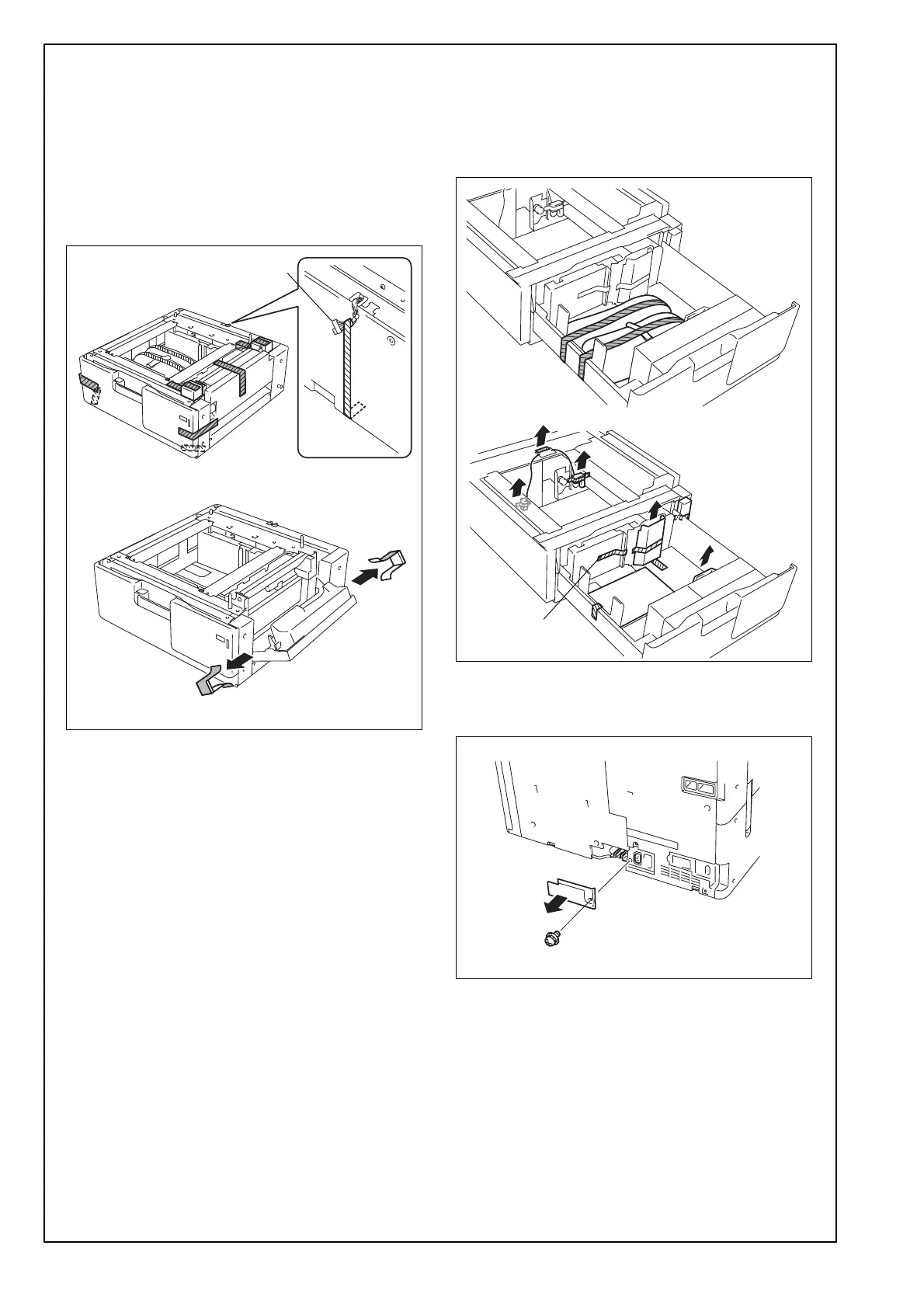
(2) Remove the protective tape from the paper feed
cabinet.
Note:
Do not peel the tape that fixes the paper feed cab-
inet hookup harness in position until the machine
is attached to the paper feed cabinet.
(3) Slide the drawer out.
(4) Remove the shipping materials and protective
tape from the inside of the drawer.
Note:
Remove the protective tape A carefully to prevent
the part from being removed together.
(5) Slide the drawer back in.
(6) Remove the connector cover if it is attached to
the machine. (One screw)
Hookup harness
A











 To Next Page