14
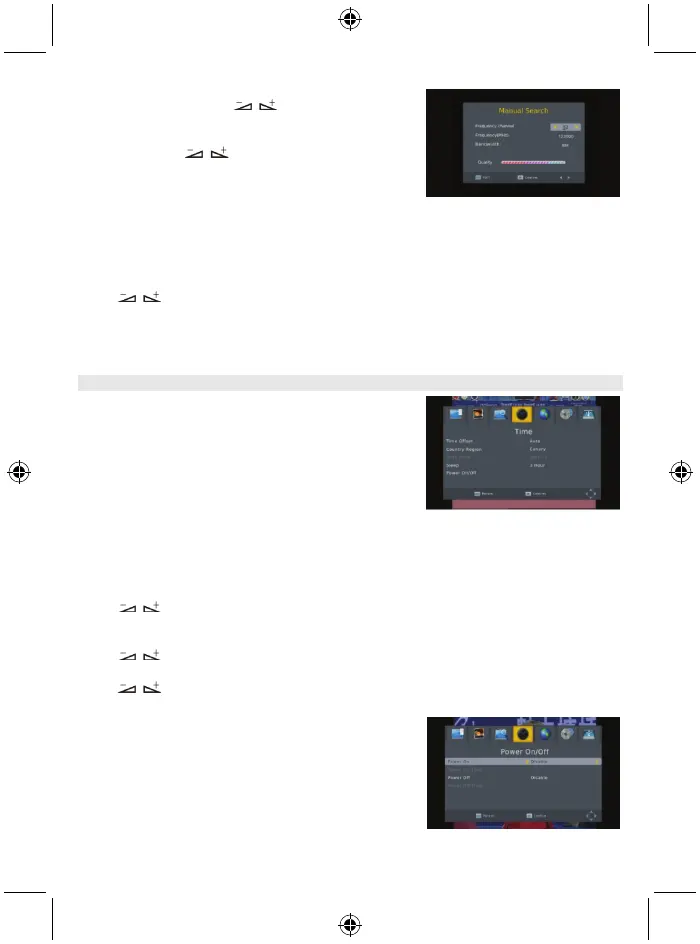
3.2 Manual search
Frequency channel
: Press key to select the
channel.
Frequency: Press the number key to input.
Bandwidth: Press keys to select between 6, 7 and
8M.
Through two colour bars at the bottom of the search window,
users can see the signal quality and strength of the current
channel.
After setting, press the OK key to enter the searching
window.
3.3 Country
Press key to select the country.
3.4 Antenna power
Select On or Off.
4. Time
There are 5 sub-menus in this menu
- Time Offset
- Country region
- Time zone
- Sleep
- Power On/Off
Select between Auto and Manual. If you select Auto, the time
zone item will turn grey, if select Manual, you can edit the
time zone item, but the country region item will turn grey.
4.2 Country Region
Press keys to select.
4.3 Time zone
Press keys to select from GMT-12 to GMT+12.
4.4 Sleep
Press keys to select among Off, 1 hour or 12 hours.
4.5 Power On/Off
Power On/Off: Select disable or enable. When selecting
enable you can edit Power On/Off Time by pressing the
number keys.
Power On/Off Time: Press the number key to input.



 To Next Page