16
6.3 Restore factory default
Choose the option of Restore Factory Default and press [OK] key to restore.
Press [OK] key to start and press [EXIT] key to quit.
Note: Please use this function carefully.
6.4 Information
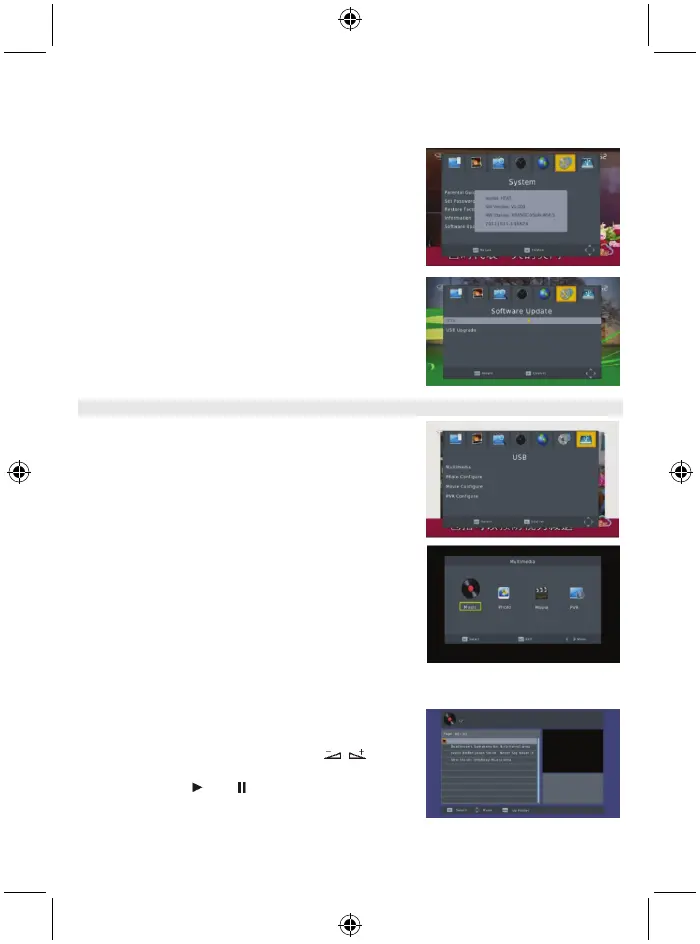
When you enter the Information menu, the screen displays
the receiver information, such as model, SW version and so
on.
Press [EXIT] key to leave this menu.
6.5 Software upgrade
Press OK to upgrade through a USB Device.
7. USB
This menu has 5 sub-menus such as: Multimedia, Photo
Configuration, Movie Configuration, PVR configuration
and Record.
7.1 Multimedia
There are 4 sub-menus in this menu.
- Music
- Photo
- Movie
- PVR
These menus will be disabled when no USB device is
plugged in.
7.1.1 Music
Press the
OK
key to enter the Music window. Press
PR+, PR-
keys to move the cursor up and down. Press keys
to go back to the folder. Select the music and press the
OK
key to play it. Press and key to play or pause and
press
■
key to stop playing.



 To Next Page