17
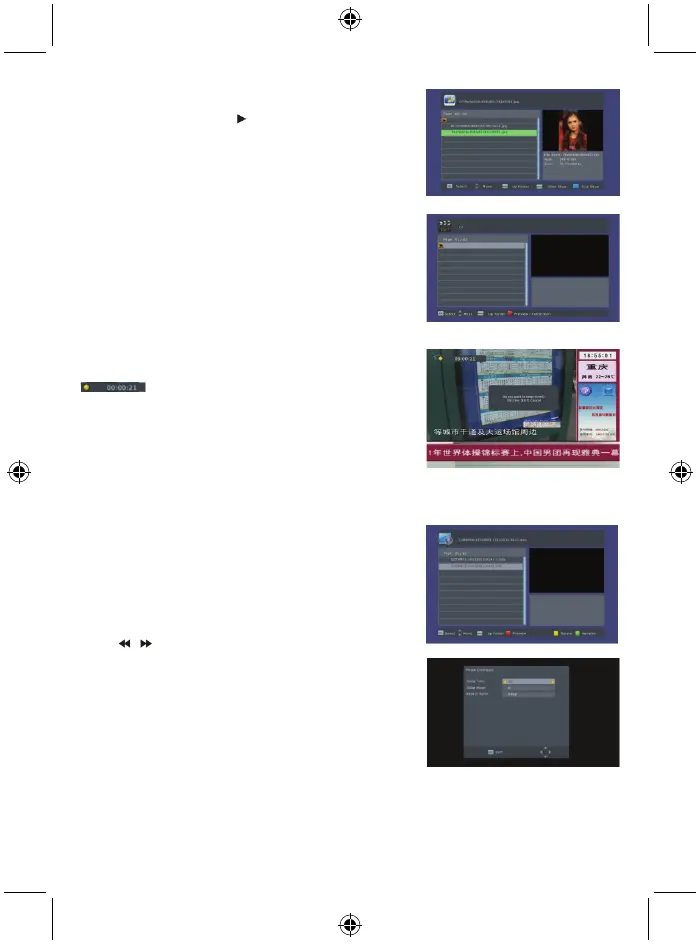
7.1.2 Photo
Select the picture and press key to enter the slide show
mode.
Press the blue key to enter grid show mode. In this mode,
select the picture and press the OK key to see it in full
screen.
7.1.3 Movie
Select the movie you want to watch and press the red key to
enter full screen mode.
7.1.4 PVR
In normal mode, press the
RECORD
key on RCU, then the
symbol will appear on the screen. It means you
are recording the program now.
Press ■ key and a dialogue box will popup: “Do you want to
stop recording?” Press OK to stop recording and save it or
press EXIT to continue recording.
If you choose to stop recording, the program you recorded
will be added to the PVR RECORD folder in PVR submenu.
In PVR menu you can see the program you recorded.
Press the red key to switch to full screen mode and press the
exit key to go back to preview mode. Press the yellow key to
delete the program. Press the green key to rename the
program. Press OK or ► key to play the program. Press ■
key to stop playing.
Press keys to fast forward or rewind.
7.2 Photo configuration
1. Slide time: select between 1 s – 8 s.
2. Slide mode: Select between 0 – 59 or random.
3. Aspect ratio: Select between keep and discard.



 To Next Page