20
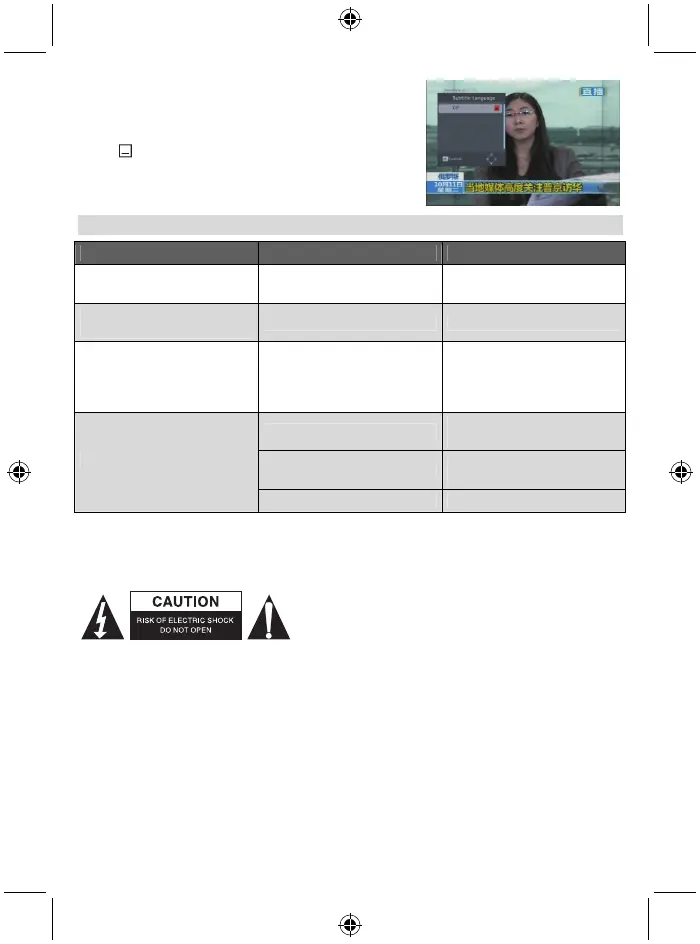
8.14 Subtitle
Press key to open the subtitle window on the screen.
TROUBLESHOOTING
Problem Possible causes What to do
The display on the front panel
does not light up.
Main cable is not connected.
Check that the main cable is
plugged into the power socket.
No sound or picture, but the
front panel shows red light.
The receiver is in standby mode. Press the standby button.
No sound or picture. No signal or weak signal.
Check the cable connections,
antenna and other equipment
connected between the antenna
and the receiver.
Signal is too strong.
Connect a signal attenuator to
the antenna input.
Antenna noise factor too high.
Change to an antenna with
lower noise factor.
Bad picture /blocking error.
The antenna is faulty. Change the antenna.
Note:
If you have tried all of the actions suggested above, without solving the problem, please contact your
retailer.
Safety precautions:
To reduce risk of electric shock, this product should ONLY be
opened by an authorised technician when service is
required. Disconnect the product from mains and other
equipment if a problem should occur. Do not expose the
product to water or moisture.
Maintenance:
Clean only with a dry cloth. Do not use cleaning solvents or abrasives.
Warranty:
No guarantee or liability can be accepted for any changes and modifications of the product or damage
caused due to incorrect use of this product.
General:
- Designs and specifications are subject to change without notice.
- All logos, brands or brand logos and product names are trademarks or registered trademarks of their
respective holders and are hereby recognised as such.



 To Next Page