4
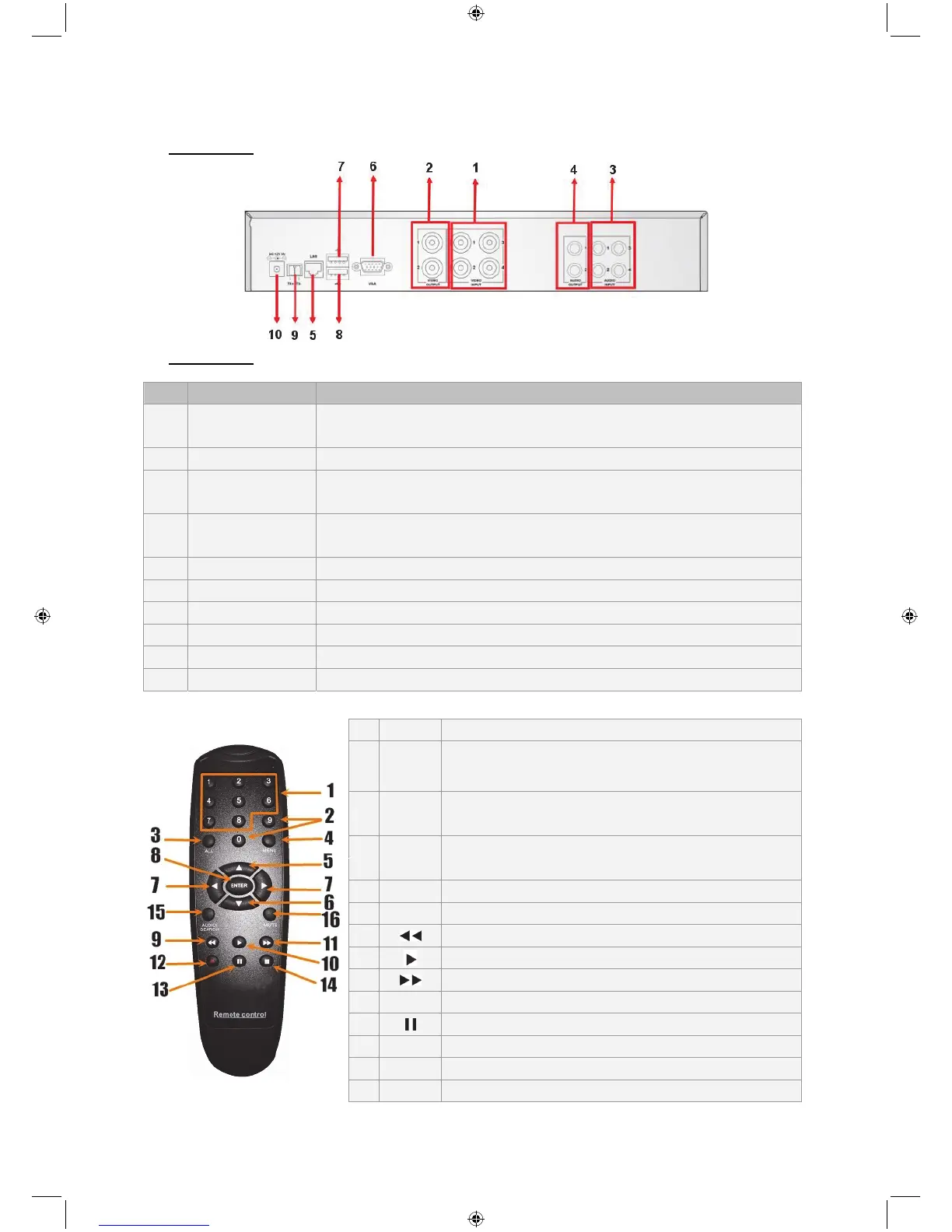
Description of rear panel:
SEC-DVR404
SEC-DVR408
No. Connector Function
1. Video input
SEC-DVR404:Connect CH1-4 video input device (BNC)
SEC-DVR408:Connect CH1-8 video input device (BNC)
2. Video output Connect monitor output (BNC)
3. Audio input
4CH DVR: 4CH audio input (RCA)
8CH DVR: 4CH audio input (RCA)
4. Audio output
4CH DVR: 2CH output (RCA)
8CH DVR: 2CH output (RCA)
5. Ethernet Connect LAN, Ethernet (RJ45)
6. VGA output Connect to VGA monitor
7. USB mouse Connect USB mouse
8. USB device Connect USB device (Flash drive, hard Drive and tecorder etc)
9. RS-485 RS485 interface
10. Power Connect power supply - 12 V DC, 3 A
Description of remote control:
1 1-8 Channel select 1-8 ; Numeric keys
2 9, 0
Numeric keys
(The numeric key “0” can be used for switching to
the OSD control panel)
3 ALL Display all channels
4 Menu Enter / Exit main menu
5 ▲ Up key
6 ▼ Down key
7 ◄► Left / Right key
8 SEL Select key/ Edit key
9
Rewind key
10
Play key, enter recording search menu
11
Forward key
12 ● Manual recording
13
Pause / Frame play
14 ■ Stop manual recording; stop playback
15 Audio Undefined
16 Mute Undefined



 To Next Page