10 BIOS Operation
Kontron User's Guide ETX CD 79
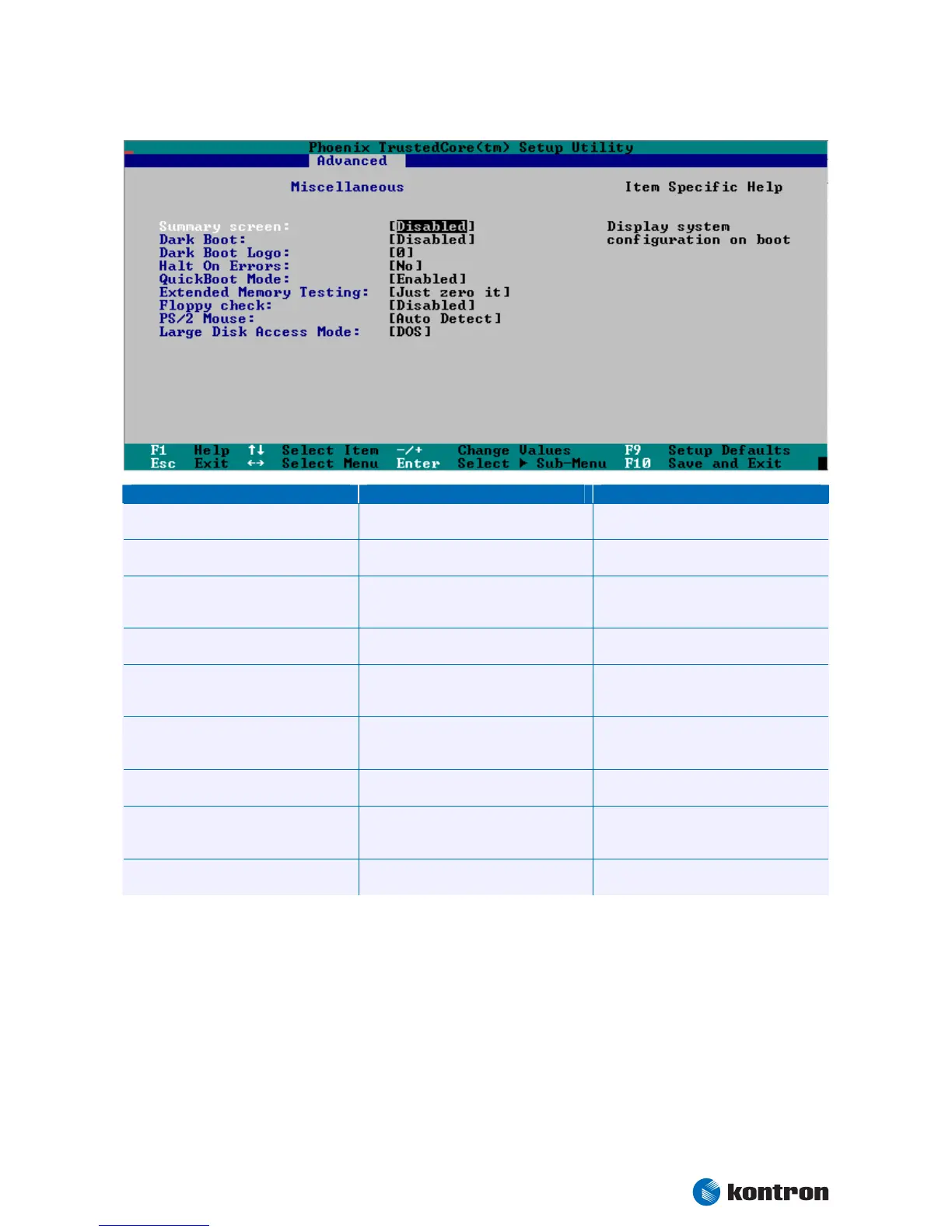
Miscellaneous Submenu
Feature Option Description
Summary Screen
Disabled
Extended
Display system configuration at boot
Dark Boot
Disabled
Enabled
Prevent diagnostic screen output during
boot
Dark Boot Logo
0
1
Use -/+ to select the Dark Boot logo
0 – Vendor Logo
1 – Blank screen
Halt On Errors
No
Yes
Determines if errors cause the system to halt
QuickBoot Mode
Disabled
Enabled
Allows the system to skip certain tests while
booting. This will decrease the time needed
to boot the system.
Extended Memory Testing
Normal
Just zero it
None
Determines which type of tests will be
performed on extended memory (above
1MB).
Floppy check
Disabled
Enabled
Disables/Enables the floppy check during
boot
PS/2 Mouse
Disabled
Enabled
Autodetect
Controls the usage of the PS/2 mouse
DMA channel
DMA 1
DMA 3
Set the DMA channel for the parallel port


 To Next Page