10 BIOS Operation
Kontron User's Guide ETX CD 83
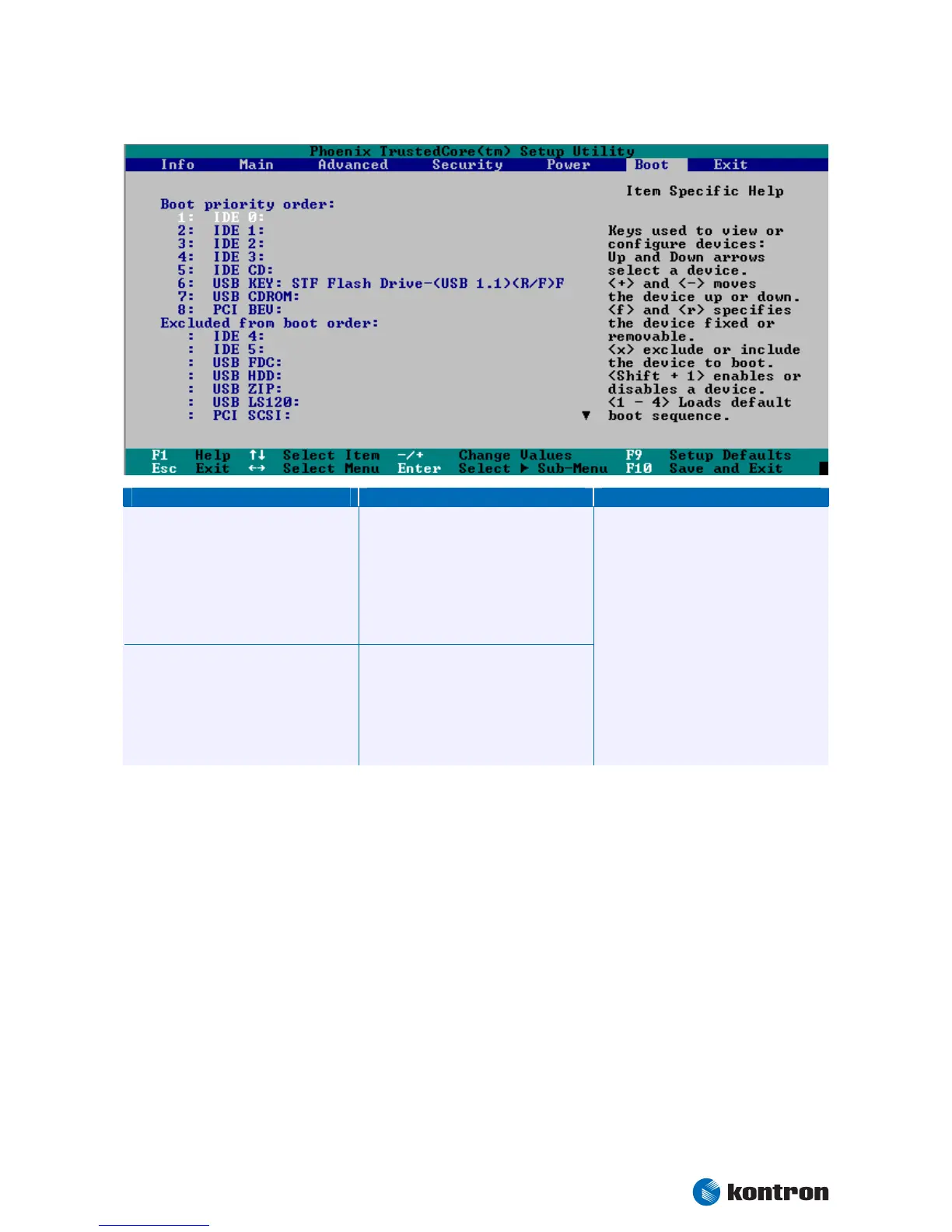
10.3.6 Boot Menu
Feature Option Descpription
Boot priority order
1:USB Key
2:USB CDROM
3:IDE CE
4:IDE 0
5:IDE 1
6:IDE 2
7:IDE 3
8:
Excluded from boot order
IDE 4
IDE5
USB FDC
USB HDD
USB ZIP
USB LS120
PCI SCSI
Keys used to view or configure devices:
Up and Down arrows select a device.
<+> and <-> moves the device up or down.
<f> and <r> specifies the device fixed or
removable.
<x> exclude or include the device to boot.
<Shift + 1> enables or disables a device.
<1 – 4> Loads default boot sequence.


 To Next Page