Page 10
This is the name of the Document
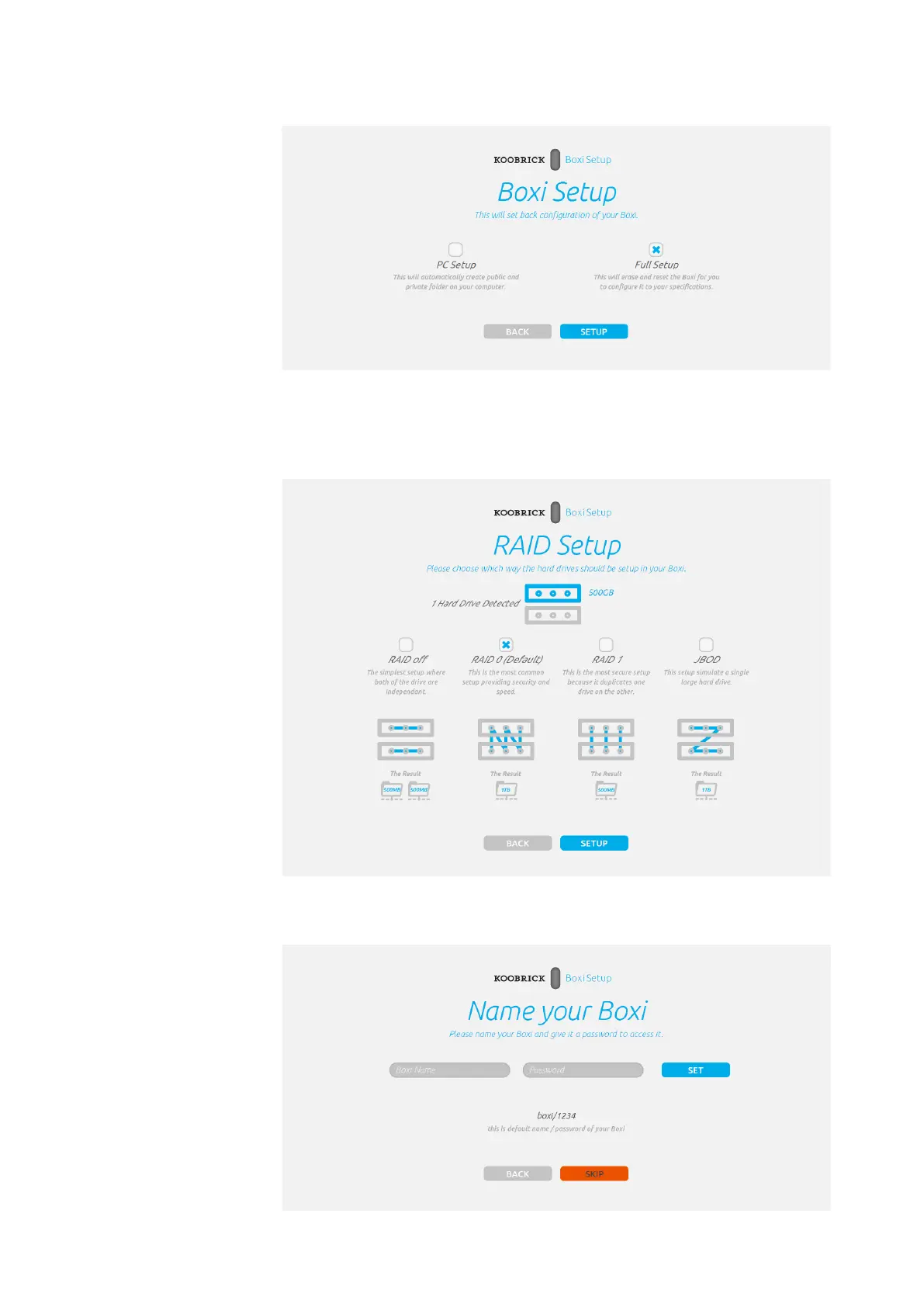
5. Select “Full Setup” and click SETUP to continue.
6. If your Koobrick Boxi has two internal SATA hard drives you will get the following
screen. Please select what kind of RAID setup you want to use for Koobrick Boxi and
click SETUP.
7. Name your Boxi and give it a password ( default name: boxi, default password: 1234 )
Boxi User Manual
Version 1.0
WE NEED TEXT here.
about possible options when
1 or 2 HDDD detected



 To Next Page