EasyManua.ls Logo

KoolMore CDC-7C-BK - User Manual

KoolMore CDC-7C-BK
11 pages
Print Icon
To Next Page IconTo Next Page
Loading...
User Manual
Before using, please read the operating instructions carefully to
ensure proper application and achieve satisfactory results.
For any service-related Issues, please contact us:
Phone Number: 718-576-6342
Email address: support@koolmore.com
Countertop Display Refrigerator
Models:
CDC-7C-BK, CDC-7C-SS
Contents
2
2
3
4
5
7
7
8
9
General
Structure and Pas
Han
dling
Preparation and Power Supply
Use and Caution
Maintenance
Trouble Shooting
Principle of Refrigeration System and Electric Circuit Diagram
Major Parameters
Question and Answer IconNeed help?

Do you have a question about the KoolMore CDC-7C-BK and is the answer not in the manual?

Summary

General Information

Structure and Parts Identification

Glass Door and Body

Features double hollow transparent glasses for enhanced appearance and visibility.

Air Suction and Outlet

Identifies air intake and outlet points, emphasizing not to block them for circulation.

Rack System

Details the adjustable rack system for storing various goods, including adjustment steps.

Handling and Placement Guidelines

Safe Handling Procedures

Instructions include unplugging, avoiding tilting, and proper lifting during transport.

Optimal Placement Conditions

Requirements for dry, well-ventilated locations away from heat sources.

Stability and Load Guidelines

Ensures stable location on a flat surface and prohibits heavy loads on top.

Preparation and Power Supply

Electrical Connection Requirements

Mandates exclusive 110-120V, 60Hz socket, no sharing, and cable protection.

Safety Precautions

Warns against water flushing, flammables, explosives, and spraying near the unit.

Post-Power Interruption Procedure

Instructs to wait 5 minutes after power break before restarting the appliance.

Use and Caution

Initial Setup and Pre-Use Checks

Plug into exclusive socket and verify cooling before loading food.

Digital Temperature Controller Operation

Explains the features and front panel controls for temperature setting and defrost.

Important Cautions

Operational Cautions

Minimize door openings, avoid congestion, cool hot food, and handle carefully.

Safety Warnings and Restrictions

Prohibits flammable substances, unauthorized repairs, and specifies usage by supervised persons.

Environmental and Load Limits

Specifies ambient temperature limits, shelf load capacity, and avoidance of corrosive food.

Additional Safety Warnings

Highlights risks of fire, mechanical defrost acceleration, refrigerant circuit damage, and internal electrical use.

Maintenance Procedures

General Maintenance Guidelines

Emphasizes regular cleaning, unplugging before work, and using appropriate cleaning agents.

Cleaning Procedures

Details how to clean the exterior and interior, including racks and glass.

Long-Term Storage and Lamp Replacement

Covers shutdown for long periods and replacing the LED light bulb.

Trouble Shooting

Common Troubleshooting Steps

Lists potential causes and remedies for refrigeration, noise, and other issues.

Normal Operating Phenomena

Clarifies sounds and condensation that are not indicative of a malfunction.

Refrigeration System and Circuit Diagram

Refrigeration Cycle Explanation

Describes the compression, condensation, throttling, and vaporization stages of cooling.

Electrical Circuit Diagram Analysis

Presents the wiring diagram for the appliance's electrical components.

Major Parameters and Warnings

Technical Specifications Table

Lists model, coolant, power, climate type, temperature, volume, weight, voltage, current, frequency, and dimensions.

Safety Warning: Refrigerant Flammability

Caution regarding the fire hazard associated with R290 refrigerant.

Proper Disposal of Appliances

Guidance on the environmentally responsible disposal of electrical equipment.

Product Warranty Information

Limited Service Warranty Overview

Details the 1-year parts and labor warranty valid in the Continental United States.

Warranty Coverage Limitations

Specifies exclusions such as improper installation, misuse, and unauthorized repairs.

Warranty Service and Inquiries

Provides instructions for contacting Koolmore for warranty support and service.

Summary

General Information

Structure and Parts Identification

Glass Door and Body

Features double hollow transparent glasses for enhanced appearance and visibility.

Air Suction and Outlet

Identifies air intake and outlet points, emphasizing not to block them for circulation.

Rack System

Details the adjustable rack system for storing various goods, including adjustment steps.

Handling and Placement Guidelines

Safe Handling Procedures

Instructions include unplugging, avoiding tilting, and proper lifting during transport.

Optimal Placement Conditions

Requirements for dry, well-ventilated locations away from heat sources.

Stability and Load Guidelines

Ensures stable location on a flat surface and prohibits heavy loads on top.

Preparation and Power Supply

Electrical Connection Requirements

Mandates exclusive 110-120V, 60Hz socket, no sharing, and cable protection.

Safety Precautions

Warns against water flushing, flammables, explosives, and spraying near the unit.

Post-Power Interruption Procedure

Instructs to wait 5 minutes after power break before restarting the appliance.

Use and Caution

Initial Setup and Pre-Use Checks

Plug into exclusive socket and verify cooling before loading food.

Digital Temperature Controller Operation

Explains the features and front panel controls for temperature setting and defrost.

Important Cautions

Operational Cautions

Minimize door openings, avoid congestion, cool hot food, and handle carefully.

Safety Warnings and Restrictions

Prohibits flammable substances, unauthorized repairs, and specifies usage by supervised persons.

Environmental and Load Limits

Specifies ambient temperature limits, shelf load capacity, and avoidance of corrosive food.

Additional Safety Warnings

Highlights risks of fire, mechanical defrost acceleration, refrigerant circuit damage, and internal electrical use.

Maintenance Procedures

General Maintenance Guidelines

Emphasizes regular cleaning, unplugging before work, and using appropriate cleaning agents.

Cleaning Procedures

Details how to clean the exterior and interior, including racks and glass.

Long-Term Storage and Lamp Replacement

Covers shutdown for long periods and replacing the LED light bulb.

Trouble Shooting

Common Troubleshooting Steps

Lists potential causes and remedies for refrigeration, noise, and other issues.

Normal Operating Phenomena

Clarifies sounds and condensation that are not indicative of a malfunction.

Refrigeration System and Circuit Diagram

Refrigeration Cycle Explanation

Describes the compression, condensation, throttling, and vaporization stages of cooling.

Electrical Circuit Diagram Analysis

Presents the wiring diagram for the appliance's electrical components.

Major Parameters and Warnings

Technical Specifications Table

Lists model, coolant, power, climate type, temperature, volume, weight, voltage, current, frequency, and dimensions.

Safety Warning: Refrigerant Flammability

Caution regarding the fire hazard associated with R290 refrigerant.

Proper Disposal of Appliances

Guidance on the environmentally responsible disposal of electrical equipment.

Product Warranty Information

Limited Service Warranty Overview

Details the 1-year parts and labor warranty valid in the Continental United States.

Warranty Coverage Limitations

Specifies exclusions such as improper installation, misuse, and unauthorized repairs.

Warranty Service and Inquiries

Provides instructions for contacting Koolmore for warranty support and service.

Overview

This document is a user manual for the KoolMore Countertop Display Refrigerator, models CDC-7C-BK and CDC-7C-SS. It provides comprehensive information on the device's function, technical specifications, usage, and maintenance.

Function Description

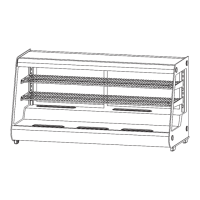
The KoolMore Countertop Display Refrigerator is designed for displaying and keeping various goods cold. It utilizes a top-brand fully enclosed compressor and an environmentally friendly refrigerant (R290 or R134a). The refrigeration system features blower-forced air cooling, ensuring an even temperature inside the refrigerator. The unit is equipped with double hollow transparent glass on the door and body, offering an artistic and elegant appearance, perfect perspective for displayed items, and easy access. It is suitable for a wide range of applications, including department stores, homes, meeting rooms, and sitting rooms.

Important Technical Specifications

Models: CDC-7C-BK, CDC-7C-SS Refrigerant and injection quantity: R290(90g) for both models General Rated input power: 360W Type of climate: 4 Refrigeration temperature: 32-53.6°F Electric shock protection class: I Total effective volume: 230L Net weight: 92lb Rated voltage: 110-120V~ Rated Current: 3.9A Rated Frequency: 60Hz Overall dimension (LxWxH): 48.2x23x26.9 inches Maximum loading of the Shelf: 18kg (39.7lb) Ambient temperature for use: 16℃-32℃ (60.8°F-89.6°F) Emission noise level (normal operation): Does not exceed 70dB(A)

The refrigeration system operates on the principle of compression, condensation, throttling, and vaporization. The compressor sucks coolant that has absorbed heat in the evaporator, turning it into a high-pressure, high-temperature gas. This gas dissipates heat in the condenser, re-liquefies, and is then throttled by a capillary tube before entering the evaporator at low pressure. The liquefied coolant boils and vaporizes, absorbing heat from inside the refrigerator, and the cycle continues.

Usage Features

Placement and Handling:

  • Handle with care: Unplug the wall socket first and never tilt the refrigerator over 45 degrees during handling.
  • Dry place: Always locate the refrigerator in a dry place.
  • Sufficient space: Maintain a distance of more than 10cm from both sides and the back of the refrigerator to walls or other substances to ensure proper air circulation and refrigeration capability.
  • Well ventilation: Locate the refrigerator in a place with fine ventilation. For first-time use, wait 2 hours after handling before plugging it in.
  • Far from heat source: Avoid direct sunlight or proximity to heat sources/heaters to prevent reduced refrigeration capability.
  • No heavy load: Do not place heavy loads on top of the refrigerator.
  • No hole making: Do not make holes or install other items on the refrigerator.
  • Stable location: Unpack and place the refrigerator on a flat and solid surface to avoid noise and vibration.

Power Supply:

  • Exclusive power socket: Use a 110-120V, 60Hz single-phase AC exclusive three-pin receptacle.
  • No share on socket: Do not share the socket with other appliances to prevent overheating and fire.
  • Protect cables: Do not break or damage cables to avoid current leakage and fire.
  • No water flushing: Do not flush the refrigerator surface with water to prevent current leakage.
  • Prevent from flammables and explosive: Never put flammable or explosive substances (e.g., ether, gasoline, alcohol, adhesive) inside or near the refrigerator.
  • No spray: Do not spray flammables like paint or coating near the refrigerator.
  • After power break: After a power break or unplugging, wait at least 5 minutes before plugging in and restarting the refrigerator.
  • No medicine: Medicine is not allowed to be kept inside the refrigerator.

Digital Temperature Controller: The refrigerator features a mini-sized, integrated intelligent controller for temperature display, temperature control, manual/automatic defrost, illumination control, value storing, self-testing, and parameter locking.

  • Set temperature: Press the "SET" button to display the set temperature. Use "▲" or "▼" buttons to modify and store the value. Press "SET" again to exit.
  • Illumination: Press the light button to turn the light on/off.
  • Manual defrost: Press and hold the light button for 6 seconds to start or stop defrost.
  • Refrigerant LED: On during refrigeration, flashes when cold room temperature is constant.
  • Defrost LED: On during defrosting, off when defrosting stops.
  • Digital controller reset: If "Disorder" is displayed, press "▼" for 2s until the buzzer rings, then quickly press "▲" for 6s until the buzzer rings again. The display will flash for 3s and restore factory settings.

General Usage Cautions:

  • Shorten door open time and reduce open frequency to maintain cold temperature.
  • Never block air suction and outlet to maintain air circulation and refrigeration capability.
  • Do not overcrowd food, as it affects cooling.
  • Adjust rack height for proper food storage.
  • Cool hot food to room temperature before placing it in the refrigerator.
  • Try to reduce door openings and keep the refrigerator cold during power cuts.
  • Only skilled service personnel should repair damaged power cables.
  • Never touch the compressor to avoid scalding.
  • The appliance is not intended for use by persons (including children) with reduced physical, sensory, or mental capabilities, or lack of experience, unless supervised or instructed by a responsible person. Children should be supervised to prevent them from playing with the appliance.
  • Do not store explosive substances or aerosol cans with flammable propellant.
  • Keep ventilation openings clear of obstruction.
  • Do not use mechanical devices or other means to accelerate defrosting processes other than those recommended by the manufacturer.
  • Do not damage the refrigerant circuit.
  • Do not use electrical appliances inside food storage compartments unless they are of the recommended type.
  • WARNING: Refrigerant R290 is flammable; protect against fire.

Maintenance Features

General Maintenance:

  • Keep the refrigerator clean and perform periodical maintenance.
  • Always unplug the socket before maintenance.
  • Never use damaged plugs or loose sockets to prevent electric shock or short circuits.
  • Never flush the refrigerator.
  • Never use alkali detergent, soap, gasoline, acetone, or brushes.

Cleaning:

  • Outside: Dip a soft cloth in neutral detergent (tableware detergent) to clean the outside, then wipe with a dry soft cloth.
  • Inside: Take out racks for cleaning with water. Use a soft cloth to wipe the interior.

Long-term Shutdown:

  • Remove all food and unplug the wall socket.
  • Clean both the inside and outside thoroughly.
  • Open the door for sufficient drying.
  • Keep glass parts away from children as they break easily.

Lamp Replacement:

  • If the LED lamp is damaged, it must be replaced by the manufacturer or its service agent.

Troubleshooting Guide: The manual provides a troubleshooting table for common issues:

  • No refrigeration: Check if the plug is in the socket, if the fuse is broken, or if there is no power.
  • Unsatisfactory refrigeration: Check for direct sunlight, nearby heat sources, bad ventilation, if the door closes well, if the door is open for too long, if the door seal strip is deformed/damaged, if food is congested/too much, if food blocks air suction/outlet, or if the temperature controller needs adjustment.
  • Much noise: Check if the refrigerator is level, if it contacts a wall or other matter, or if there is a loose part.
  • If simple troubleshooting doesn't resolve issues, contact a local service agent.

Normal Phenomena (Not Troubles):

  • The murmur of water is heard when the refrigerator is working; this is normal as coolant circulates.
  • Condensation on the outside of the refrigerator in wet seasons is due to high humidity; simply wipe it with a cloth.

KoolMore CDC-7C-BK Specifications

General IconGeneral
BrandKoolMore
ModelCDC-7C-BK
CategoryRefrigerator
LanguageEnglish

Related product manuals