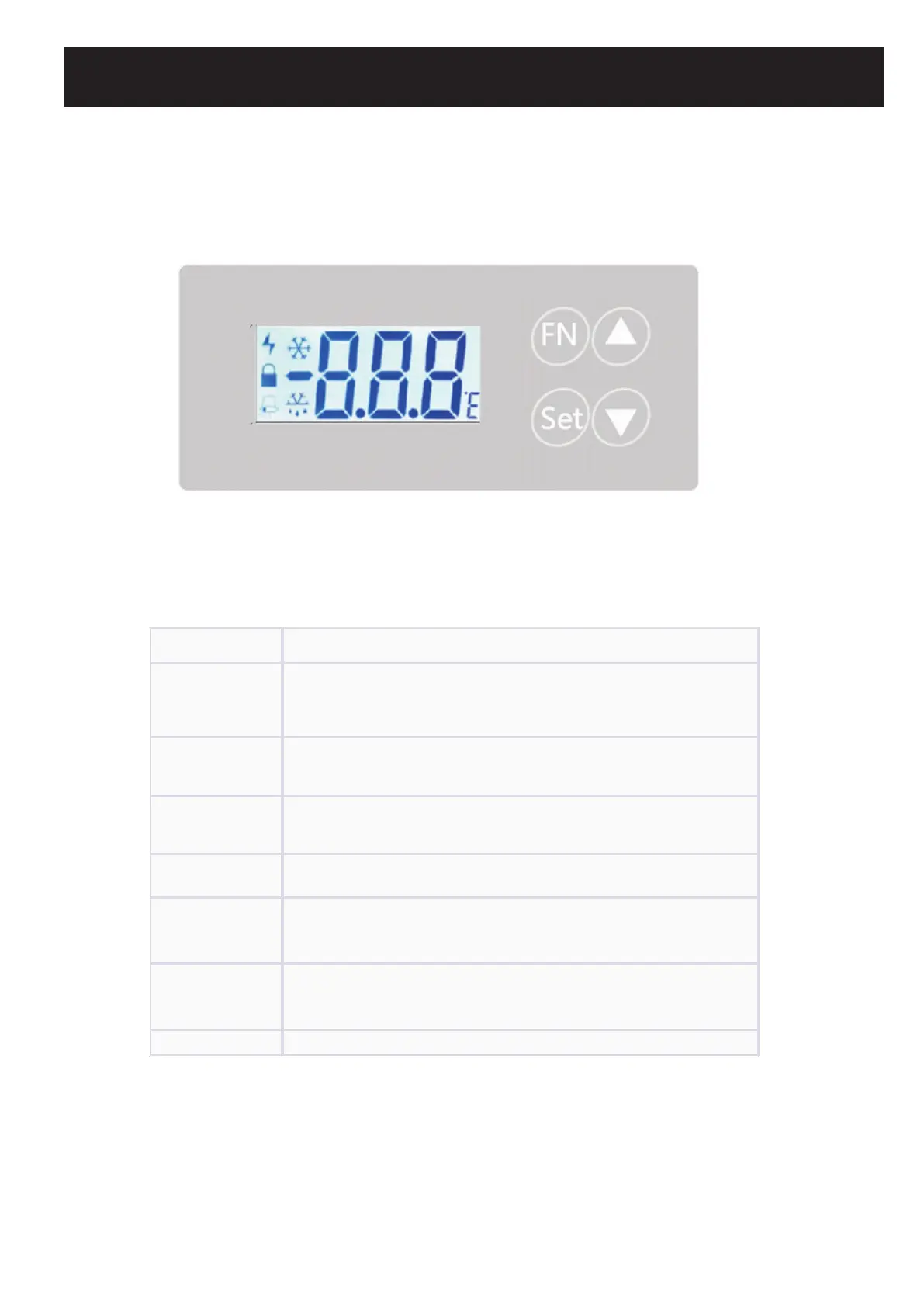
SET
- Display current temperature set point (St) when held for 3s (if
unlocked).<br>- Save and exit settings when held for 3s (in setting
▲ (UP)
- Toggle between parameters.<br>- Increase selected parameter
value.
▼ (DOWN)
- Toggle between parameters.<br>- Decrease selected parameter
value.
SET + FN - Unlock or lock the controller when held together for 3s.
SET + ▲ - Access the general menu settings when held together for 3s.
▲ + ▼ (for 3s) - Enter the time-setting interface of the recorder.
▲ (for 3s) - Export data to a USB flash drive (if supported).


 To Next Page