37
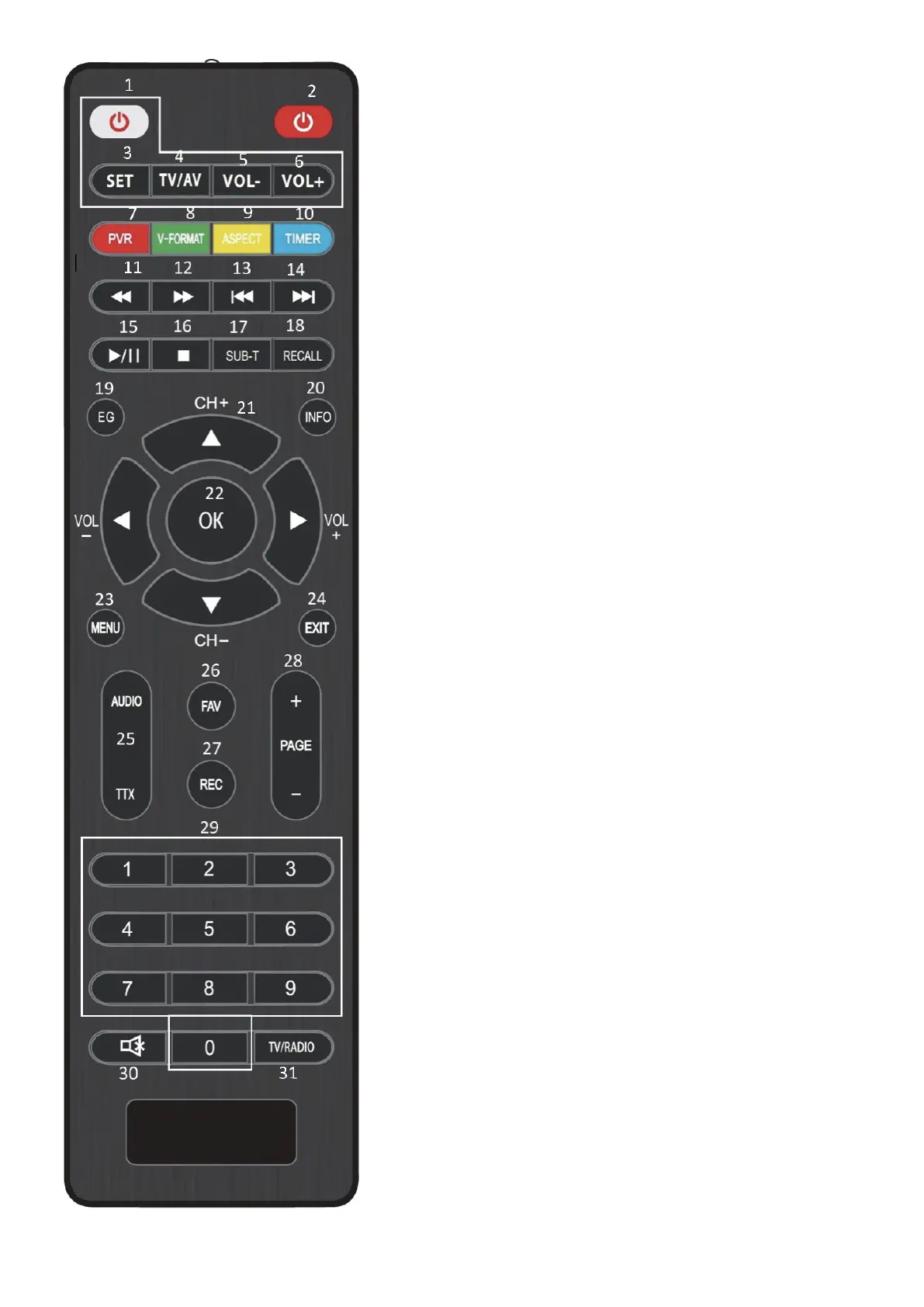
1. Power TV key: turn on/off the television
2. Power key: turn on/off the appliance
3. SET key: configure the remote control
4. TV/AV key: configure the source of the
television
5. VOL +: allow to adjust the intensity of the
output audio of the linked TV
6. VOL –: allow to adjust the intensity of the
output audio of the linked TV
7. PRV key (red): function not available
8. V-Format key (green): selects the video re-
solution video (576i/p; 720p; 1080i, 1080p)
9. Aspect key (yellow): selects the aspect
ratio (16:9 o 4:3)
10. Timer key (blue): function not available
11. Fast backward key: fast-reverses a movie
12. Fast forward key: fast-forwards a movie
13. Skip back key: goes to the previous
content
14. Skip forward key: goes to the next content
15. Play/Pause key: play/pause a content
16. STOP key: stops the display of multi-
media content
17. Sub-T key: shows the subtitles (if available)
18. Recall key: skips to the previous channel
19. EG key (GUIDE): opens the electronic
guide to the programs (if available)
20. INFO key: shows the information about
the channel
21. Arrow keys: allow you to navigate insi-
de the menu, allow you to change chan-
nels in succession (UP / DOWN arrow) and
to adjust the audio volume (left arrow LOW
and right arrow HIGH)
22. OK key: confirms a selection or shows
the TV List
23. MENU key: opens the main menu


 To Next Page