54
NOTE: if you have forgotten your password, you can use 873543, it cannot
be changed.
Restore default settings
If you want to return to the factory settings of the device, press MENU on the
remote control, using the arrow keys to access the SYSTEM menu, click on
FACTORY RESET, confirming with OK a password is requested.
ATTENTION: In this way all the settings created by the user (password,
favorite channel list, etc.) will be deleted and the decoder will return to the
conditions of first use.
Software update
If an update of the device management software is available, it will be possi-
ble to install it using a USB key (minimum 2GB).
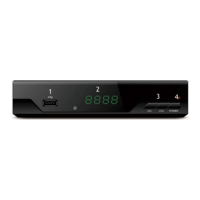
Once the software has been saved on a USB stick, insert it into the appro-
priate slot on SIDE A (Figure 1). Access the SYSTEM menu and with the
arrow keys click on SOFTWARE UPGRADE, on the new screen press OK
again. Select FILE PATH and locate the file to be installed on the key; once
this is done, select START and the update will begin.
ATTENTION: do not turn off the device during the update which could take
up to a few minutes. The installation of the new software will restore the de-
vice to its factory settings (first use condition), any settings made by the user
will be deleted (new password, channel tuning ...).
ATTENTION: with the installation of the new software some features may
be different.
ATTENTION: at the end of the installation, it is recommended to proceed
with a factory reset (see the chapter Restore default settings).
Energy saving
According to the European Directive the appliance is equipped with an ener-
gy saving function that turn off the device after 3 hours of inactivity, the shut-
down is preceded by a warning message lasting 2 minutes and during which
the function can be delayed for another 3 hours. The function only turns off
the decoder and not the TV.
The period of inactivity can be changed by the user (default is 3 hours): press
the MENU button on the remote control, open the TIME menu and select
SLEEP (HOUR), using the arrow keys it is possible to prevent the appliance


 To Next Page