36
1. OVERVIEW OF THE APPLIANCE
Package contents
1. Digital decoder
2. Remote control
3.Complete user manual
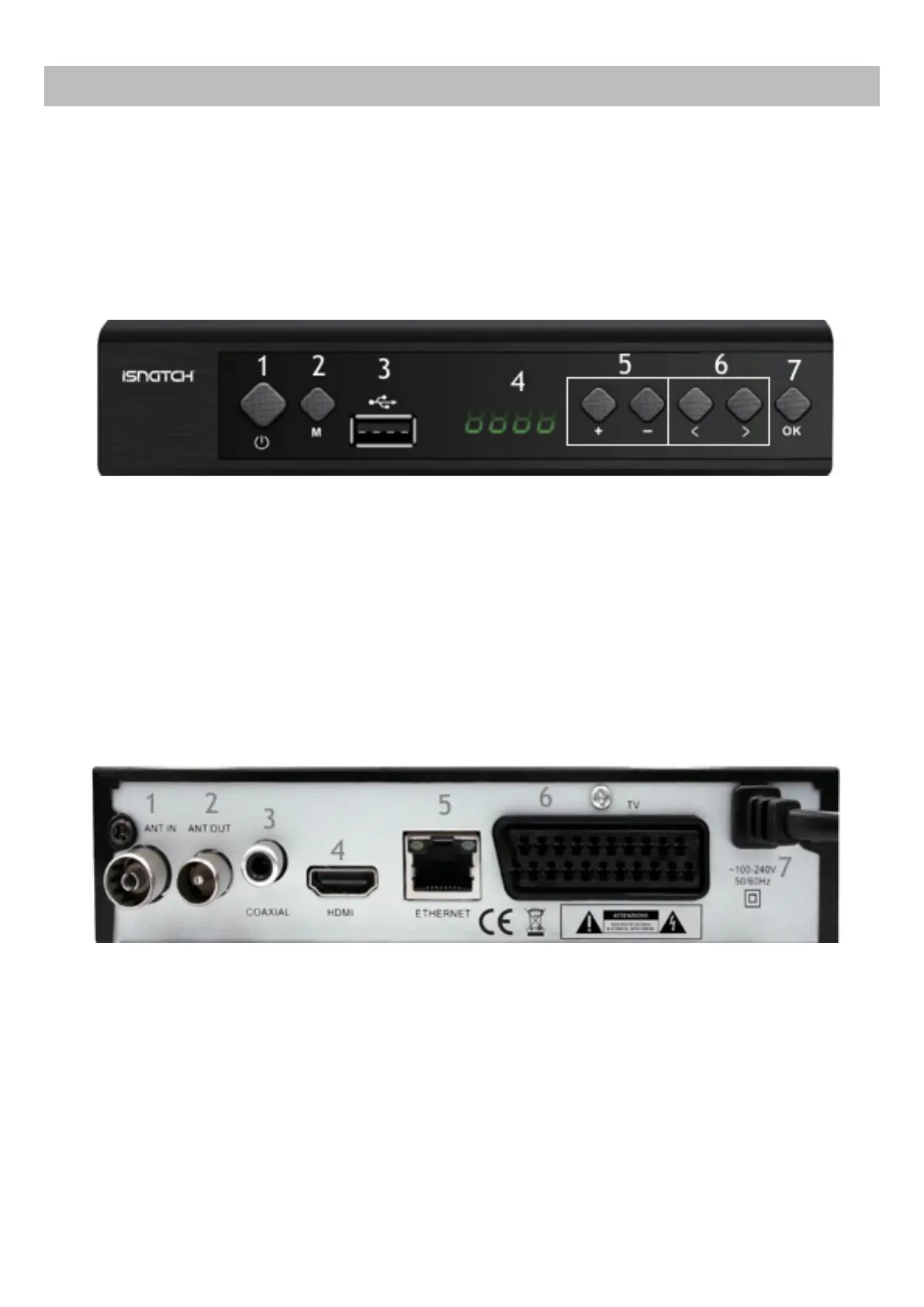
Front panel
1. Power Button: turn on/off the decoder
2. M Button: Menu Button
3. USB input
4. Display
5. CH+ e CH- buttons: change the channels
6. Cursor Buttons
7. OK button
Rear Panel
1. ANT IN: input antenna cable
2. ANT OUT: output antenna cable (loop through to connect to another de-
coder or a RF modulator)
3. Coaxial: digital audio output
4. Hdmi: hdmi output
5. Ethernet: rj45 ethernet socket, for the internet conncection.
6. Tv: scart socket for the connection to tv
7. Supply cable


 To Next Page