EasyManua.ls Logo

Kooper ALFA07 - User Manual

Kooper ALFA07
57 pages
Go to English
Print Icon
To Next Page IconTo Next Page
Loading...
5902390
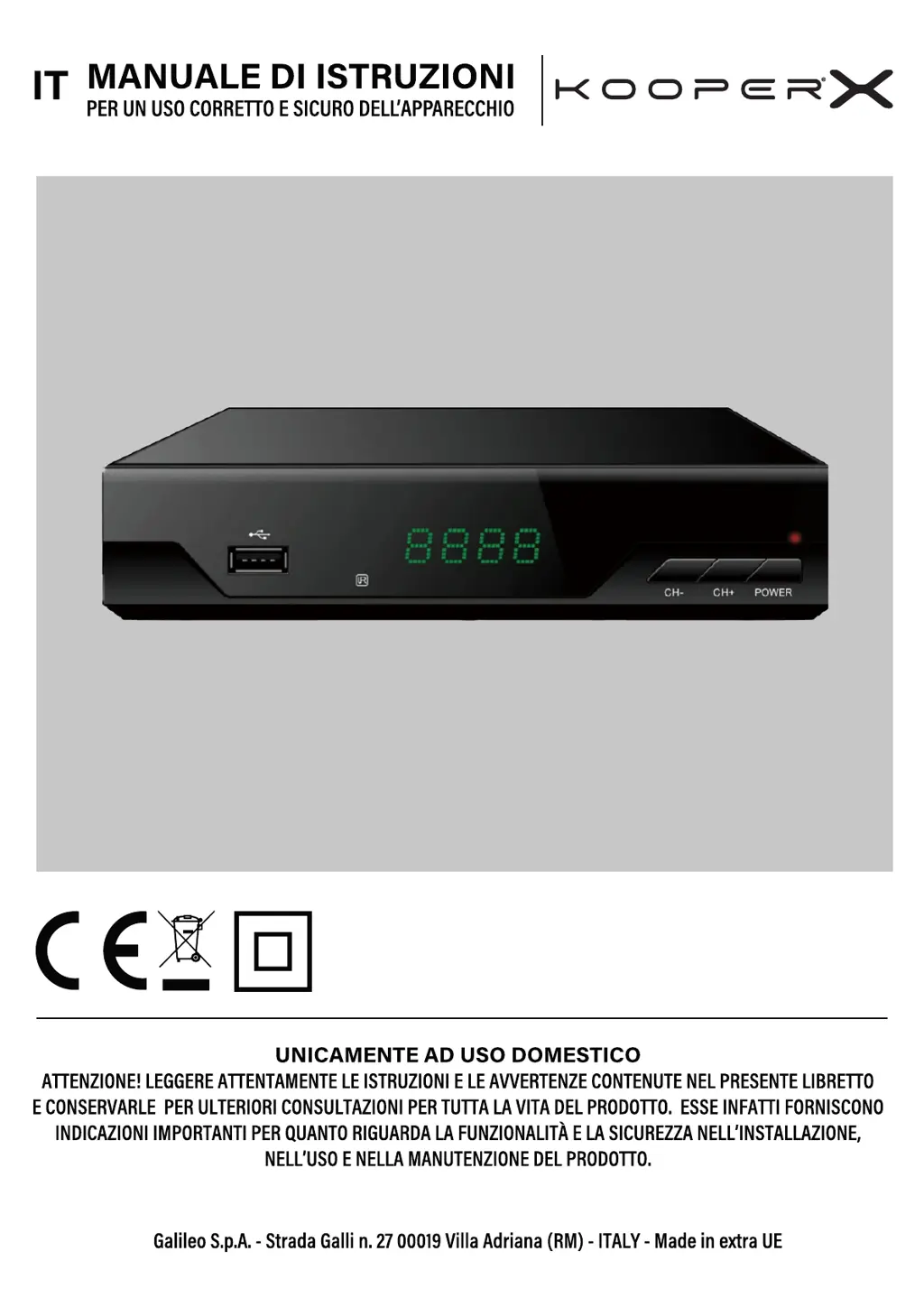
RICEVITORE DIGITALE TERRESTRE
100-240 V | Frequenza: 50/60 Hz
ALFA07

Questions and Answers

  • G
    gbakerAug 7, 2025
    What to do if my Kooper ALFA07 has no image or sound?
    • V
      Vanessa ParkerAug 7, 2025
      If your Kooper TV Receiver isn't displaying an image or producing sound, verify that the output signal cable (SCART or HDMI) and the antenna cable are securely connected. Also, ensure you've selected the correct input signal on your TV using the SOURCE or INPUT key on your TV remote. If the issue persists, press the V-FORMAT button on the receiver's remote and select a video resolution that allows correct viewing.
  • J
    Jodi AllenAug 14, 2025
    Why is my Kooper ALFA07 remote control not working?
    • C
      cody00Aug 14, 2025
      If your Kooper TV Receiver remote control isn't working, first, insert batteries into the remote control or replace them if they are low. Then, check that the batteries have been inserted according to their correct polarity, as indicated on the bottom of the battery compartment. Finally, make sure you are close enough to the appliance and pointing the remote control directly at it.
  • S
    sabrina15Aug 21, 2025
    How to fix intermittent picture and audio on my Kooper TV Receiver?
    • D
      douglas19Aug 21, 2025
      To fix intermittent picture and audio on your Kooper TV Receiver, check that the antenna cable is well connected and that the video signal quality is adequate. Also, ensure the antenna cable is completely shielded to prevent electrical interference.
  • T
    Tyler WhiteAug 29, 2025
    How to troubleshoot no audio on Kooper ALFA07?
    • J
      Jennifer LinAug 29, 2025
      If there is no audio on your Kooper TV Receiver, first, disable silent mode by using the MUTE button. Next, check that the volume level of both the set-top box and the television are at an adequate level. If you are watching multimedia content, the audio encoding may not be supported, meaning the file is not completely readable.

Summary

End-of-Life Device Disposal

General Safety Warnings

Danger to Children

Safety warnings and usage restrictions for children.

Risk of Electrical Shock

Warnings and precautions regarding electrical hazards and safe operation.

1. Appliance Overview

Package Contents

List of items included in the product package.

Front Panel Overview

Description and labels of the appliance's front panel controls.

Rear Panel Overview

Description and labels of the appliance's rear panel connections.

Remote Control Description

Detailed explanation of the remote control buttons and their functions.

2. Device Connection

Antenna Connection

Instructions for connecting the antenna to the device.

Connection to Television

Methods for connecting the decoder to a TV via HDMI or SCART.

3. Initial Boot and Setup

Installation Guide

Steps for initial configuration, language, and country selection.

Channel Search Process

Procedure for automatic channel scanning and tuning.

4. Menu Navigation and Settings

Program Menu Settings

Options for managing channels, including sorting and LCN.

Picture Settings

Configuration of display format, resolution, and aspect ratio.

Search Menu Options

Settings for automatic and manual channel searching.

Time and Sleep Settings

Adjusting time zone, sleep timer, and power on/off functions.

Option Menu Settings

Customizing OSD language, subtitles, and audio tracks.

System Settings

Managing parental controls, factory reset, and software updates.

USB Media Management

Accessing and managing media files via USB.

5. Appliance Operations and Features

Channel Selection and Navigation

How to select, change, and find channels using the remote.

Volume Adjustment

Controlling the audio volume and using the mute function.

Channel Information Display

Viewing details about the current channel, signal quality, and features.

Switching Between TV and Radio

Function to switch between television and radio broadcast modes.

Subtitle Activation and Display

Enabling and viewing subtitles for programs.

Channel Organization and Management

Sorting, editing, moving, skipping, and locking channels.

USB Media Playback

Playing music, viewing photos, and watching videos from USB.

Program Guide and Teletext

Accessing program schedules and text-based information services.

Multilanguage Audio and Teletext

Selecting audio language and accessing teletext services.

Channel Search Modes

Performing automatic or manual searches for TV and radio channels.

Favorite Channel Group Management

Creating, renaming, and managing lists of favorite channels.

Parental Control Setup

Setting up age restrictions and blocking programs for children.

Password Management

Changing the default password for system settings.

Restore Factory Defaults

Resetting the device to its original factory settings.

Software Update Procedure

Instructions for updating the device's firmware via USB.

Energy Saving Features

Configuring automatic shutdown to save energy.

Network Application Access

Using internet-based applications like news and weather.

Remote Control Programming

Pairing the remote control to operate other devices.

Function Availability and Troubleshooting

Information on unavailable functions and common issues.

Kooper ALFA07 Specifications

General IconGeneral
BrandKooper
ModelALFA07
CategoryTV Receiver
LanguageEnglish