48
nel to be blocked, press OK, a list of favorite categories to choose from with
the arrow keys, by confirming with OK the symbol will appear (it is possible
to select more than one category for the same channel). To confirm the se-
lections type EXIT, will appear next to the added channel.
At the end, press the EXIT button, the system asks you to confirm the action
(saving the block will be effective).
NOTE: To view your favorite channels press FAV on the remote control, the
categories containing the favorites will appear, selecting the category with
OK, the list of favorite channels for that category will appear. To access it,
press OK. To delete a channel from a list, repeat the above steps, the symbol
will disappear. To rename a channel, use the arrow keys to move to it and
press the GREEN key, using a virtual keyboard it is possible to change the
name of the channel, at the end of typing select OK. Pressing the EXIT key
saves the changes and exits the menu.
USB
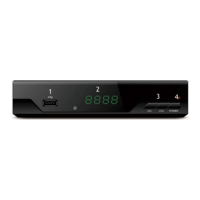
The decoder allows you to open multimedia files of audio, video or image
type, present on a USB memory suitably inserted in the slot of the SIDE A
(Figure 1) of the device. Although the device can read a significant number
of different formats, some may not be supported. Furthermore, it is possible
that due to the unsupported CODECs, some video files may be illegible, de-
spite the format being readable. To access the contents of the USB memory,
insert the key with the contents to be displayed and press the MENU button
on the remote control and reach the USB menu and from there the MEDIA
CENTRE submenu.
WARNING: not all storage devices are compatible with the device, the ma-
nufacturer is in no way responsible for any damage or loss of data.
To open audio files, access the MEDIA CENTRE menu, select the MUSIC
icon with the arrow keys and the OK button on the remote control. The de-
coder allows you to navigate within the folders contained in the USB key: use
the arrow keys to move through the list of folders or files, press OK to open
the folder or file chosen; to return to the upper folder use the EXIT button.


 To Next Page