49
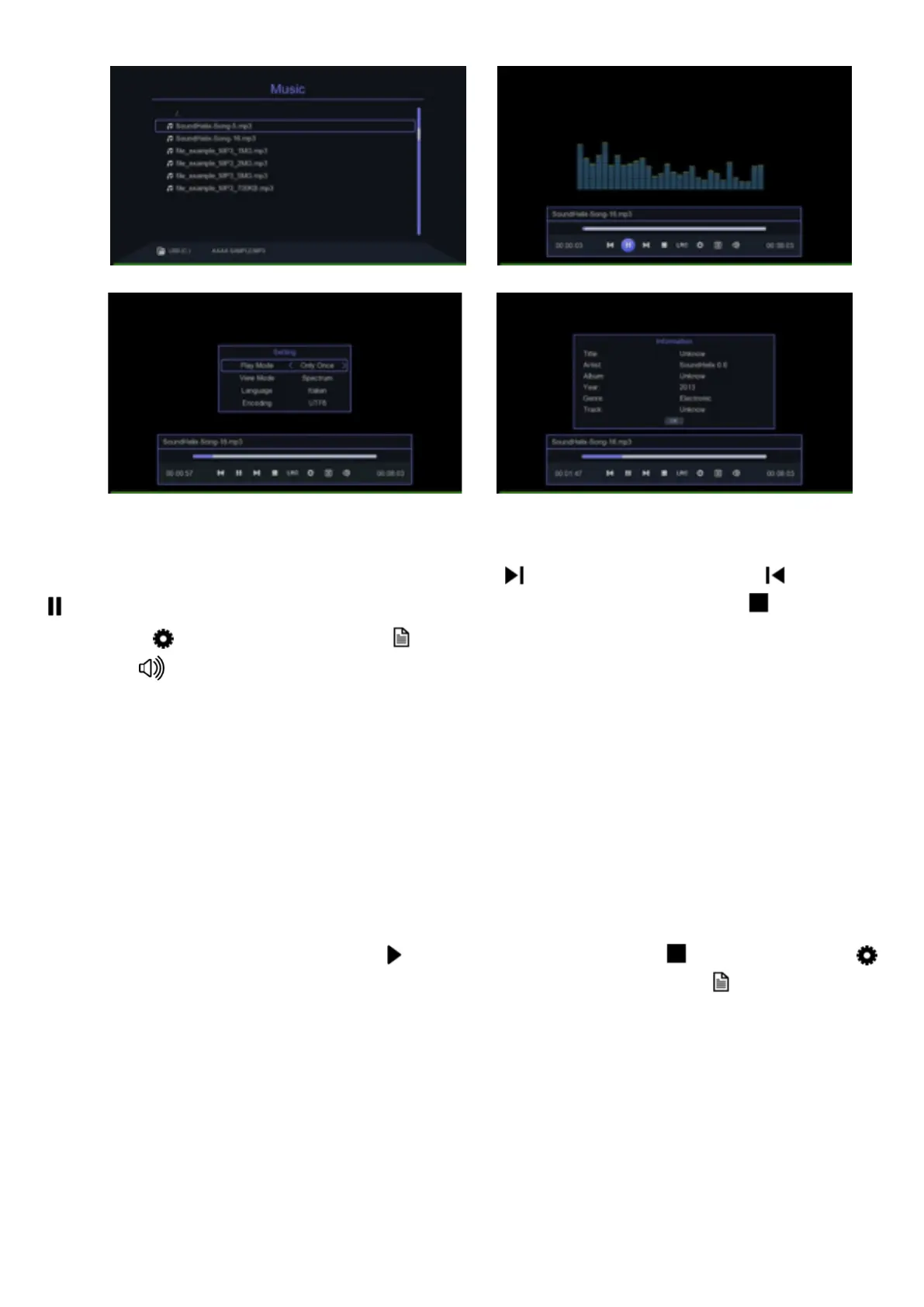
Using the options of the banner below, which can be accessed by pressing
the OK key, you can skip to the next song , to the previous one , pause
, show the lyrics of the song (if present) LRC, stop playback , choose
playback , show information about the file being played and adjust the
volume .
For some of these options the corresponding buttons on the remote control
can be used.
To view an image, access the MEDIA CENTRE menu, select the PICTURE
icon with the arrow keys and the OK button on the remote control. The de-
coder allows you to navigate within the folders contained in the USB key: use
the arrow keys to move through the list of folders or files, press OK to open
the folder or file chosen; to return to the upper folder use the EXIT button.
The images are displayed individually or sequentially. To activate the sequen-
ce view mode select the icon , to stop and exit use . The symbol
allows you to select the display modes; while the symbol displays the
information of the image file. The banner is activated using the OK button on
the remote control.
For some of these options the corresponding buttons on the remote control
can be used.


 To Next Page