41
ding to the national standard which provides for their ordering according to
their importance, this means that the LCN function is not active. To activate
the LCN order, please follow the instructions in the following chapter (PRO-
GRAM).
4. OVERVIEW OF THE MENUS
The main menu is divided in 7 submenus: PROGRAM, PICTURE, SEARCH,
TIME, OPTION, SYSTEM and USB. Access to the main menu is by pressing
the MENU button on the remote control. Using the arrows keys, you can
open the various submenus.
Program
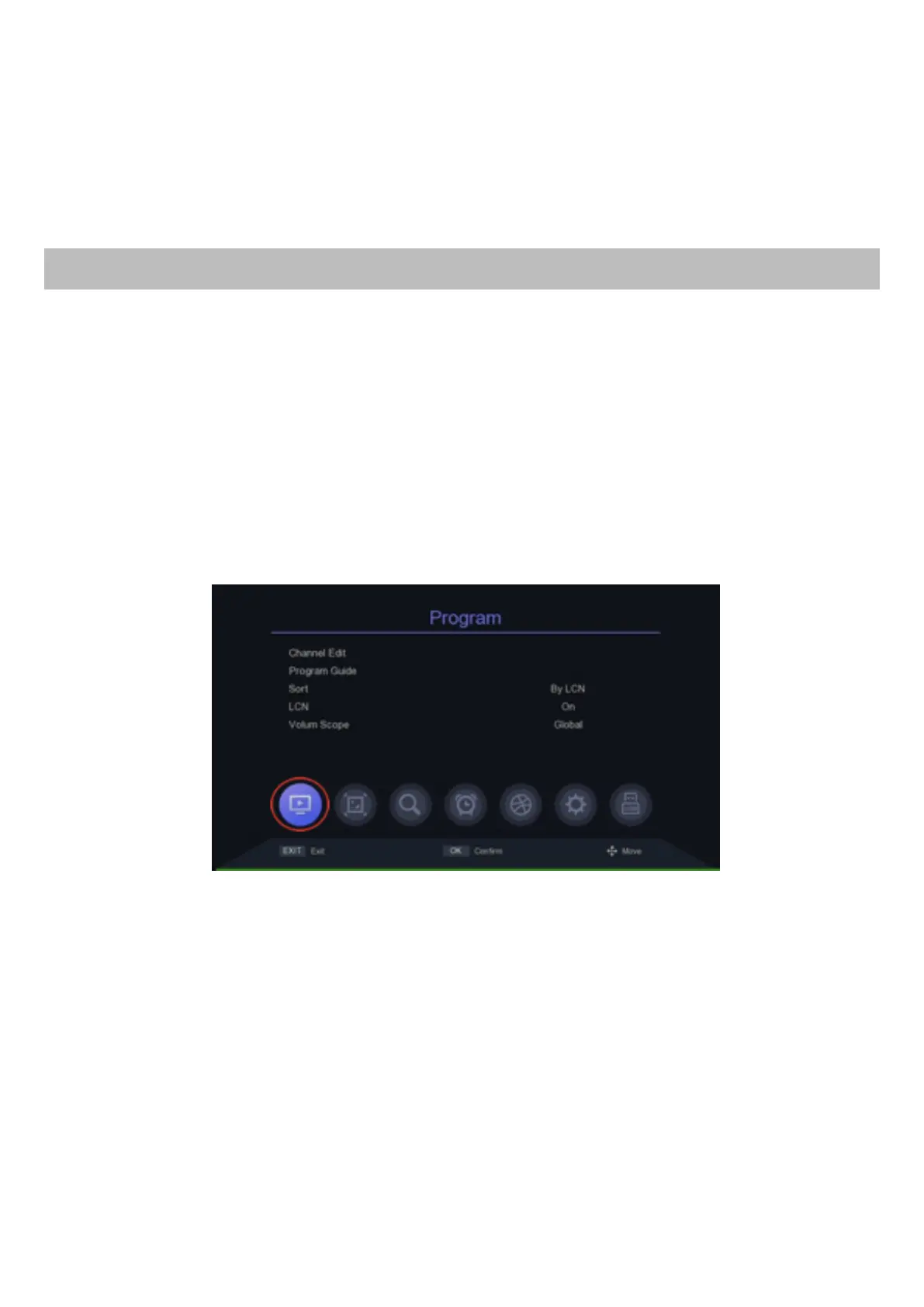
This menu allows you to sort, modify and delete the stored channels. To
open the menu PROGRAM, select the first icon bottom from the left.
In this menu it is possible to activate the “LCN” function: select with the arrow
keys SORT and select between the different options BY LCN, then activate
the LCN, selecting LCN and ON, as in the picture above; so, the channels
will be arranged according to national importance. The factory setting provi-
des that the channels are automatically arranged according to LCN, and the
LCN sorting is active, just like in the image above.
IMPORTANT: to activate sorting by LCN both the sorting by LCN (SORT:
BY LCN) and LCN activation (LCN: ON) must be selected.


 To Next Page