39
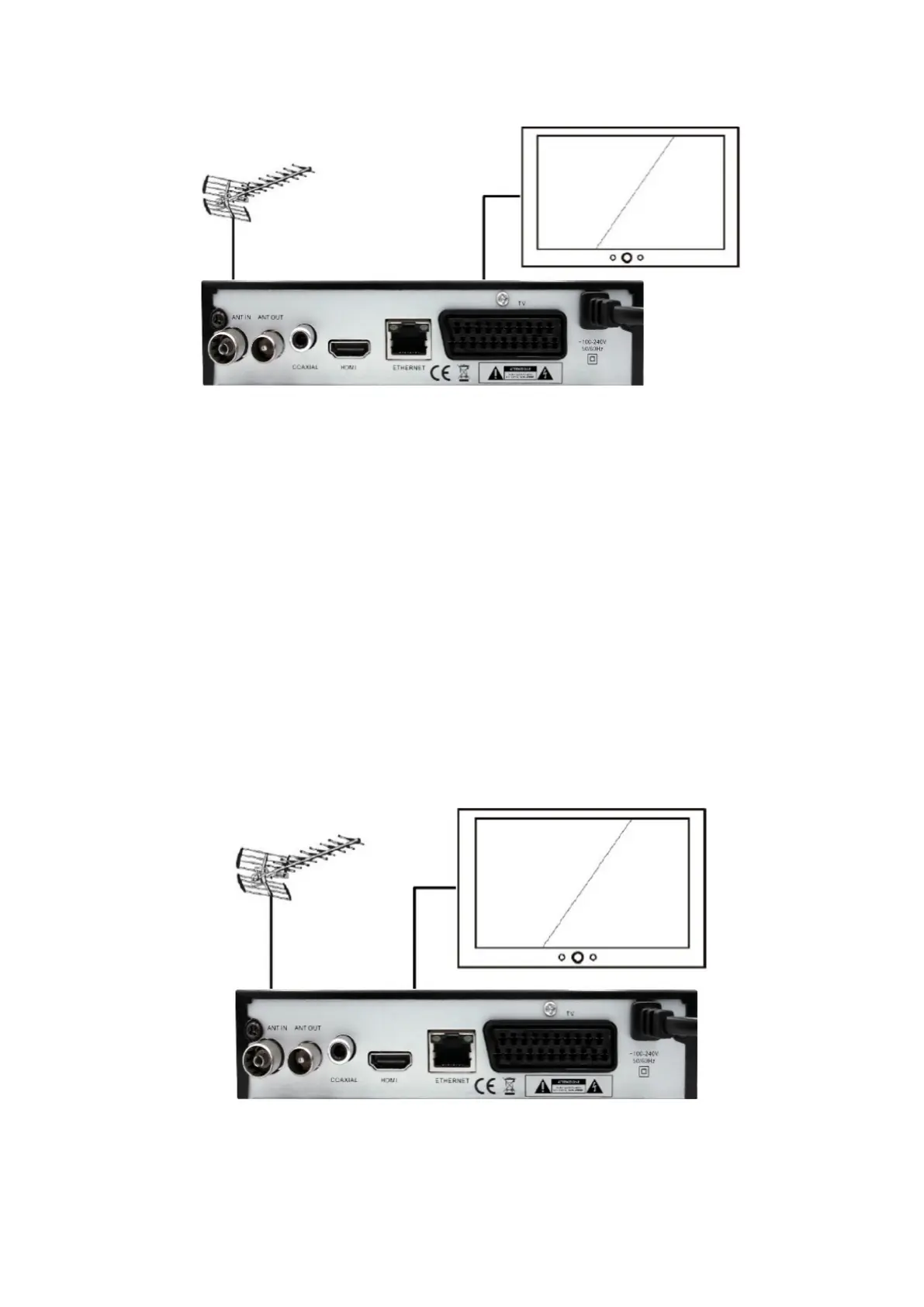
The HDMI cable (not included) must be inserted in the proper socket on the
television and in the socket on the rear of the appliance (see Figure 2). It is re-
commended to take note of which TV socket is used (usually it is indicated as
HDMI 1, HDMI 2, HDMI 3, ….). The TV will not automatically display the initial
screen of the decoder, it will be necessary to select the source using the TV
remote control (see its manual, usually on the TV remote controls it is indicated
as SOURCE, INPUT ...; then choose the HDMI 1 icon .. or HDMI 2 or HDMI 3
based on the HDMI input to which the HDMI cable is connected).


 To Next Page