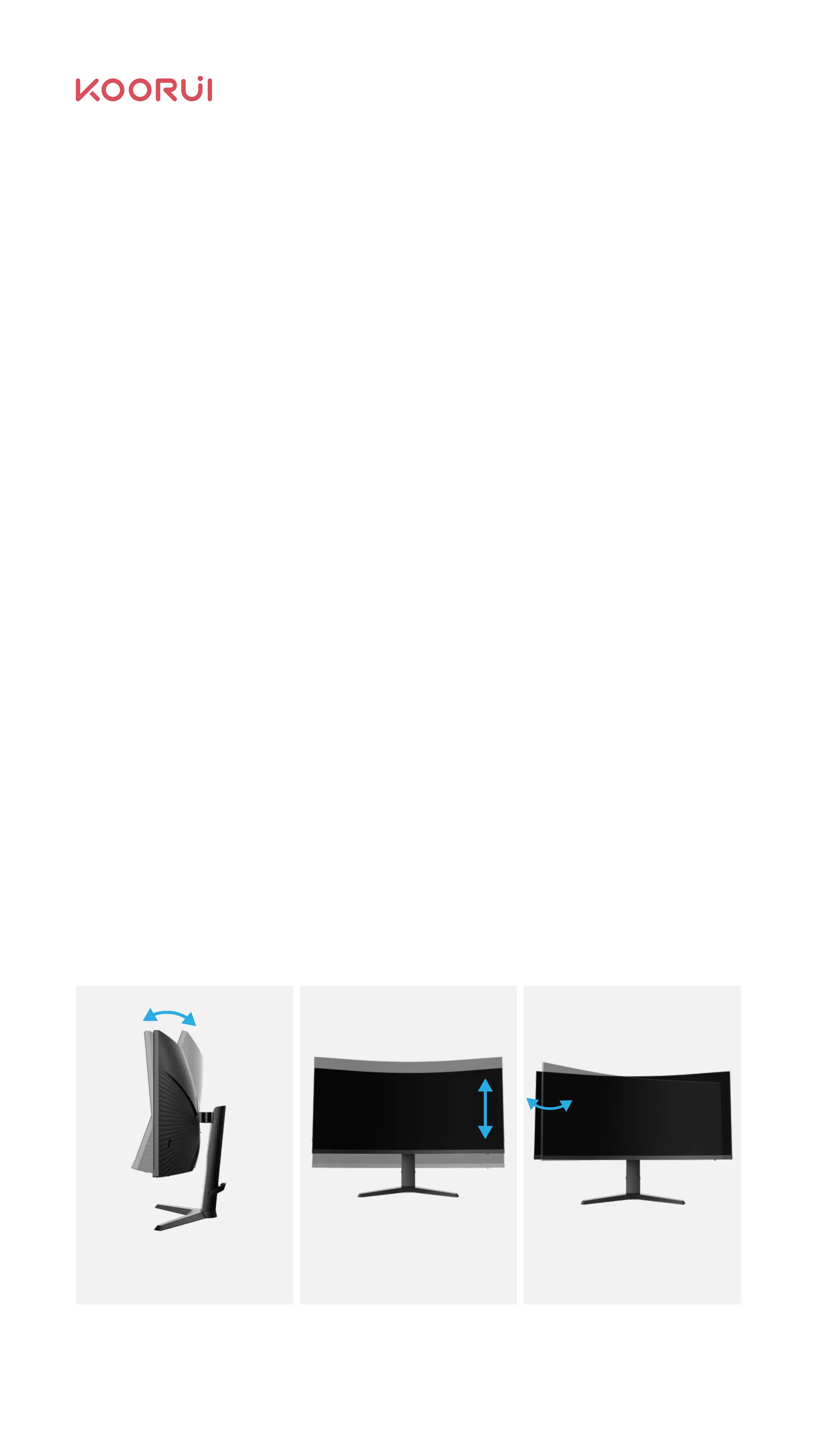
2.5 Adjust Product Inclination
Ν
Ν
Ν
Ν
Ν
Ν
Connect and use the source device
Read the following before installing the product.
HDMI 2.0/DP interface supports 3440×1440,165Hz; HDMI 2.0 supports
1920×1080, 165Hz, or 3440×1440, 100Hz. Please choose the connection
method you need.
The HDMI cable has 1.4 and 2.0 sizes, and the dock has a support port-type
version. Please consult with the dealer whether the interface with this product
match.
Before installing, please check the shape of the two ports of the attached
signal cable and the shape and location of the ports on the product and
external equipment.
Before connecting the signal lines, be sure to connect from the product
and the external equipment to prevent damage to the product due to short
circuits or over-current.
Connect the power cord back to the product and external equipment after
properly connecting all the signal wires.
After the installation, please be sure to read the user guide to familiarize
with the correct use of products required products’ features, cautions,
and other information.
As for the operation and use of the source device, please read the user guide
provided by the source device. If the original device signal is abnormal, it is
recommended to contact the source device manufacturer rst.
If you need Koorui’s assistance, please contact Koorui’s after-sales sta.
The adjustment between front
and rear angles is -5° ~20°
The travel between upward and
downward lift is up to 110mm
The rotation between left
and right is -15°
09



 To Next Page