Put a soft cloth on the table to protect the product
(or use the foam vinyl that comes with the product
packaging), and place the product face down on
the soft cloth.
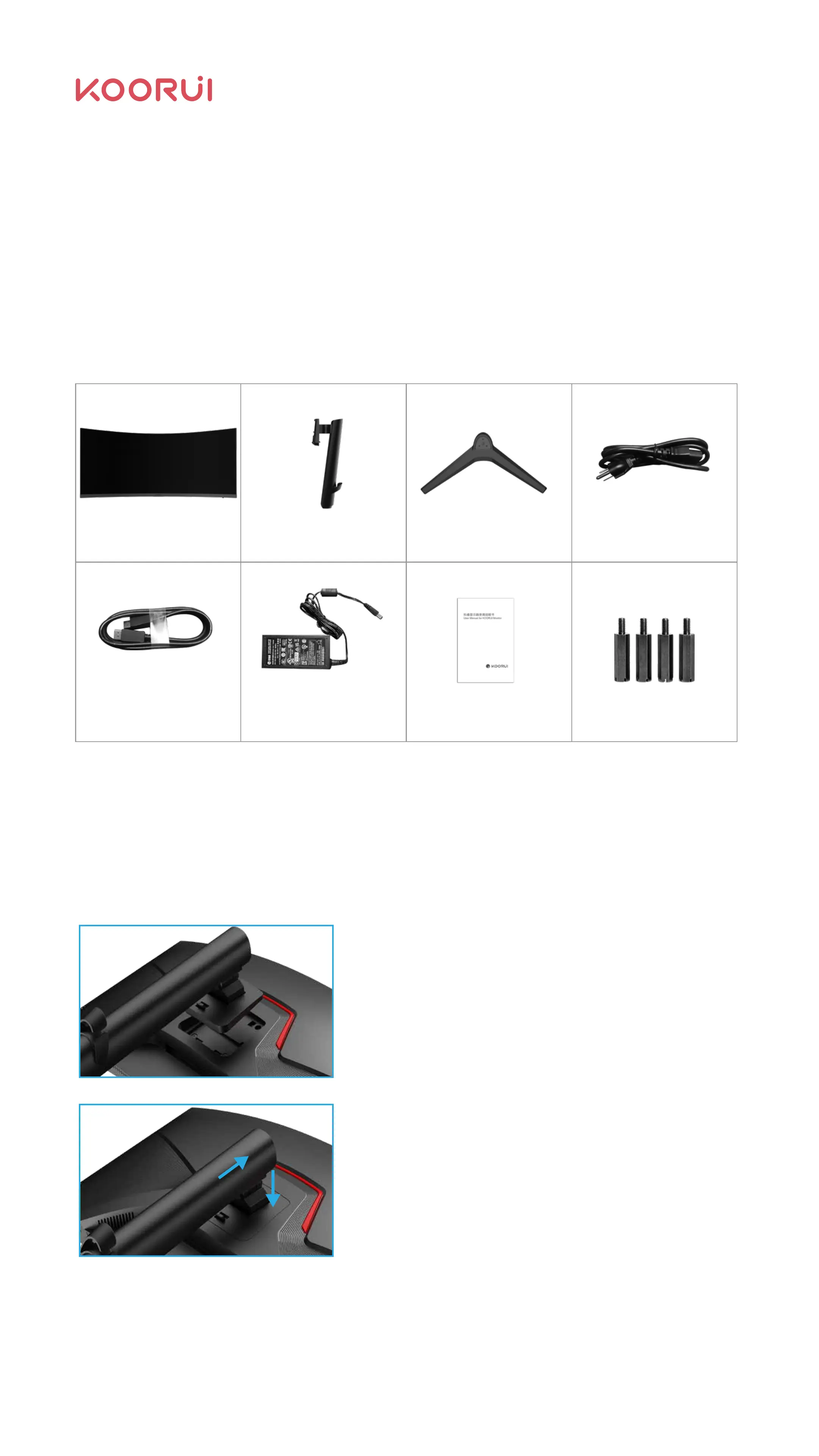
Push the column into the main body of the monitor
in the direction indicated by the arrow;
Check whether the bracket and the main body are
firmly connected;
Chapter Ⅱ Preparation Before Use
Product Accessories:2.1
Your monitor comes with the following parts. Please check that all parts have been
received and contact Koorui if any are missing.
Monitor
M4*4PCS VESA Screw
Power cable
(length 1.5m)
Stand neck Base
DP data cable
(length 1.5m)
User Manual
Holder Installation:2.2
2.2.1 Monitor Holder Installation
Adapter
(length 1.2m)
04



 To Next Page